Hi !
During the Hololens tour, I got a couple of questions and I promised to answer them later. Here is one of them:
Can we save the surrounding environment of the Hololens in a 3D model and work with this model later?
The answer is YES, and now I’l share the necessary steps to perform this.
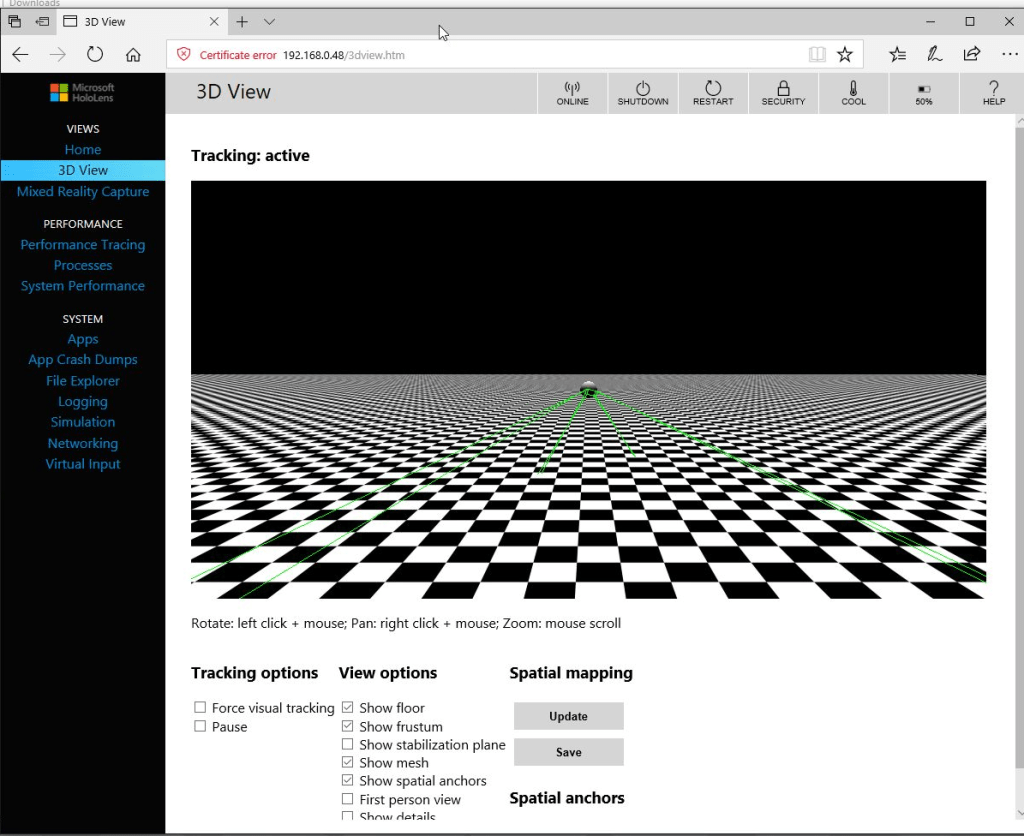
We need to access to the Hololens Developer Portal of our device and navigate to the option “3D View”
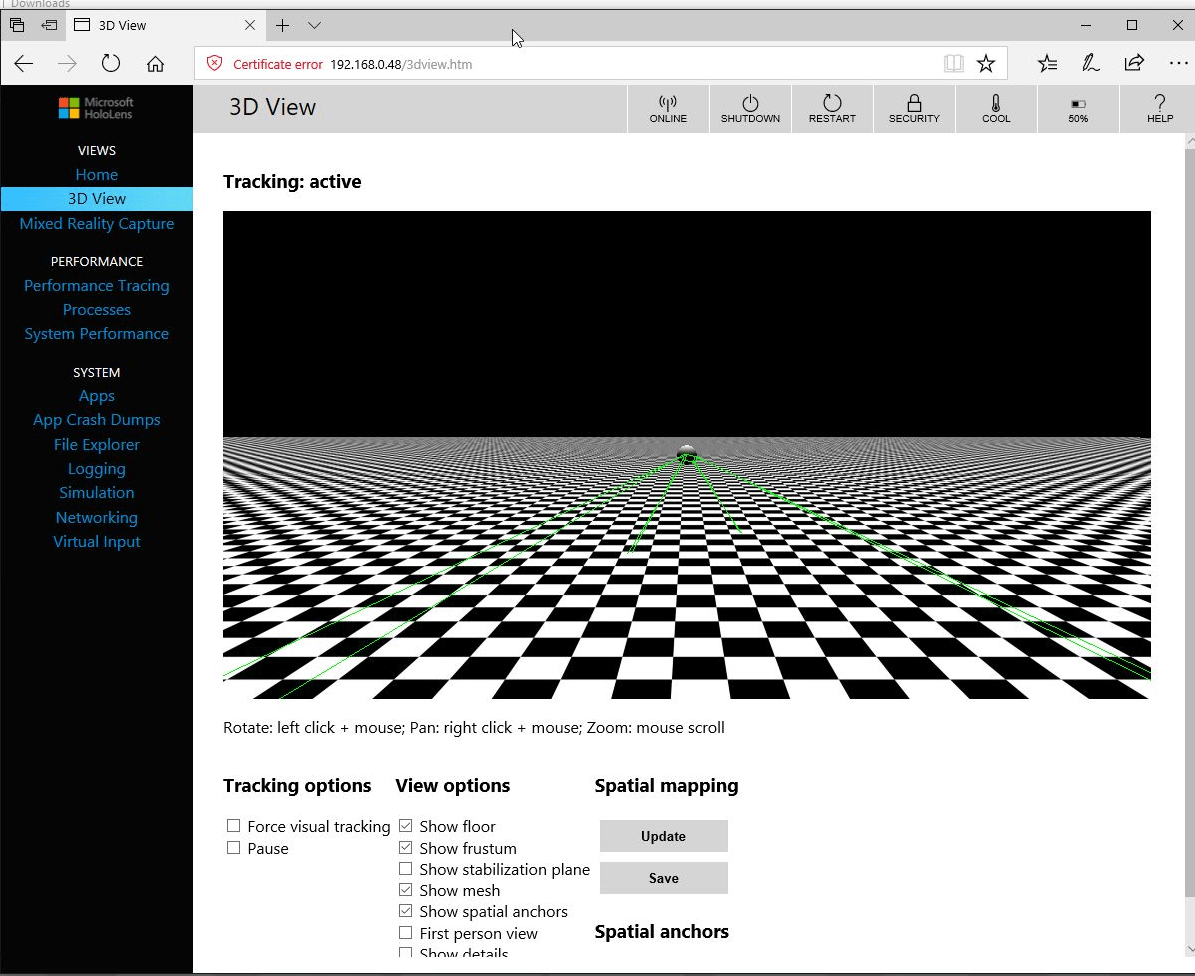
When we click on the [Update] button we will see a 3D model of the current environment scanned by the device.
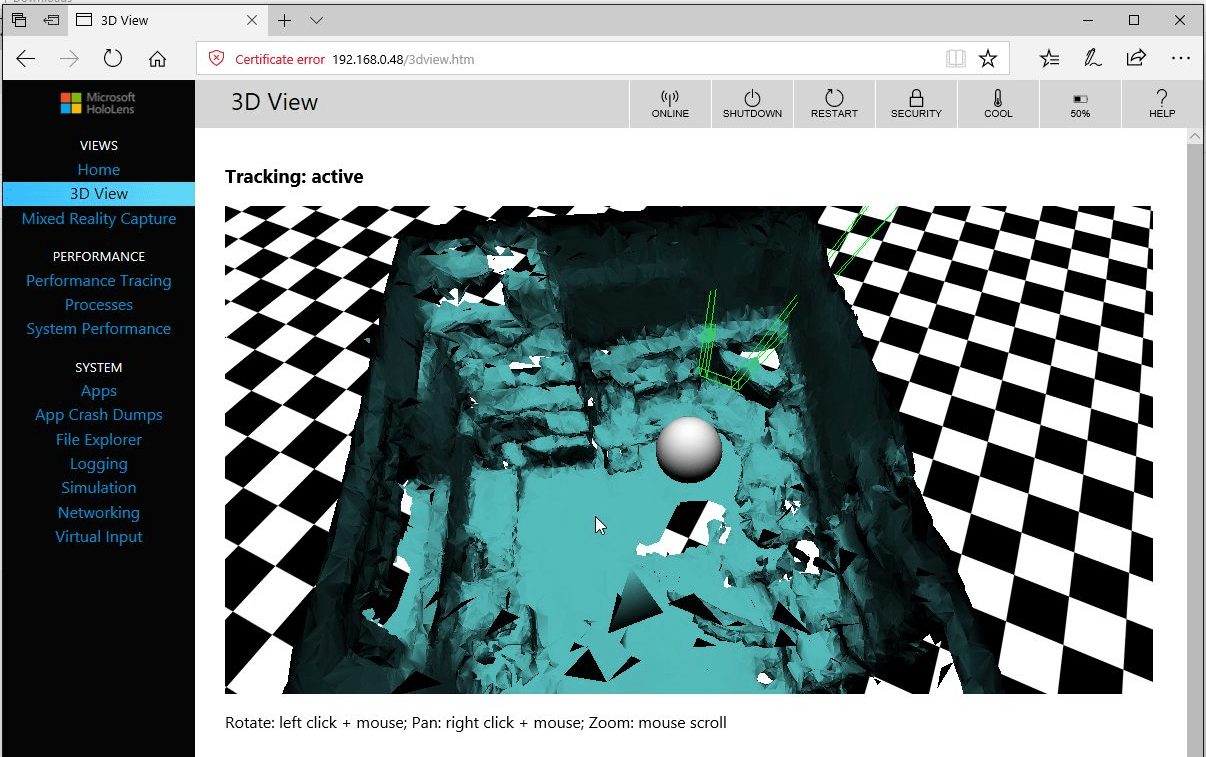
We can use mouse and keyboard to “navigate” in this view and view details of this environment.
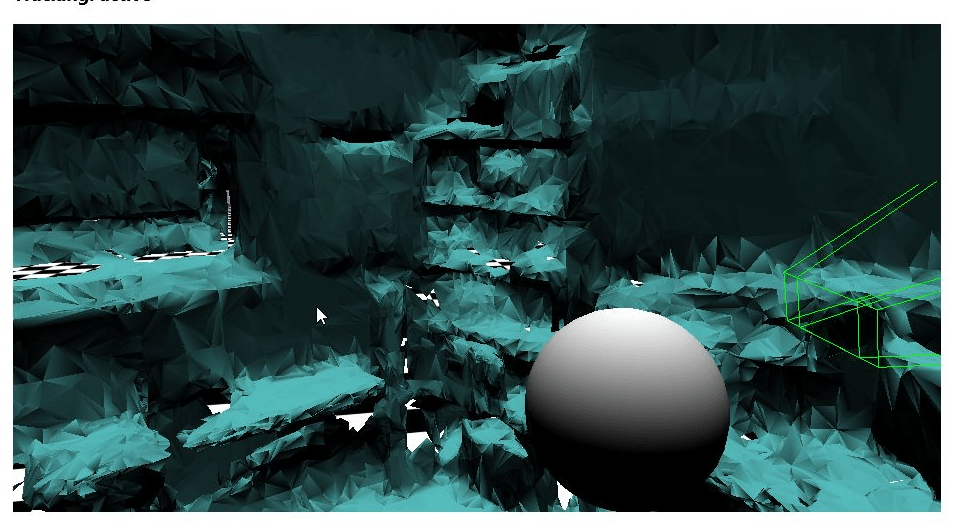
Important: The Hololens device is always scanning the environment, and it’s also updating the mesh of this model. If we press again the [Update] button we will be able to see the updated changes to the model. Also, the model is not restrained to “only one room”, we can have and work with complex models including several rooms. The next image is a photo and 3D view of a corner in my home office.

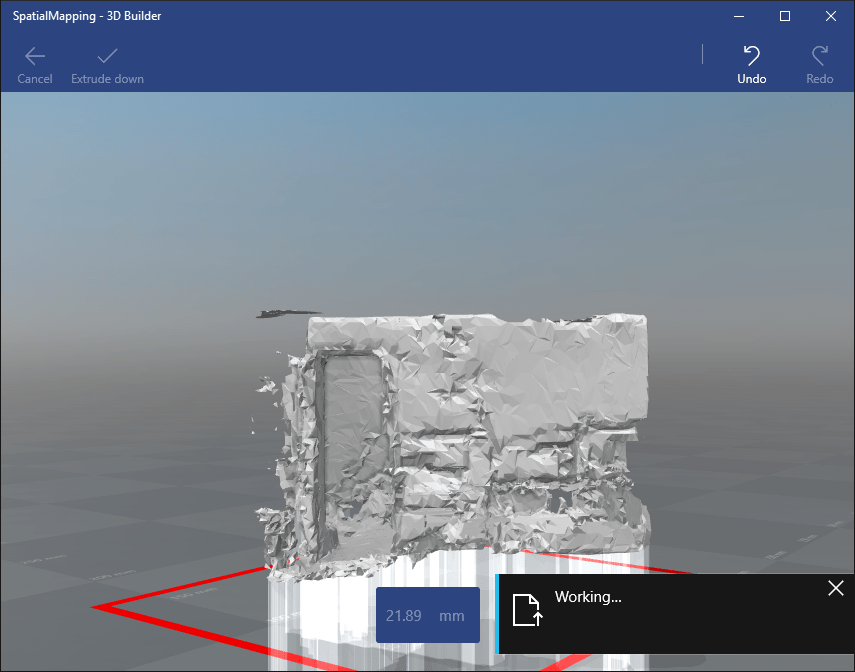
We can export this scene model in a file with OBJ format. We can import and work with this file using several tools like Unity 3D, Paint 3D or 3D Builder. The next screen shoot is my office while I polish the model in 3D Builder.
Greetings @ Toronto
El Bruno
References
El Bruno, my posts
- Device Portal Basic Features for Developer
- How to Import the HoloToolkit Unity
- How to place a Hologram using AirTap and HoloToolkit
- Creating a menu with options with HoloToolkit
- Using voice commands to display a menu with HoloToolkit
- How to create a 3D text always visible using HoloToolkit
- How to create a HUD (3D text always visible without HoloToolkit)
- How to detect hands using HoloToolkit
- Windows 10, Xbox One Controller, Bluetooth and some lessons learned
- How to use Fire Buttons actions with an XBoxOne Controller
- HoloToolkit compiled packages for Unity3D in GitHub
- How to detect AirTap and Click actions using HoloToolkit
- Detect user hand interactions using #HoloToolkit
- Moving and rotating Holograms using an XBoxOne Controller
- Spatial Understanding vs Spatial Mapping, and a tutorial on how to use them
- Spatial Mapping, tutorial to search for simple surfaces, like a 1×1 tile on the floor
- Alternative to fix the Tap to Place and World Anchor issue, until the official release of HoloToolkit for Visual Studio 2017 and Unity3D 5.6


 El Bruno
Leave a reply to #Hololens – Tutorial para seleccionar un holograma, cambiar su tamaño o modificar su posición utilizando #MRDesignLab – El Bruno Cancel reply