Hello!
Today I will leave the steps for an almost obligatory scenario we face when we created Hololens Apps:
How to display a text message that is always visible on the point of view of the user of Hololens
Something similar to the next video
As always the steps to create a project, are those who’ve explained in previous posts.
- Delete default assets: Main camera & Directional light
- Save Scene
- Adjust UWP projects settings to be Hololens capable
- Project Settings / Player
- Project Settings / Quality
- File / Build Settings
- Import HoloToolkit
- Add Assets
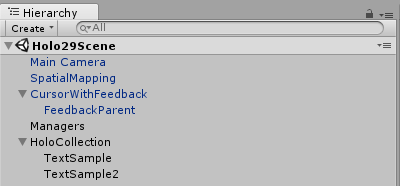
- Main Camera
- Spatial Mapping
- Cursor With Feedback
- Create Empty and Rename > Managers
- Add Components
- Gaze Managers
- Gaze Stabilizer
- Gesture Managers
- Hands Manager
- Text Manager (script below)
- Add Components
- Create Empty and Rename > HoloCollection
- Add Assets
- Add 3D Text, name “TextSample”, add text “Holo World”
- Add 3D Text, name “TextSample2”, add text “Holo Debug”
- Add Assets
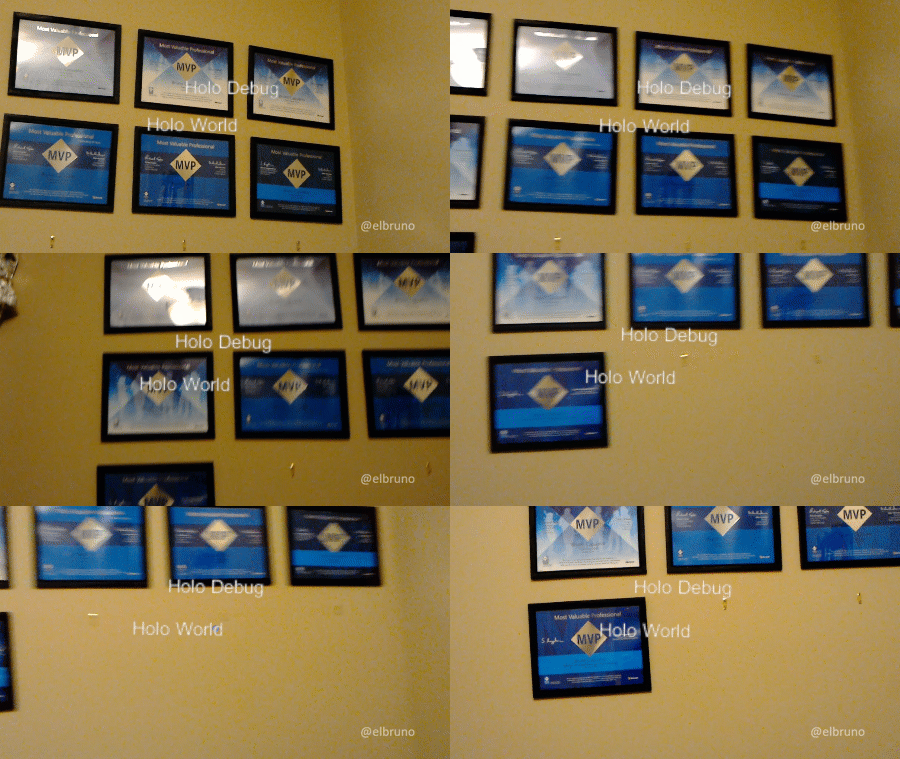
The output is similar to this one:
In this case this example takes care of
- Show the element TextSample always in the center of the POV of the user
- Show the element TextSample2 in a corner of the POV of the user
The script that positions elements is a CustomScript with the following code

I’m still learning to understand the best way to work with 3D elements, it is very likely that the function Update() you can optimize much. For now, tutorials like this (Vector Maths) of Unity3D have helped me to understand how to work with vectors in Unity3D.
the sample source code can be downloaded from GitHub link.
Greetings @ Toronto
El Bruno
References
- GitHub, HoloToolkit
- GitHub, HoloToolkit Unity
- Unity3D, Vector Maths
- El Bruno, How to Import the HoloToolkit Unity
- El Bruno, How to place a Hologram using AirTap and HoloToolkit
- El Bruno, Creating a menu with options with HoloToolkit
- El Bruno, Using voice commands to display a menu with HoloToolkit


 El Bruno
Leave a reply to #Hololens – Goodbye #HoloToolkit, now it’s time for #MixedRealityToolkit for Unity! – El Bruno Cancel reply