hI !
One of the bet features in Microsoft Flow is the Push Notification support. To receive notifications in our device, we only need to have the Flow app installed, that’s it. And then, we can add notification capabilities in any of our Flows.
Let’s see a simple flow, with 2 steps:
- The flow will be triggered using a button in the Flow App
- Then a notification will be sent to the user device with some user information
The real time execution of the flow will be similar to this one
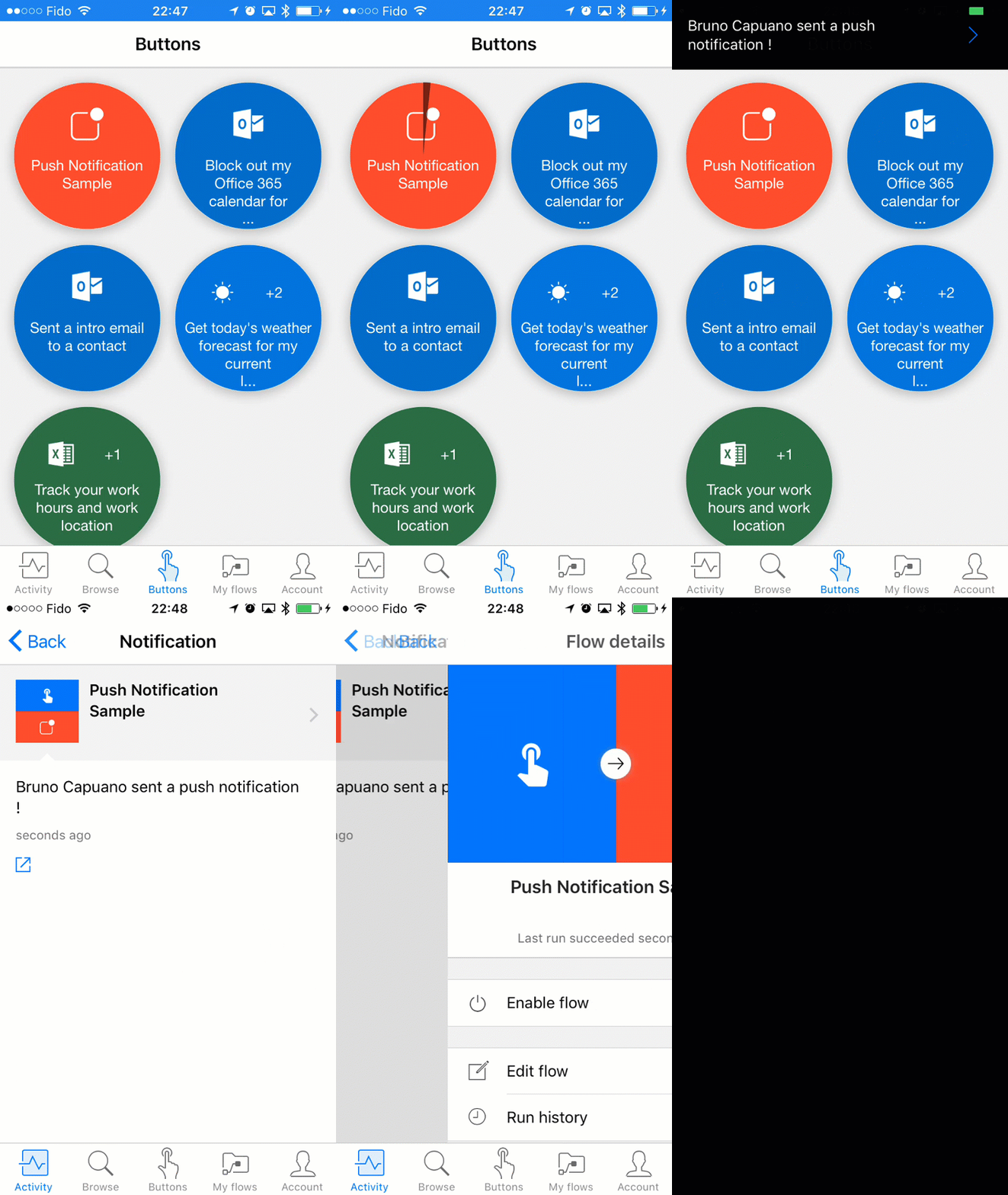
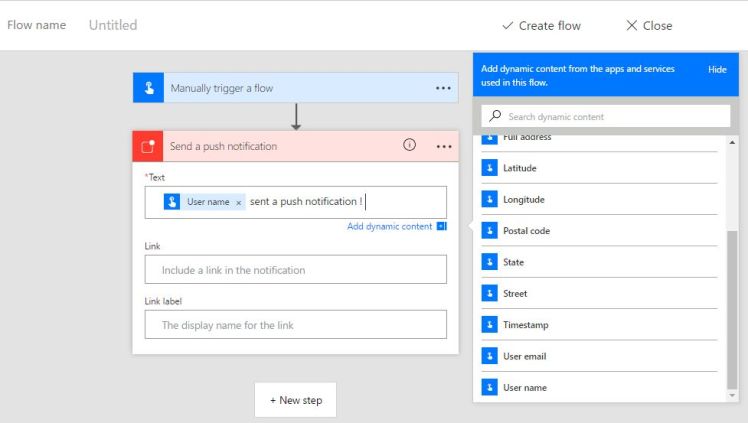
When we click the button, the notification arrives. It’s very easy. The Flow definition is also very simple, a trigger and an action.
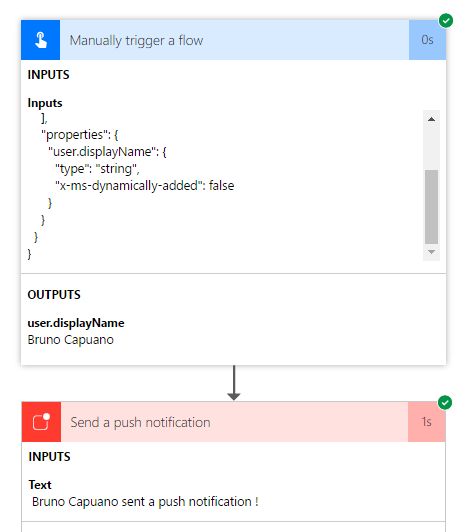
And when we read the execution log, we realices that Flow only uses the information required by the Flow:displayName.
In future posts, I’ll show how to add some user input in a Flow definition, when we use a Button as a trigger.
Greetings @ Toronto
El Bruno
References
- Microsoft Flow
- El Bruno, How to review a Flow process
 El Bruno
Leave a reply to #Flow – Manejando información de configuración de Apps con #OneDrive, #Excel, Microsoft Flow y peticiones HTTP – El Bruno Cancel reply