Windows 10 and YOLOV2 for Object Detection Series


Hi!

In today’s post I’ll share some experience on how to download the latest version of Tiny-YoloV3 and use it in the UWP App that I created in previous posts. Important, the Tiny-YoloV2  model I’ve used in previous posts was in Onnx format, and it was downloaded from Azure AI Gallery.

We can download Tiny-YoloV3 from the official site, however I will work with a version that is already compiled in CoreML format, CoreML format is usually used in iOS apps (see References).

Well, to convert the model of CoreML To Onnx, we will use Visual Studio Tools For Ai. And the next set of software

Once all the software is installed, we can follow the step by step of [Ai Converting Models To ONNX] to convert our model. However, the road is not as simple as it seems. The 1st thing we can find are errors like the following
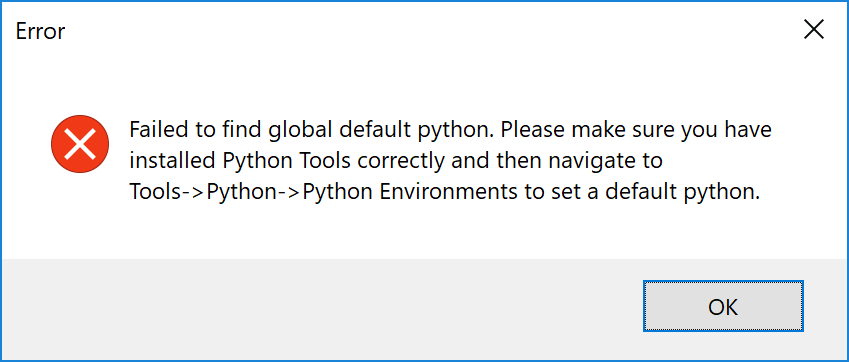
01 thanks Python

Problems with Python, in my case had several versions of Python installed, but the IDE had no marked as [Default]. From the panel [Pythin Environments] You can fix this
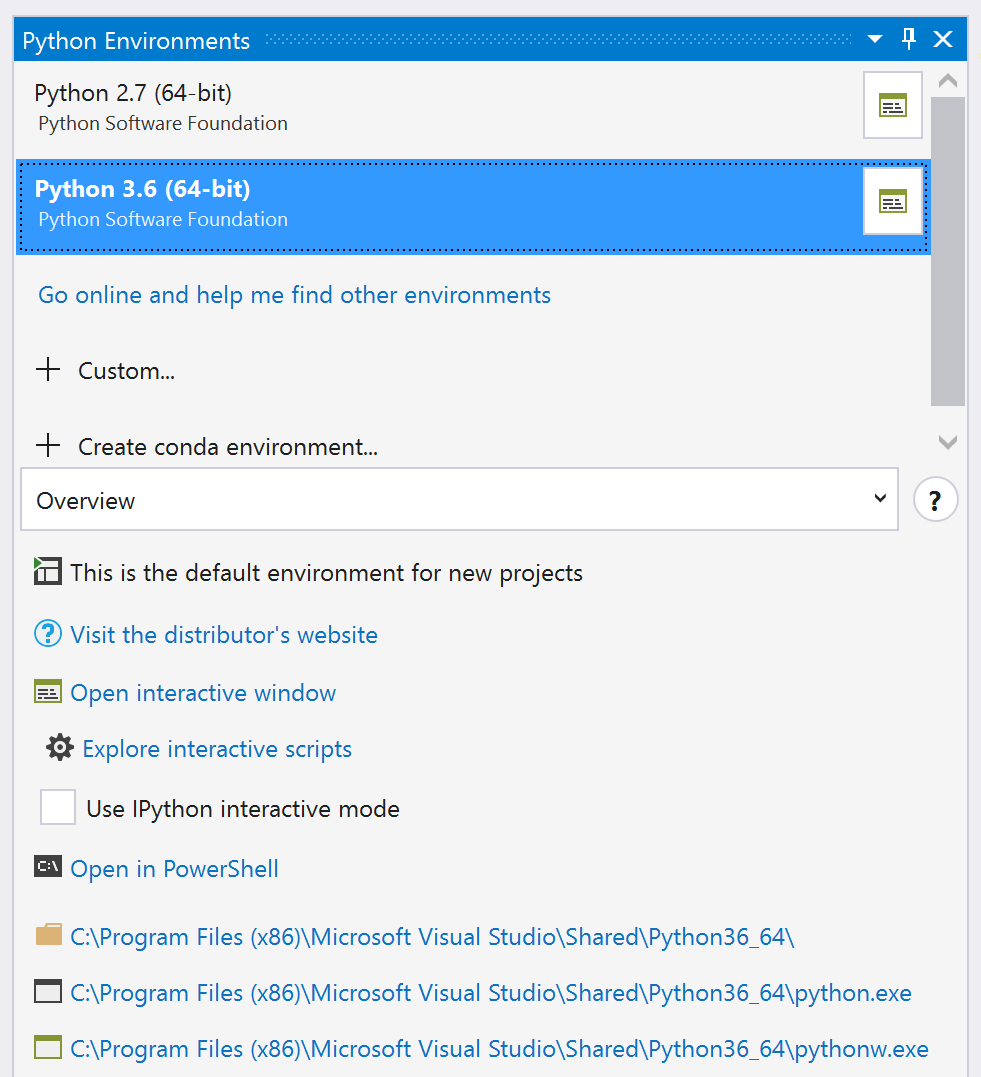
01 1 Python environments

Next Problem I need some configuration on my part, it was related to Prerequisites for conversion. It all starts with [Missing Package WinMLTools]

—————————

Error

—————————

Missing package WinMLTools, please check details in output window.

—————————

OK  

—————————


Traceback (most recent call last):

  File “C:\Users\<Bruno>\AppData\Local\Microsoft\VisualStudio\15.0_e5344afb\Extensions\kzqekf1z.44v\RuntimeSDK\model\model_converter_cli.py”, line 76, in check_winmltools_installed

    import winmltools

ModuleNotFoundError: No module named ‘winmltools’

However After Of Investigate for a while, these are the 2 Packages I need to install

Microsoft ML Tool (winmltools)

pip3 install winmltools==0.1.0.5072

CoreML Tools

pip3 install “git+https://github.com/apple/coremltools@v0.8”

As always, 1st thing to do is update Python

03 upgrade pip.png

And now we can launch the conversion operation again
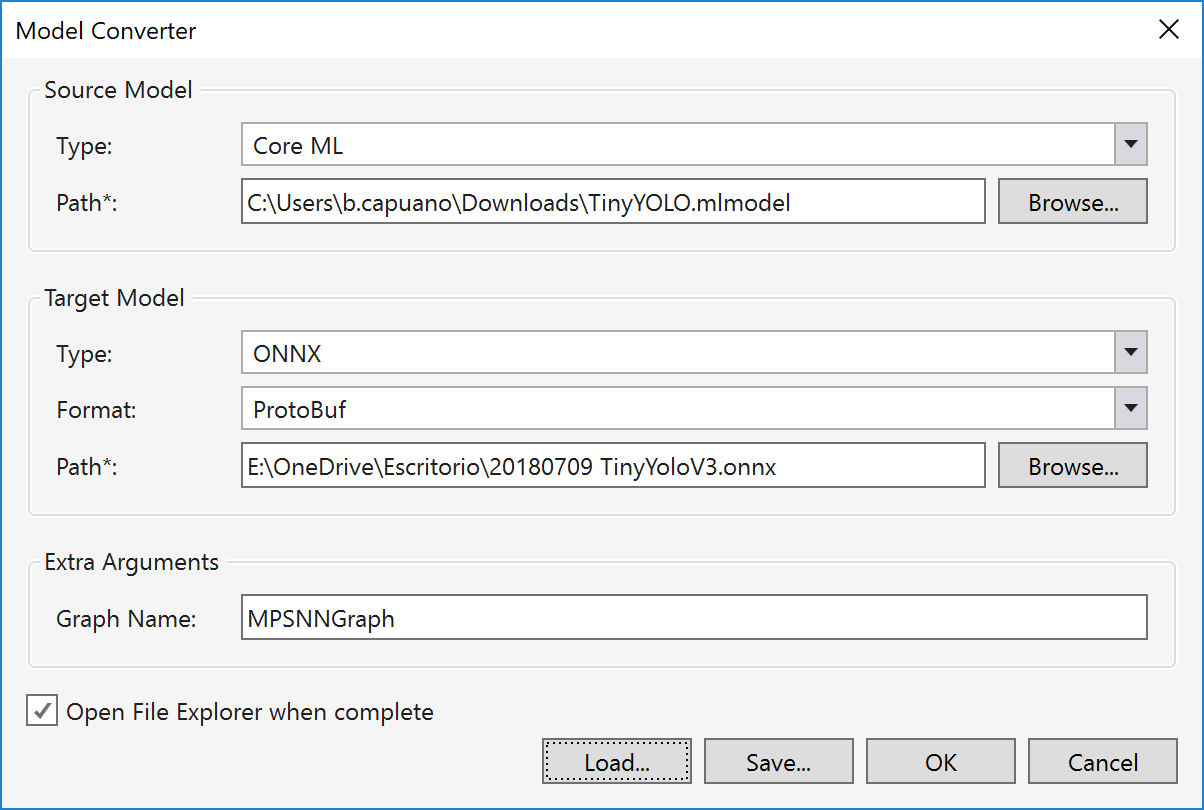
07 01 convert.png

And a few seconds later we already have our Tiny-YoloV3 in format Onnx
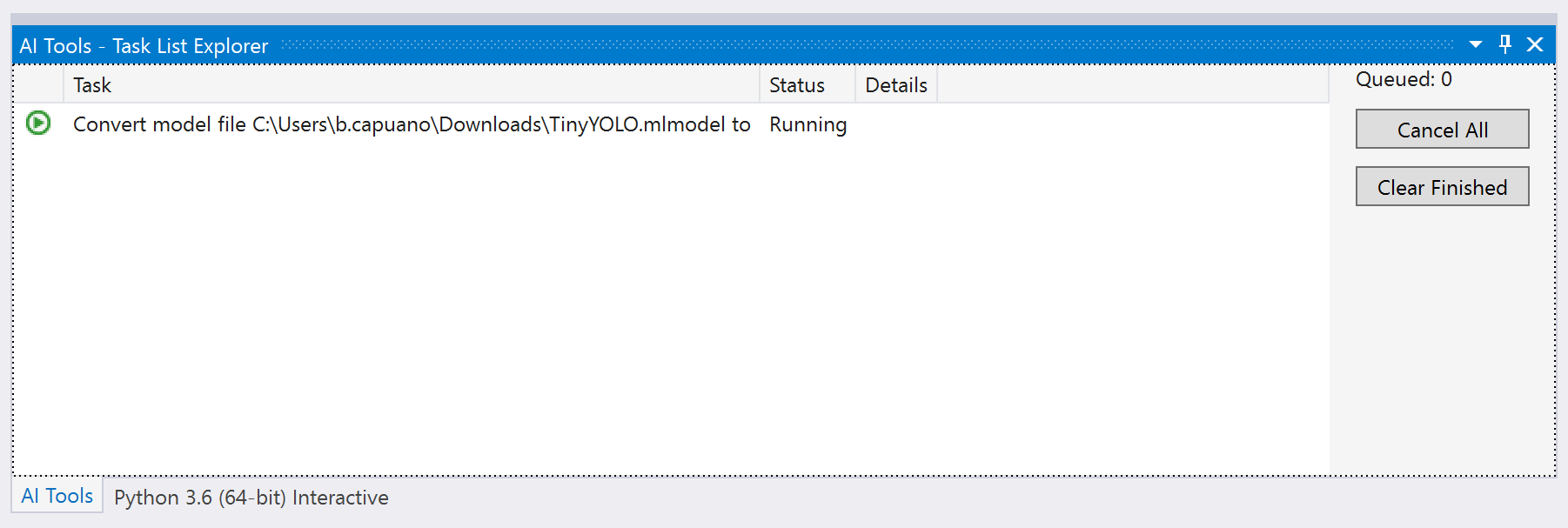
07 convert running

Because the model respects the Input/Output of the previous version, we only have to replace the file in our solution. I have added the new Onnx Just to have a little more control over the example.
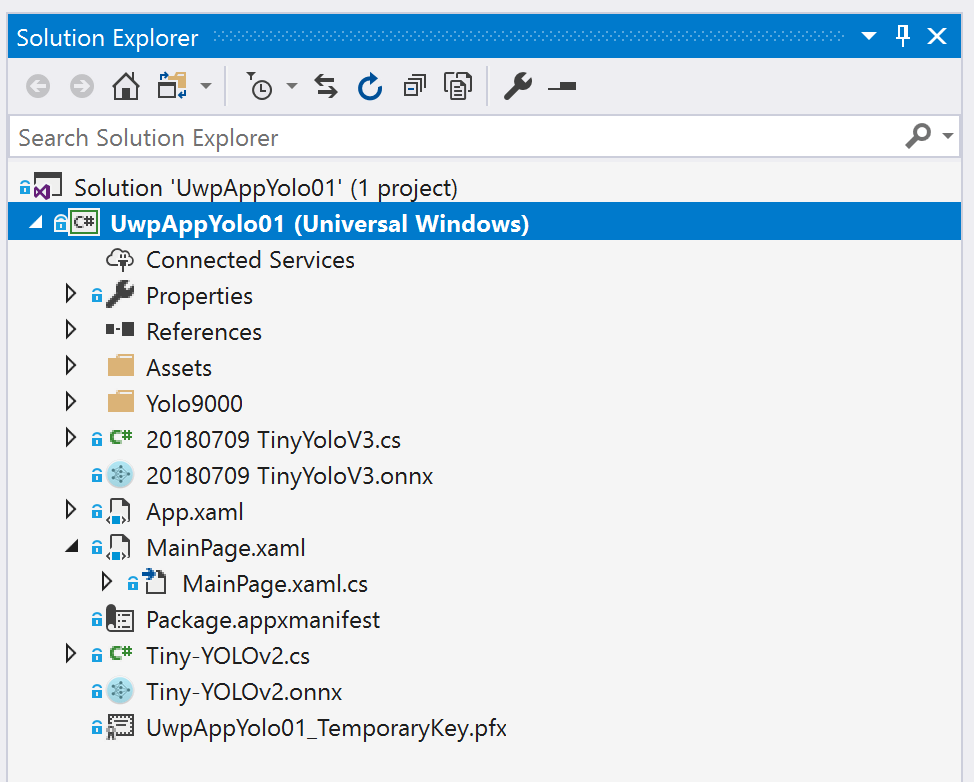
08 Sol Onnx.png

As I have always updated the complete example in GitHub

https://github.com/elbruno/Blog/tree/master/20180709%20UwpMLNet%20TinyYoloV3

Happy Coding!

Greetings @ Toronto

El Bruno

References

45 responses to “#WinML – How to convert Tiny-YoloV3 model in CoreML format to Onnx and use it in a #Windows10 App”

  1. Great post! Could you share where did you get the CoreML version of Tiny YOLO v3? Is it the VOC version, or the COCO version?

    Liked by 1 person

      1. Thanks for the link, but this tiny yolo model is actually version 2, not version 3.

        Like

        1. Sorry, I pasted the wrong one.
          I’ve downloaded everything from https://github.com/AlexeyAB/darknet
          I’ve followed the steps from the section [How to train tiny-yolo], I’ll double check the file I’ve used and I’ll try to write my experience here.
          I’m not a ML tech guy, so at this point my experience is kind of messy to share 😀
          Regards
          -Bruno

          Like

  2. […] How to convert Tiny-YoloV3 model in CoreML format to ONNX and use it in a Windows 10 App […]

    Like

  3. […] How to convert Tiny-YoloV3 model in CoreML format to ONNX and use it in a Windows 10 App […]

    Like

  4. […] How to convert Tiny-YoloV3 model in CoreML format to ONNX and use it in a Windows 10 App […]

    Like

  5. […] How to convert Tiny-YoloV3 model in CoreML format to ONNX and use it in a Windows 10 App […]

    Like

  6. […] How to convert Tiny-YoloV3 model in CoreML format to ONNX and use it in a Windows 10 App […]

    Like

  7. […] How to convert Tiny-YoloV3 model in CoreML format to ONNX and use it in a Windows 10 App […]

    Like

  8. […] How to convert Tiny-YoloV3 model in CoreML format to ONNX and use it in a Windows 10 App […]

    Like

  9. […] How to convert Tiny-YoloV3 model in CoreML format to ONNX and use it in a Windows 10 App […]

    Like

  10. […] How to convert Tiny-YoloV3 model in CoreML format to ONNX and use it in a Windows 10 App […]

    Like

  11. […] How to convert Tiny-YoloV3 model in CoreML format to ONNX and use it in a Windows 10 App […]

    Like

  12. […] How to convert Tiny-YoloV3 model in CoreML format to ONNX and use it in a Windows 10 App […]

    Like

  13. […] How to convert Tiny-YoloV3 model in CoreML format to ONNX and use it in a Windows 10 App […]

    Like

  14. […] How to convert Tiny-YoloV3 model in CoreML format to ONNX and use it in a Windows 10 App […]

    Like

  15. […] How to convert Tiny-YoloV3 model in CoreML format to ONNX and use it in a Windows 10 App […]

    Like

  16. […] How to convert Tiny-YoloV3 model in CoreML format to ONNX and use it in a Windows 10 App […]

    Like

  17. […] How to convert Tiny-YoloV3 model in CoreML format to ONNX and use it in a Windows 10 App […]

    Like

  18. […] How to convert Tiny-YoloV3 model in CoreML format to ONNX and use it in a Windows 10 App […]

    Like

  19. […] How to convert Tiny-YoloV3 model in CoreML format to ONNX and use it in a Windows 10 App […]

    Like

  20. […] How to convert Tiny-YoloV3 model in CoreML format to ONNX and use it in a Windows 10 App […]

    Like

  21. […] How to convert Tiny-YoloV3 model in CoreML format to ONNX and use it in a Windows 10 App […]

    Like

  22. […] How to convert Tiny-YoloV3 model in CoreML format to ONNX and use it in a Windows 10 App […]

    Like

  23. […] How to convert Tiny-YoloV3 model in CoreML format to ONNX and use it in a Windows 10 App […]

    Like

  24. […] How to convert Tiny-YoloV3 model in CoreML format to ONNX and use it in a Windows 10 App […]

    Like

  25. […] How to convert Tiny-YoloV3 model in CoreML format to ONNX and use it in a Windows 10 App […]

    Like

  26. […] How to convert Tiny-YoloV3 model in CoreML format to ONNX and use it in a Windows 10 App […]

    Like

  27. […] How to convert Tiny-YoloV3 model in CoreML format to ONNX and use it in a Windows 10 App […]

    Like

  28. […] How to convert Tiny-YoloV3 model in CoreML format to ONNX and use it in a Windows 10 App […]

    Like

  29. […] How to convert Tiny-YoloV3 model in CoreML format to ONNX and use it in a Windows 10 App […]

    Like

  30. […] How to convert Tiny-YoloV3 model in CoreML format to ONNX and use it in a Windows 10 App […]

    Like

  31. […] How to convert Tiny-YoloV3 model in CoreML format to ONNX and use it in a Windows 10 App […]

    Like

  32. […] How to convert Tiny-YoloV3 model in CoreML format to ONNX and use it in a Windows 10 App […]

    Like

  33. […] How to convert Tiny-YoloV3 model in CoreML format to ONNX and use it in a Windows 10 App […]

    Like

  34. […] How to convert Tiny-YoloV3 model in CoreML format to ONNX and use it in a Windows 10 App […]

    Like

  35. […] How to convert Tiny-YoloV3 model in CoreML format to ONNX and use it in a Windows 10 App […]

    Like

  36. […] How to convert Tiny-YoloV3 model in CoreML format to ONNX and use it in a Windows 10 App […]

    Like

  37. […] How to convert Tiny-YoloV3 model in CoreML format to ONNX and use it in a Windows 10 App […]

    Like

  38. There is an available yolov3 onnx model now : https://github.com/onnx/models/tree/master/yolov3 !

    Like

  39. […] How to convert Tiny-YoloV3 model in CoreML format to ONNX and use it in a Windows 10 App […]

    Like

Leave a reply to #Onnx – Object recognition with #CustomVision and ONNX in Windows applications using Windows ML, drawing frames – El Bruno Cancel reply

Discover more from El Bruno

Subscribe now to keep reading and get access to the full archive.

Continue reading