Windows 10 and YOLOV2 for Object Detection Series


Hi!

Let me start from my previous post where I already coded a a real-time video camera feed process using with Tiny-YoloV2. The model returns results in a 416×416 size image, and that’s why the detected frame with the person looks kind of weird.
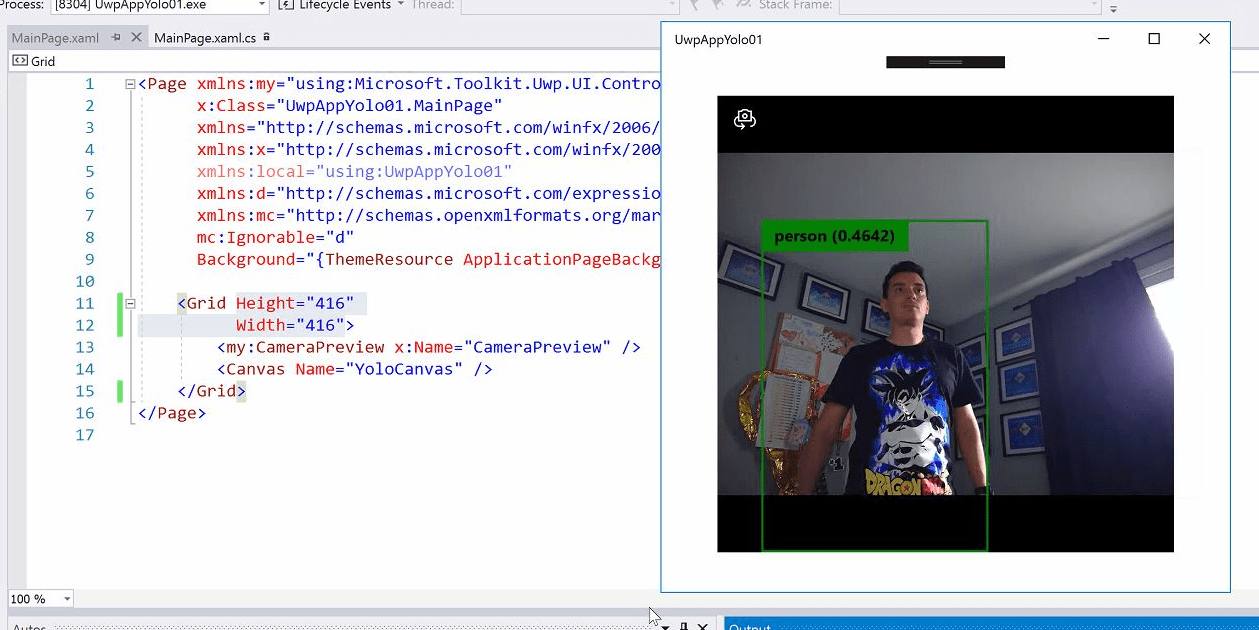
01

It’s not complicated to work with the output so it can be adapted to the size of the Webcam control, only a couple of lines of code.


private uint _overlayCanvasActualWidth;
private uint _overlayCanvasActualHeight;
private void DrawYoloBoundingBox(YoloBoundingBox box, Canvas overlayCanvas)
{
// get current webcam and canvas size
_overlayCanvasActualWidth = (uint)YoloCanvas.ActualWidth;
_overlayCanvasActualHeight = (uint)YoloCanvas.ActualHeight;
// process output boxes
var x = (uint)Math.Max(box.X, 0);
var y = (uint)Math.Max(box.Y, 0);
var w = (uint)Math.Min(overlayCanvas.ActualWidth – x, box.Width);
var h = (uint)Math.Min(overlayCanvas.ActualHeight – y, box.Height);
// fit to current canvas and webcam size
x = _overlayCanvasActualWidth * x / 416;
y = _overlayCanvasActualHeight * y / 416;
w = _overlayCanvasActualWidth * w / 416;
h = _overlayCanvasActualHeight * h / 416;

And in this way, we can draw the frames with the right format. In the following image it is possible to see how a person is detected, with a low precision score and as well as one of the pictures on the wall it is detected as a monitor.
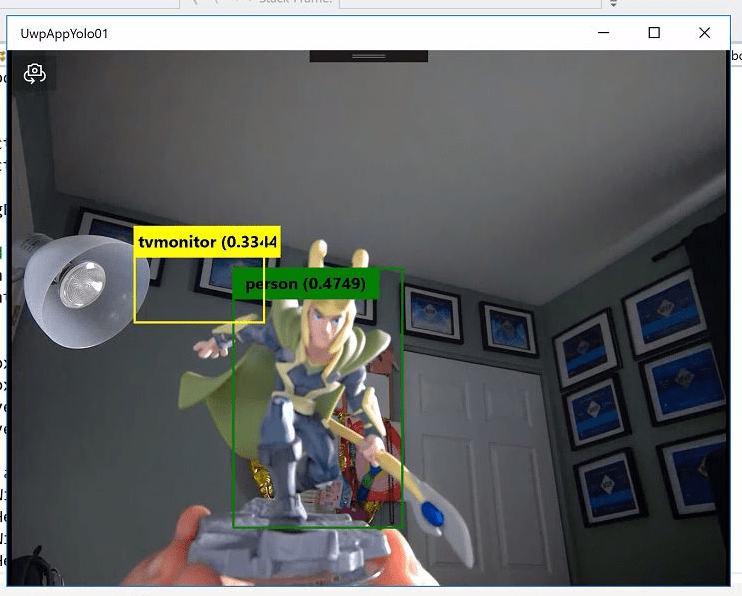
02

From here, it’s all about optimization, for example, take the value of the webcam control only when the app is resized.


protected override async void OnNavigatedTo(NavigationEventArgs e)
{
LoadYoloOnnxModel();
Window.Current.SizeChanged += Current_SizeChanged;
await CameraPreview.StartAsync();
CameraPreview.CameraHelper.FrameArrived += CameraHelper_FrameArrived;
}
private void Current_SizeChanged(object sender, WindowSizeChangedEventArgs e)
{
_yoloCanvasActualWidth = (uint)YoloCanvas.ActualWidth;
_yoloCanvasActualHeight = (uint)YoloCanvas.ActualHeight;
}

In the final example, I have also added a visual indicator as a status bar, which shows the number of frames processed per second and the real size of the elements in the App.
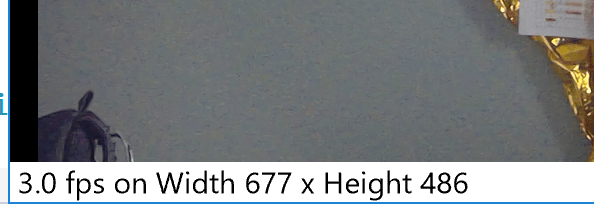
03

The full code for the example can be downloaded from

https://github.com/elbruno/Blog/tree/master/20180704%20UwpMLNet%20TinyYoloV2

Happy Coding!

Greetings @ Toronto

El Bruno

References

49 responses to “#WinML – How to create a #Windows10 App using #YOLO for object detection (4 of 4)”

  1. […] Resize YoloV2 output to support multiple formats and process and display frames per second […]

    Like

  2. […] Resize YoloV2 output to support multiple formats and process and display frames per second […]

    Like

  3. […] Resize YoloV2 output to support multiple formats and process and display frames per second […]

    Like

  4. […] Resize YoloV2 output to support multiple formats and process and display frames per second […]

    Like

  5. […] Resize YoloV2 output to support multiple formats and process and display frames per second […]

    Like

  6. […] Resize YoloV2 output to support multiple formats and process and display frames per second […]

    Like

  7. […] Resize YoloV2 output to support multiple formats and process and display frames per second […]

    Like

  8. […] Resize YoloV2 output to support multiple formats and process and display frames per second […]

    Like

  9. […] Resize YoloV2 output to support multiple formats and process and display frames per second […]

    Like

  10. […] Resize YoloV2 output to support multiple formats and process and display frames per second […]

    Like

  11. […] Resize YoloV2 output to support multiple formats and process and display frames per second […]

    Like

  12. […] Resize YoloV2 output to support multiple formats and process and display frames per second […]

    Like

  13. […] Resize YoloV2 output to support multiple formats and process and display frames per second […]

    Like

  14. […] Resize YoloV2 output to support multiple formats and process and display frames per second […]

    Like

  15. […] Resize YoloV2 output to support multiple formats and process and display frames per second […]

    Like

  16. […] Resize YoloV2 output to support multiple formats and process and display frames per second […]

    Like

  17. […] Resize YoloV2 output to support multiple formats and process and display frames per second […]

    Like

  18. […] Resize YoloV2 output to support multiple formats and process and display frames per second […]

    Like

  19. […] Resize YoloV2 output to support multiple formats and process and display frames per second […]

    Like

  20. […] Resize YoloV2 output to support multiple formats and process and display frames per second […]

    Like

  21. […] Resize YoloV2 output to support multiple formats and process and display frames per second […]

    Like

  22. […] Resize YoloV2 output to support multiple formats and process and display frames per second […]

    Like

  23. […] Resize YoloV2 output to support multiple formats and process and display frames per second […]

    Like

  24. […] Resize YoloV2 output to support multiple formats and process and display frames per second […]

    Like

  25. […] Resize YoloV2 output to support multiple formats and process and display frames per second […]

    Like

  26. […] Resize YoloV2 output to support multiple formats and process and display frames per second […]

    Like

  27. […] Resize YoloV2 output to support multiple formats and process and display frames per second […]

    Like

  28. […] Resize YoloV2 output to support multiple formats and process and display frames per second […]

    Like

  29. […] Resize YoloV2 output to support multiple formats and process and display frames per second […]

    Like

  30. […] Resize YoloV2 output to support multiple formats and process and display frames per second […]

    Like

  31. […] Resize YoloV2 output to support multiple formats and process and display frames per second […]

    Like

  32. […] Resize YoloV2 output to support multiple formats and process and display frames per second […]

    Like

  33. […] Resize YoloV2 output to support multiple formats and process and display frames per second […]

    Like

  34. […] Resize YoloV2 output to support multiple formats and process and display frames per second […]

    Like

  35. […] Resize YoloV2 output to support multiple formats and process and display frames per second […]

    Like

  36. […] Resize YoloV2 output to support multiple formats and process and display frames per second […]

    Like

  37. […] Resize YoloV2 output to support multiple formats and process and display frames per second […]

    Like

  38. […] Resize YoloV2 output to support multiple formats and process and display frames per second […]

    Like

  39. […] Resize YoloV2 output to support multiple formats and process and display frames per second […]

    Like

  40. […] Resize YoloV2 output to support multiple formats and process and display frames per second […]

    Like

  41. […] Resize YoloV2 output to support multiple formats and process and display frames per second […]

    Like

  42. […] Resize YoloV2 output to support multiple formats and process and display frames per second […]

    Like

  43. Miggy Trinidad Avatar
    Miggy Trinidad

    I know this is an old post, any idea if this this will work on HoloLens 2?
    I tried running it in my desktop but having error System.NullReferenceException: ‘Object reference not set to an instance of an object.’
    on LearningModelBindingPreview binding = new LearningModelBindingPreview(_learningModel);.

    Like

  44. alejandro1517 Avatar
    alejandro1517

    Hola.. compile esta version en vs2019 y tengo problemas con var learningModel = await LearningModelPreview.LoadModelFromStorageFileAsync(file); siempre en la variable learningModel tengo null al cargar el modelo..
    puede ser que este proyecto sea muy viejo ? o no .. saludos gracias

    Like

    1. pues se me ocurren un par de cosas: 1 que el archivo fisico no este disponible, yo revisaria que se copie al output, 2 que no se esten utilizando las ultimas dlls de WinML, aqui es mas complicado depurar.

      Hace mucho que no abro estos proyectos, si tengo un tiempo los reviso.

      Saludos

      Like

      1. alejandro1517 Avatar
        alejandro1517

        bueno.. revisare lo comentado, gracias

        Like

Leave a reply to #WinML – How to create a #Windows10 App using #YOLO for object detection (3 of 4) – El Bruno Cancel reply

Discover more from El Bruno

Subscribe now to keep reading and get access to the full archive.

Continue reading