Hello!
Today’s post is a fast one, for a specific scenario:
In a Universal Windows Platform App, we must define whether to show or hide the menus when working with a Surface Dial.
To do this, we must access the general configuration of Surface Dial using RadialControllerConfiguration.
The following class shows an example of a global service for a UWP with an operation where this value is validated from the settings of an App.
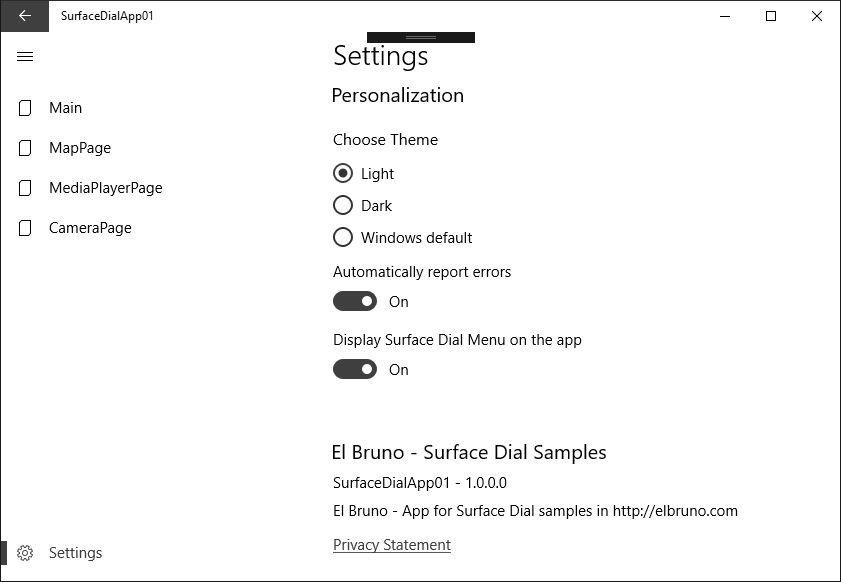
In the GitHub example you can see the complete operation. In short, the option to use or not, the menus of Surface Dial are defined through the settings of the App.
Source Code GitHub
Happy Coding !!!
Saludos @ Toronto
El Bruno
References
- El Bruno, Customizing the default menu items in Surface Dial
- El Bruno, Working with Multiple Menus with Surface Dial in a UWP View
- El Bruno, Rotating maps with C# and Surface Dial in UWP Apps
- El Bruno, 2 lines of C# code to handle maps using a Surface Dial
- El Bruno, Controlling a Media Player Element with Surface Dial in a Windows Store App
- El Bruno, Kind of a Hello World with a Surface Dial in a Windows Store App
- Windows Dev Center, Surface Dial Interactions
- Canadian Developer Connection, Developing for Surface Dial
- Visual Studio MarketPlace, Windows Template Studio


Leave a comment