Hello!
Today’s post will also describe an scenario on how to use a Surface Dial in a UWP App. In this case, in a view with a Map control. The first scenario to work is simple, control the zoom of the map display with the spin of the Surface Dial. Something similar to the following animation
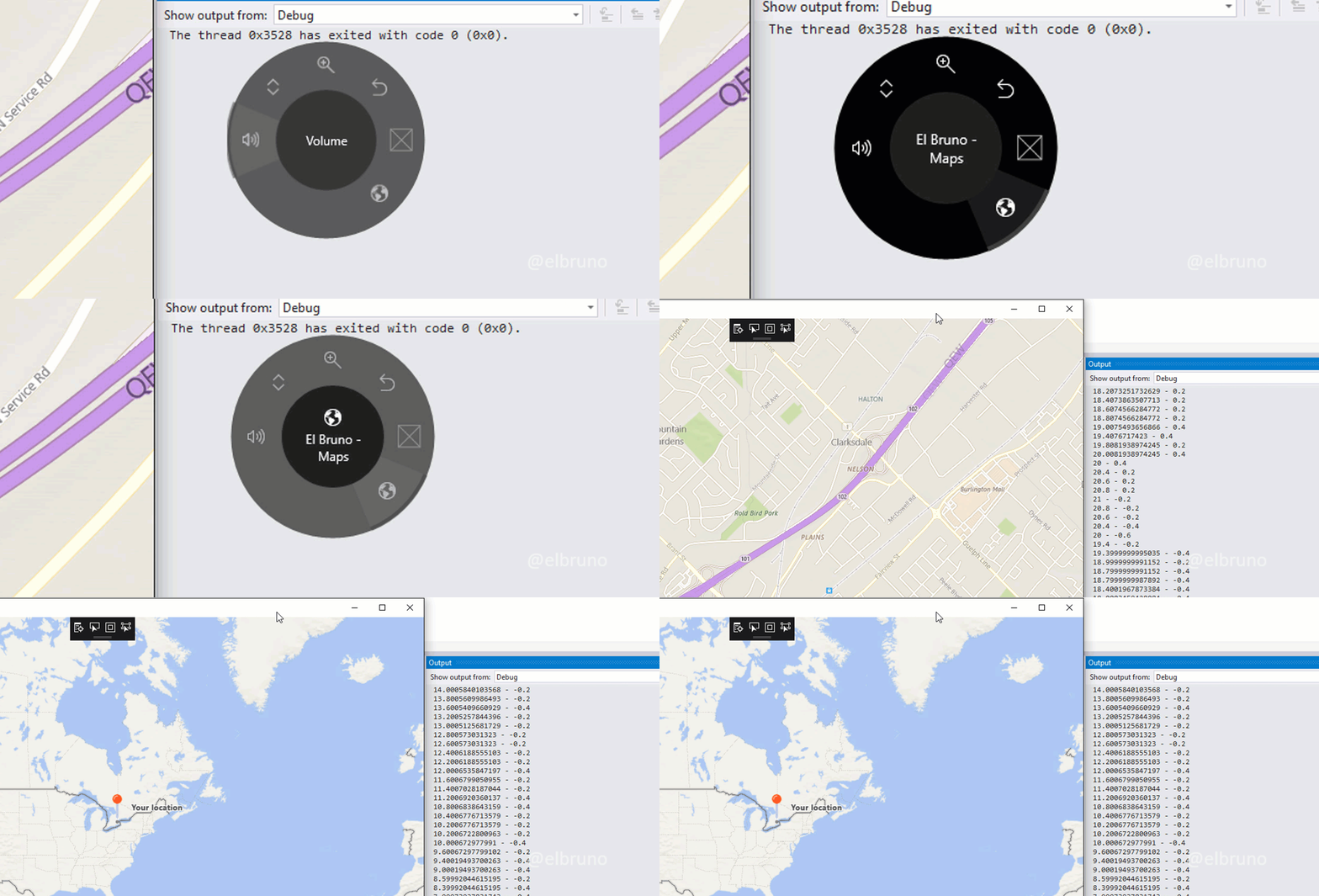
As in the previous example, to create the map menu button I used a char based on the [Segoe MDL2 Assets] font. In the RotationChanged() event, I change the zoom value of the map using the spin change of the Surface Dial
This file contains hidden or bidirectional Unicode text that may be interpreted or compiled differently than what appears below. To review, open the file in an editor that reveals hidden Unicode characters.
Learn more about bidirectional Unicode characters
| readonly RadialController _controller; | |
| public MapPagePage() | |
| { | |
| locationService = new LocationService(); | |
| Center = new Geopoint(defaultPosition); | |
| ZoomLevel = DefaultZoomLevel; | |
| InitializeComponent(); | |
| _controller = RadialController.CreateForCurrentView(); | |
| _controller.RotationResolutionInDegrees = 0.2; | |
| _controller.UseAutomaticHapticFeedback = false; | |
| var myItem = RadialControllerMenuItem.CreateFromFontGlyph("El Bruno – Maps", "\xE128", "Segoe MDL2 Assets" ); | |
| _controller.Menu.Items.Add(myItem); | |
| _controller.ButtonClicked += ControllerButtonClicked; | |
| _controller.RotationChanged += ControllerRotationChanged; | |
| } | |
| private void ControllerRotationChanged(RadialController sender, RadialControllerRotationChangedEventArgs args) | |
| { | |
| Debug.WriteLine($"{mapControl.ZoomLevel} – {args.RotationDeltaInDegrees}"); | |
| mapControl.ZoomLevel = mapControl.ZoomLevel + args.RotationDeltaInDegrees; | |
| } |
In the animation we can see how the Output window displays the change of the zoom value and the delta that is passed from the dial in each event. It is important to remember that if we turn the Surface Dial quickly, an event will not be triggered for each degree of rotation but an event where the delta value of the change of spin is greater.
That’s why it’s important to understand the definition in line 11, where I define that the value passed in the RotationChanged() event is 0.2. If we need another type of scale, the property RotationResolutionInDegrees is the one that will allow us to change this value.
Happy Coding!
Source Code GitHub
Greetings @ Burlington
El Bruno
References
- El Bruno, Controlling a Media Player Element with Surface Dial in a Windows Store App
- El Bruno, Kind of a Hello World with a Surface Dial in a Windows Store App
- Windows Dev Center, Surface Dial Interactions
- Canadian Developer Connection, Developing for Surface Dial
- Visual Studio MarketPlace, Windows Template Studio
 El Bruno
Leave a reply to #Windows10 – Rotating maps with C# and #SurfaceDial in UWP Apps – El Bruno Cancel reply