Hello!
New post for Azure Machine Learning Face APIs series
- Face APIs in Azure
- Hello Face: Face APIs in a Console App
- Hello Face: Face APIs in a WPF App
- Hello Face: Face APIs in a Windows 8.1 App
After the examples of console app and WPF app, today we will see a bit of Face Tracking in an app Windows 8.1. For this app I have "simplified" a little code and within it I have to highlight.
– In the list of faces showing the result, each Face was a cutout from the original image. In Win81 we don’t have a UIElement type T:System.Windows.media.Imaging.CroppedBitmap, so taking This example code, I’ve added a class that allows me to create the cutout of each Face from the original image 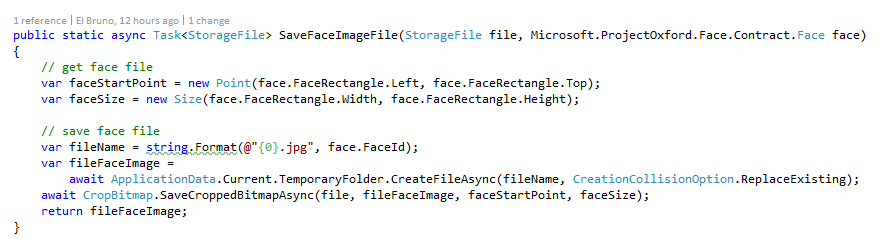
– To display them in the app, to the original image and faces cuts "I keep them" in the temporary directory of the app.

– In the original image does not show a square on each Face, as have a few minutes I will be playing with a Canvas and complete it.
Always better as a video that shows the app running and then the source code

On GitHub source code can be downloaded from https://github.com/elbruno/ProjectOxford
Saludos @ Madrid
/El Bruno
Resources:
 El Bruno
Leave a reply to #AZURE – #VisionAPI implementation for image analysis | El Bruno Cancel reply