
Hi!
I was reviewing my slides for Microsoft Slides, and I remembered that Melissa Hubbart (@melihubb) was tweeting about checking your slides previous to the event.
So, I decided to give it a try. And, it was my time to check what’s new with the Accessibility Feature in PowerPoint. There are several ways to use this feature. If you want to check the content of the current slide, in the Review menu, there is an option to check the current slide.

If you want to check the complete PowerPoint File, in the menu [File / Info / Inspect Presentation] there is an option named [Check Accessibility] to do this.
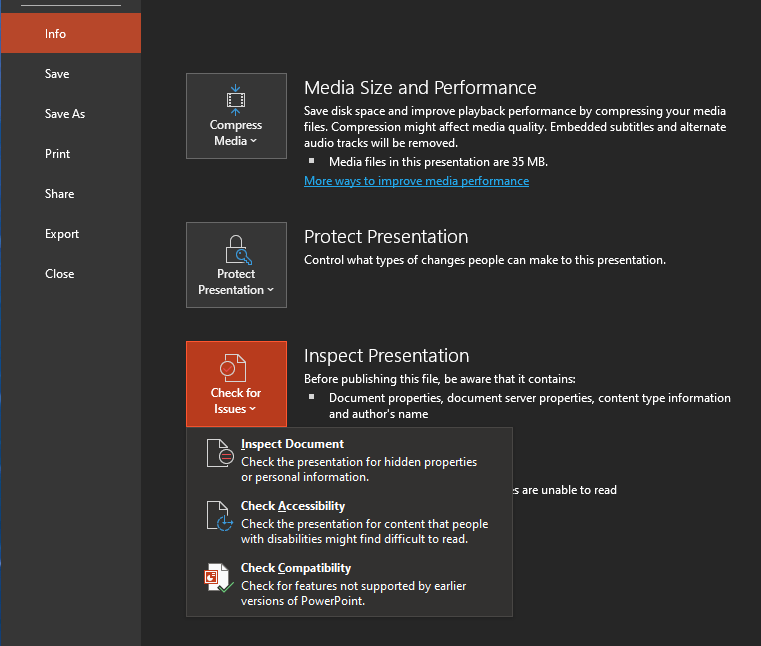
Once the Accessibility Checker panel is open, we can review all the issues.
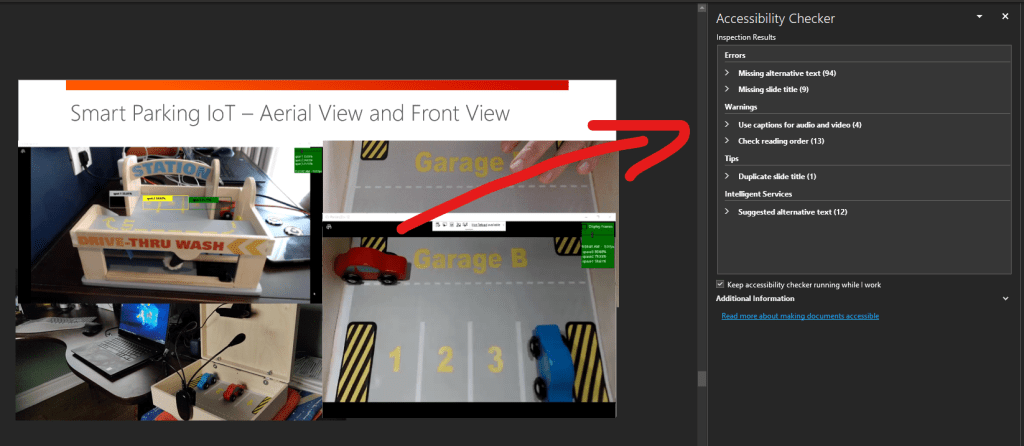
There are organized by severity levels (errors, warning and tips). And we can find common scenarios like
- Missing alternative text for images and shapes
- Missing title slides
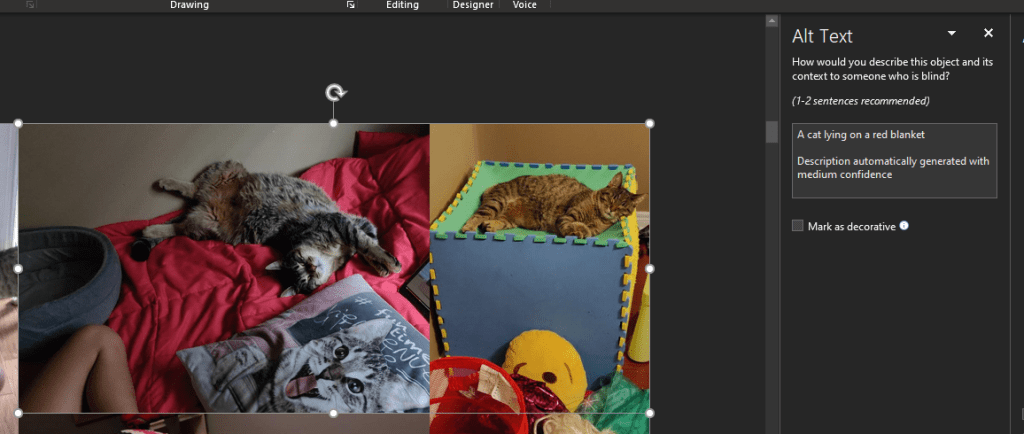
One cool feature here, when working with pictures, is that we can leverage the power of Artificial Intelligence to automatically describe de content of the pictures. In the following image we can see how it automatically recognizes my cat Goku lying on a bed.
So, you know, please check the Accessibility of your files and Happy Coding!
Greetings @ Toronto
El Bruno
My posts
- Live subtitles in Microsoft Teams, oh yeah! Another great Artificial Intelligence live sample
- Acronyms pane in Word, another amazing example of Artificial Intelligence embedded in our day to day tools – Powered by Microsoft Graph!
- Clippy is back in Office for Windows and Mac (powered by AI)
- Clippy is back in Office (powered by AI)
- Ideas Tool for Microsoft Excel powered by AI
- PowerPoint realtime subtitles / captions also available in MacOS
- Another cool AI feature in PowerPoint: realtime subtitles / captions
 El Bruno
Leave a comment