Hi!
After To write about Presentation Settings And Move Mouse, today it’s my turn to give a small review to one very interesting features in Windows 10: Focus Assist.
This new option can be turned on or off from the Windows notifications panel
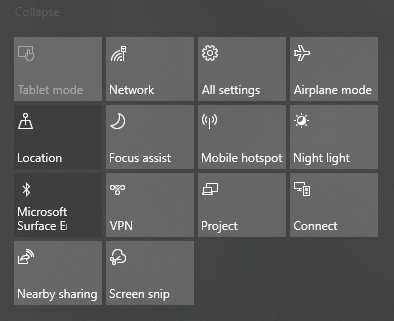
When we activate this option, Windows 10 will not show any notification, so we can dedicate our [focus] to specific tasks.
In the Settings Windows 10 we will also find a specific section for Focus Assist where we can define what kind of notifications we want to avoid, and automatically enable FA in these 3 scenarios
- When the screen is being duplicated
- When you’re playing a game
- Defined for specific time periods
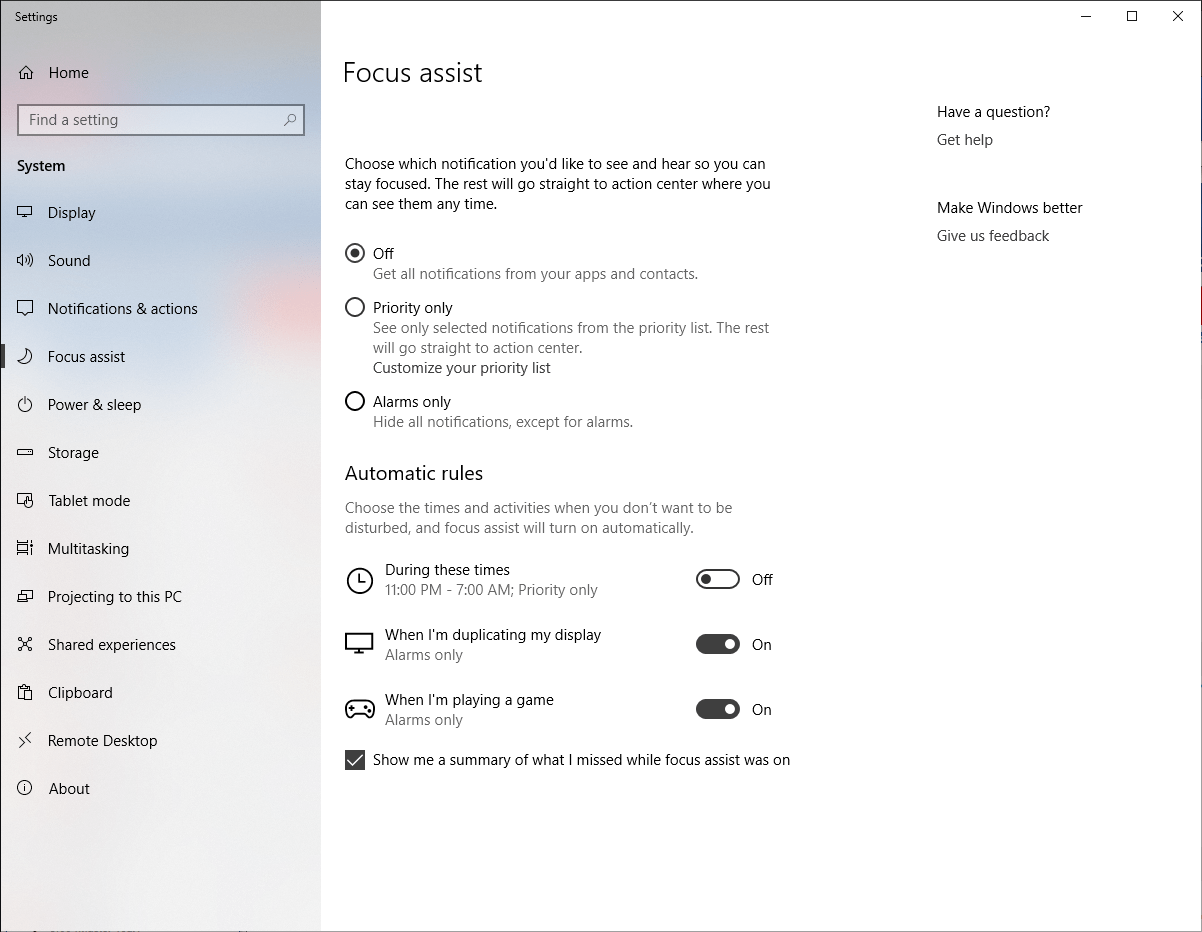
The truth is that it is a interesting option to avoid [surprises] in presentations.
Happy Coding!
Greetings @ Toronto
El Bruno
References
My posts
- Move Mouse, a classic anti screen saver
- Tips to enable presentation mode in Windows 10 (Also applies to Win7, Win8 and Win8.1)
 El Bruno
Leave a comment