Hello!
Today I change 2D for 3D dev and Visual Studio 2015 / UWP by Unity. When you start working with Unity3D and Hololens, you should know about HoloToolkit.
The Microsoft Hololens product team has created and shared HoloToolkit, which is a set of assets which provide features such as spatial mapping, client / server support to share holograms among multiple users, cursors, gestures features, and more.
It is fairly easy to install a Unity project:
- Download the zip with the content from https://github.com/microsoft/HoloToolkit-Unity, and unzip those files.
- Create a new 3D project in Unity
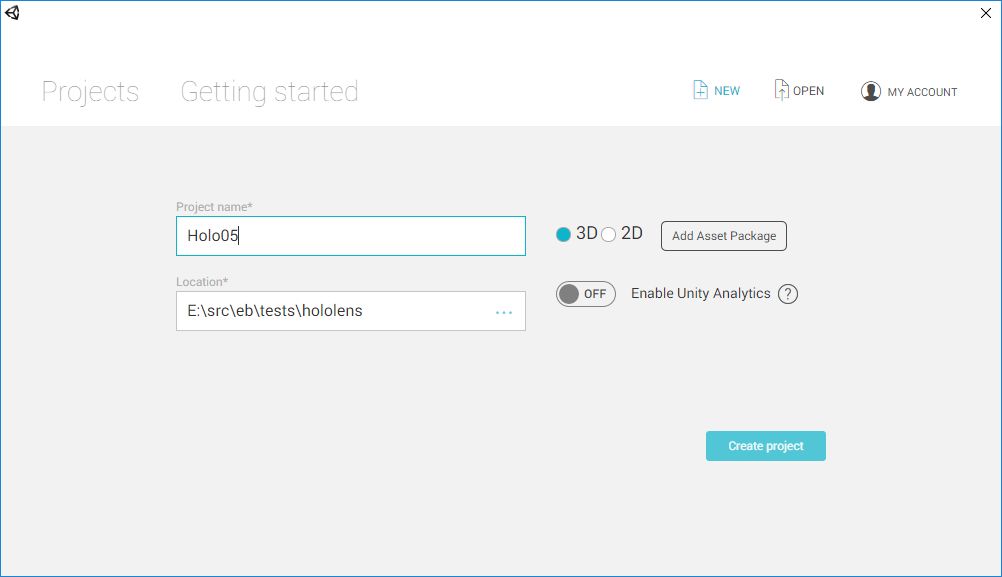
- Copy the contents downloaded from […\HoloToolkit-Unity-master\Assets\] to the [Assets] folder in the new project
- And after Unity process those changes, we can begin to use the new assets.
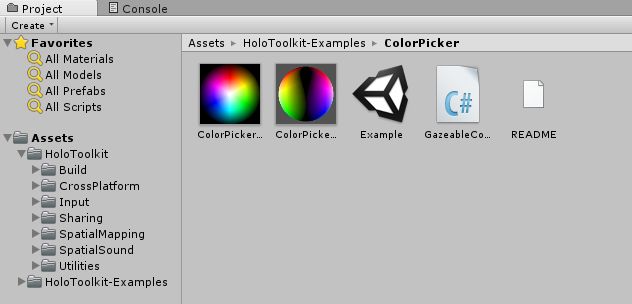
Obviously, we need to do some extra clean up, and remove the folder [HoloToolkit-Examples]. Although this is a good resource to use as reference of use of some assets.
This weekend I will end up published my 1st App in the store for the Hololens and the coming week I will continue posting on the matter!
Greetings @ Toronto
El Bruno
References
- GitHub, HoloToolkit
- GitHub, HoloToolkit Unity


Leave a Reply