Hola!
The official Microsoft Band documentation explains the basic getting started steps to follow when you just get a MS Band device. They suggest to download the [Microsoft Health] App for Android, iOS and Windows Phone and use this app to connect your device with the MS Band.

My goal is to work with 10 Windows, and I just found that the app is not available yet for Windows 10. In addition, my idea is to connect the band to a Raspberry Pi 2, so the best thing I can do is to see if it is possible to connect it as a normal Bluetooth device.
We must open the settings tab in Windows 10, and then go to Bluetooth section. Then, if we activate the Discovery of new Devices, we will see our band.
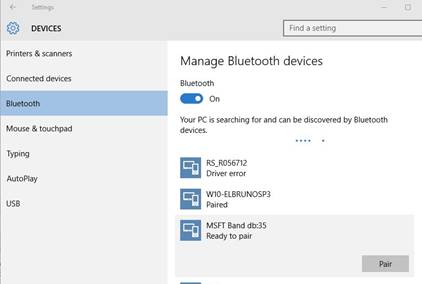
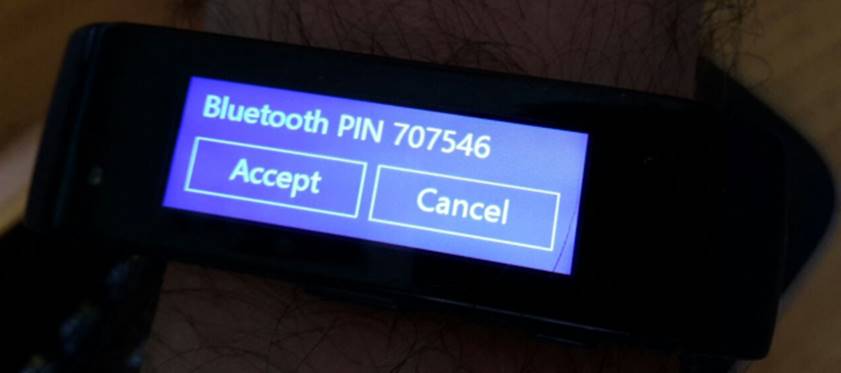
The connection process is the usual we follow when we want to pair two devices. It uses a PIN as security mechanism.
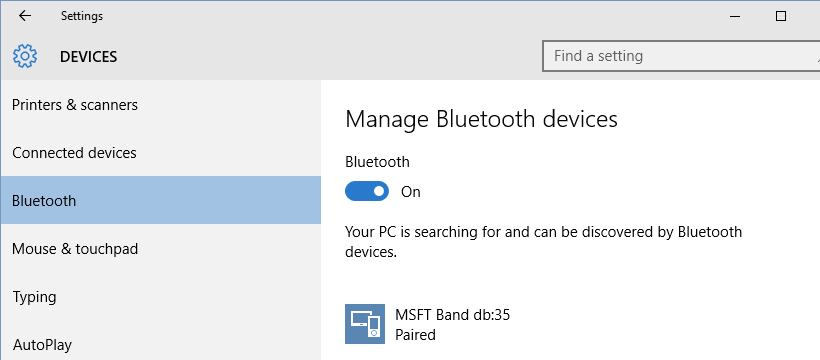
And ready, our MSBand appears in the paired device list, so we can work with it.
In the next post, I will discuss how to create a Universal Windows App that will connect and access information of the MSBand.
Saludos @ Frankfurt
/El Bruno
References
 El Bruno
Leave a reply to #MSBAND – Posts on development #Windows10 apps for the Band using Visual Studio 2015 | El Bruno Cancel reply