⚠️ This blog post was created with the help of AI tools. Yes, I used a bit of magic from language models to organize my thoughts and automate the boring parts, but the geeky fun and the 🤖 in C# are 100% mine.
Hi!
I tried running MAI Code 1.1 Flash locally in the GitHub Copilot desktop app. A 52 GB model, four NVIDIA Tesla T4 GPUs, and hundreds of GB of system RAM. Should be easy, right? 😅
First, the app could not find llama-server. After installing llama.cpp, updating the Microsoft Visual C++ x64 runtime, and setting LLAMACPP_SERVER_PATH to the executable, I reached the next adventure:
cudaMalloc failed: out of memoryfailed to allocate buffer for kv cache
The setting that made the difference
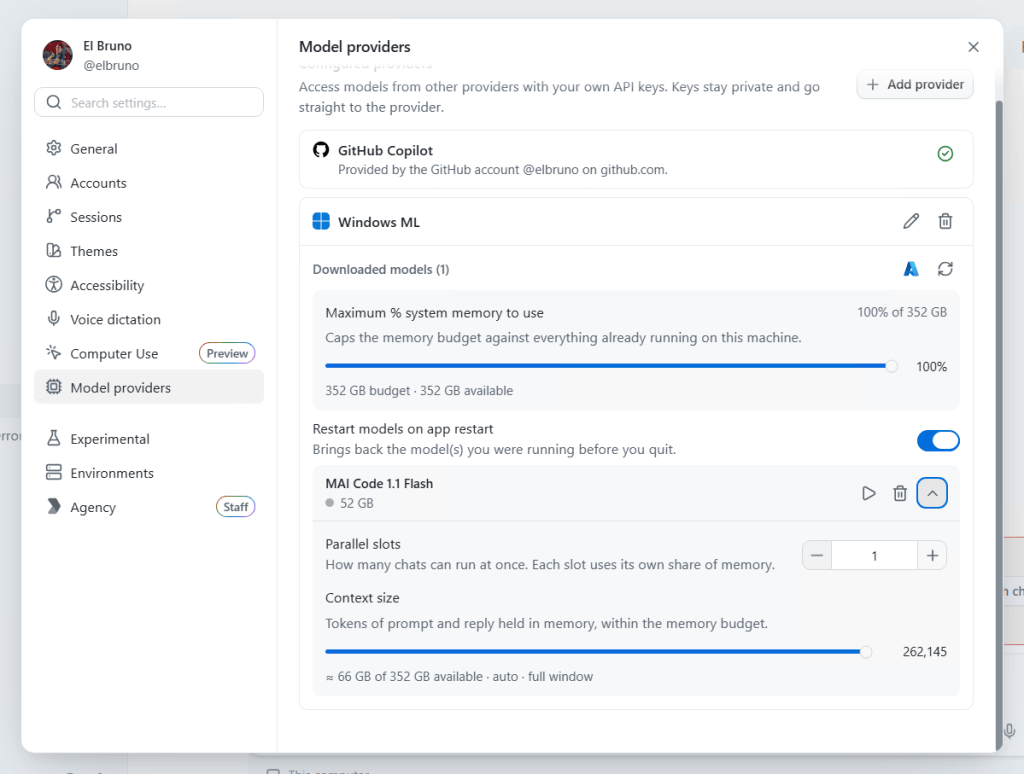
Under Settings > Model providers > Windows ML, the model’s Context size was set to its full 262,145 tokens.
That generous system-memory budget does not mean the GPUs have room. Model weights, the KV cache, and compute buffers all need memory, and each T4 has only 16 GB of VRAM.
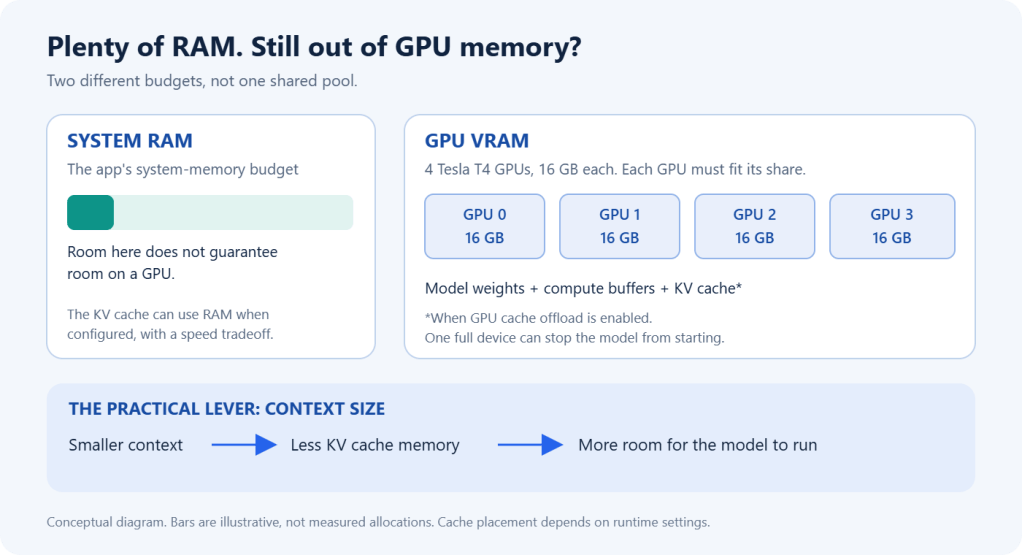
Reducing the context size got the model running. If you hit the same error, start with:
- Parallel slots: 1.
- Context size: try 32,768 tokens, or 16,384 if memory is still tight.
- Click ▶ to start the model again.
Those context sizes are troubleshooting starting points, not universal requirements. We also configured a RAM-backed KV cache and automatic GPU-layer fitting during troubleshooting, so this was not a clean, single-setting comparison.
And… hello, local model!
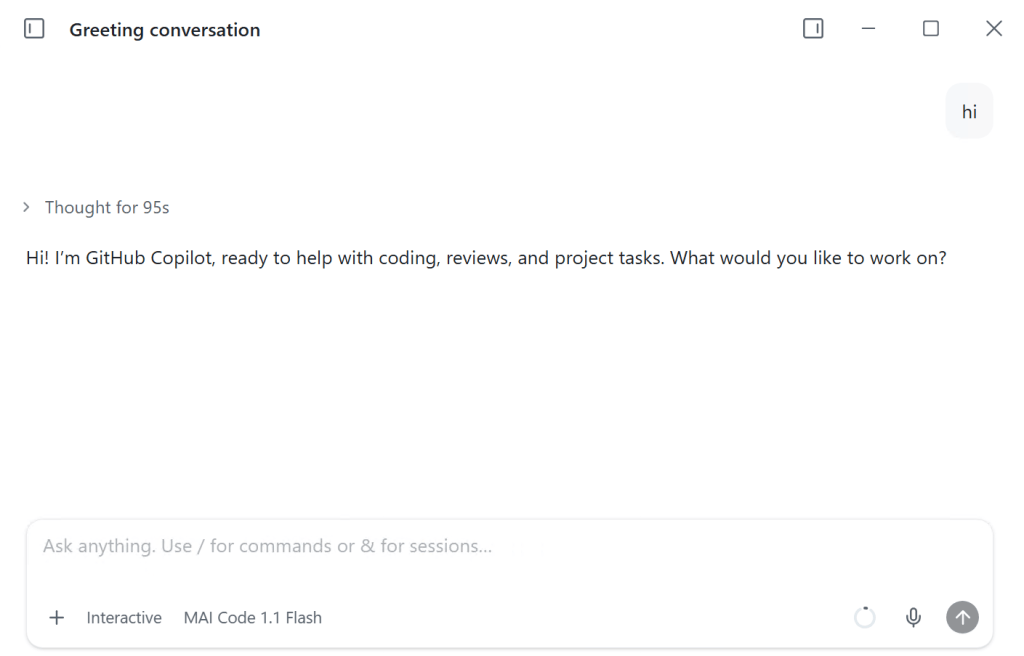
The provider now shows a green GPU status, time to ask a question! It answered! The greeting took 95 seconds in this run, so this is a working setup, not a speed benchmark. 🙂
Takeaway: when a local model runs out of GPU memory, check the context window before assuming you need more hardware. More system RAM does not magically become more VRAM.
References
- GitHub Copilot app: official repository and installation guide.
- MAI-Code-1.1-Flash: official announcement, including details on running the model locally.
- MAI-Code: official Microsoft repository, with model releases, updates, and feedback.
Happy coding!
Greetings
El Bruno
More posts in my blog ElBruno.com.
More info in https://beacons.ai/elbruno


Leave a Reply