⚠️ This blog post was created with the help of AI tools. Yes, I used a bit of magic from language models to organize my thoughts and automate the boring parts, but the geeky fun and the 🤖 in C# are 100% mine.
Hi!
There is a point when an AI application stops being just a chat application.
You give it tools.
Now it can do something.
And once it can reason about when to use those tools, invoke them, and use the results to continue working, you are getting into AI Agent territory.
The good news for .NET developers is that building one doesn’t require a giant project.
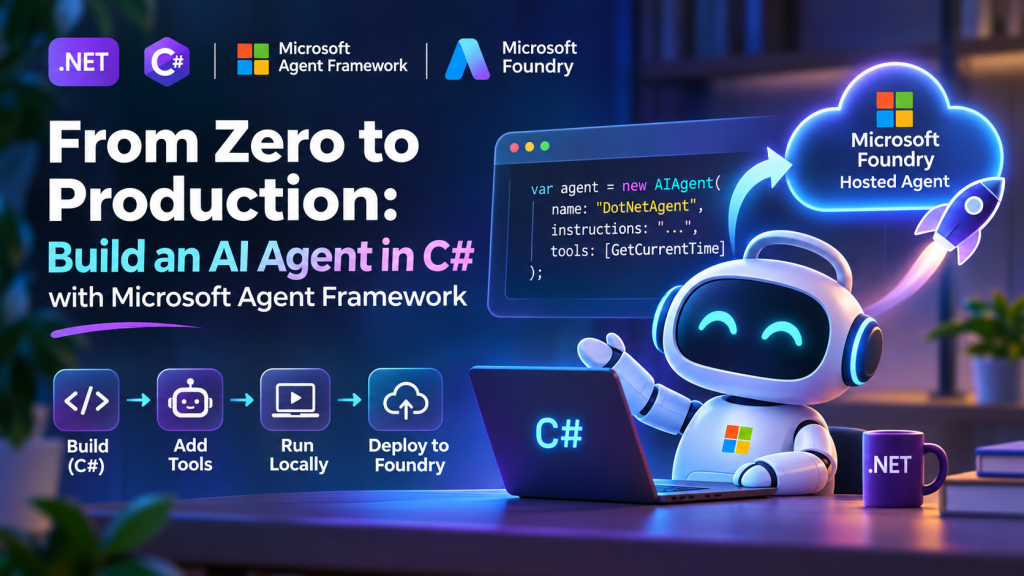
In this post, we’ll build a small AI Agent in C# with Microsoft Agent Framework, give it a tool, run it locally, and then take the same agent to production using Microsoft Foundry Hosted Agents.
The complete collection of samples I use for these experiments is available in Generative AI for Beginners .NET:
Let’s code. 🤖
1. Start with a console app
Nothing fancy here.
dotnet new console -n MyFirstAgent
cd MyFirstAgent
Add the packages:
dotnet add package Microsoft.Agents.AI
dotnet add package Microsoft.Agents.AI.Foundry
dotnet add package Azure.AI.Projects
dotnet add package Azure.Identity
We’ll use a model deployed in Microsoft Foundry.
For local development, authenticate first:
az login
And set two environment variables.
PowerShell:
$env:FOUNDRY_PROJECT_ENDPOINT="https://<resource>.services.ai.azure.com/api/projects/<project>"
$env:AZURE_AI_MODEL_DEPLOYMENT_NAME="gpt-5-mini"
Now we can create our agent.
2. Create the agent
The basic version is surprisingly small.
using Azure.AI.Projects;
using Azure.Identity;
using Microsoft.Agents.AI;

var endpoint = Environment.GetEnvironmentVariable(
    "FOUNDRY_PROJECT_ENDPOINT")
    ?? throw new InvalidOperationException(
        "FOUNDRY_PROJECT_ENDPOINT is not set.");

var model = Environment.GetEnvironmentVariable(
    "AZURE_AI_MODEL_DEPLOYMENT_NAME")
    ?? "gpt-5-mini";

AIAgent agent = new AIProjectClient(
        new Uri(endpoint),
        new DefaultAzureCredential())
    .AsAIAgent(
        model: model,
        name: "DotNetAgent",
        instructions:
            """
            You are a helpful .NET developer assistant.

            Keep answers short and practical.
            Prefer code when possible.
            """);

var response = await agent.RunAsync(
    "Give me one useful .NET performance tip.");

Console.WriteLine(response);
Run it:
dotnet run
And that’s already an Agent Framework agent.
But right now it isn’t doing much more than answering questions.
Let’s fix that.
3. Give the agent a tool
This is where things get more interesting.
Imagine we want the agent to answer questions about the current time in different cities.
Instead of asking the model to guess the time, we’ll give it a real C# function.
using System.ComponentModel;

[Description("Gets the current time for a timezone.")]
static string GetCurrentTime(
    [Description("A timezone ID such as America/Toronto")]
    string timeZone)
{
    var zone = TimeZoneInfo.FindSystemTimeZoneById(timeZone);

    var localTime = TimeZoneInfo.ConvertTime(
        DateTimeOffset.UtcNow,
        zone);

    return localTime.ToString("yyyy-MM-dd HH:mm:ss zzz");
}
Now expose that function to the agent.
The important idea is simple:
User
  ↓
Agent
  ↓
Model decides it needs a tool
  ↓
C# function executes
  ↓
Result goes back to the agent
  ↓
Agent answers the user
Our application is no longer asking the model to know everything.
The model can use our application.
That’s a much more interesting pattern.
Using Agent Framework, the tool becomes part of the agent configuration:
using Microsoft.Extensions.AI;

var tools = new[]
{
    AIFunctionFactory.Create(GetCurrentTime)
};

AIAgent agent = new AIProjectClient(
        new Uri(endpoint),
        new DefaultAzureCredential())
    .AsAIAgent(
        model: model,
        name: "TimeAgent",
        instructions:
            """
            You help users with time and timezone questions.

            Always use the available tool when the user
            asks for the current time.
            """,
        tools: tools);
Now try:
var response = await agent.RunAsync(
    "What time is it right now in Toronto?");

Console.WriteLine(response);
The important part isn’t the timezone example.
The important part is that GetCurrentTime() could be almost anything:
GetCustomer()
CreateSupportTicket()
QueryDatabase()
CheckInventory()
DeployApplication()
ReadSensor()
SendNotification()
They are just C# functions.
And your agent can decide when to use them.
4. This is where agents become useful
This is the mental model I use:
A chatbot generates a response.
An agent can:
understand
   ↓
decide
   ↓
use tools
   ↓
observe the result
   ↓
continue
And once the tools connect to your actual application, agents become much more useful than another chat window.
But we still have one problem.
Our amazing agent currently lives here:
dotnet run
That’s great for a demo.
Not so great for production.
5. Make the agent hostable
This is one of my favorite parts.
We don’t need to rewrite the agent.
Add the Foundry hosting package:
dotnet add package Microsoft.Agents.AI.Foundry.Hosting
Then take the same AIAgent and expose it using the Foundry Responses protocol.
using Microsoft.Agents.AI.Foundry.Hosting;

var builder = WebApplication.CreateBuilder(args);

builder.Services.AddFoundryResponses(agent);

var app = builder.Build();

app.MapFoundryResponses();

app.Run();
That’s the important architectural point:
Your agent logic
      │
      │ stays the same
      ▼
Microsoft Agent Framework
      │
      ▼
Foundry hosting adapter
      │
      ▼
Responses API
You don’t have to create a second version of your agent for production.
Your agent remains an AIAgent.
We are simply giving it a production hosting layer.
6. Test the hosted version locally
Run the application:
dotnet run
The agent exposes a Responses-compatible endpoint.
You can test it with curl:
curl -X POST http://localhost:8088/responses \
  -H "Content-Type: application/json" \
  -d '{"input":"What time is it right now in America/Toronto?"}'
Or from PowerShell:
$body = @{
    input = "What time is it right now in America/Toronto?"
    stream = $false
} | ConvertTo-Json

Invoke-RestMethod `
    -Uri http://localhost:8088/responses `
    -Method Post `
    -Body $body `
    -ContentType "application/json"
Now our C# agent isn’t tied to a console anymore.
It has an API.
Which means another .NET application, a web frontend, a mobile app, or another agent can invoke it.
7. Now let’s send it to production
This is where Microsoft Foundry Hosted Agents comes in.
A Hosted Agent lets us keep our agent implementation in code while Foundry provides the managed runtime around it.
Install the Azure Developer CLI agent extension:
azd ext install azure.ai.agents
Initialize the agent deployment:
azd ai agent init
You can run the hosted-agent environment locally:
azd ai agent run
And invoke it:
azd ai agent invoke --local \
    "What time is it in America/Toronto?"
Once everything looks good:
azd provision
azd deploy
And that’s the jump from:
dotnet run
to:
Production Agent
8. What does Foundry give us?
This is why I like this model.
I want to spend my time writing:
AIAgent agent
and:
GetCustomer()
SearchDocuments()
CreateIssue()
DeployApp()
I don’t want every AI experiment to become another infrastructure project.
With a Foundry Hosted Agent, the platform provides the managed environment around the agent, including things such as:
- hosted execution
- agent endpoints
- identity
- sessions
- scaling
- isolation
- observability
- lifecycle management
The important separation looks like this:
┌─────────────────────────────┐
│       Your C# code          │
│                             │
│  Agent                      │
│  Instructions               │
│  Tools                      │
│  Workflows                  │
│  Business Logic             │
└──────────────┬──────────────┘
               │
               ▼
┌─────────────────────────────┐
│ Microsoft Agent Framework   │
└──────────────┬──────────────┘
               │
               ▼
┌─────────────────────────────┐
│ Microsoft Foundry           │
│ Hosted Agent                │
│                             │
│ Runtime                     │
│ Sessions                    │
│ Identity                    │
│ Scaling                     │
│ Observability               │
└─────────────────────────────┘
That’s a pretty clean separation of responsibilities.
9. And we are still just using C#
That’s probably my favorite part of this story.
The tool is C#:
static string GetCurrentTime(string timeZone)
The agent is C#:
AIAgent agent
The hosting configuration is C#:
builder.Services.AddFoundryResponses(agent);
And your existing .NET skills still apply.
Dependency injection.
Configuration.
Logging.
APIs.
Authentication.
Testing.
OpenTelemetry.
Azure.
You don’t need to abandon the .NET ecosystem to build agentic applications.
10. Where I would go next
The timezone agent is intentionally small.
Once this works, replace:
GetCurrentTime()
with something from a real application.
Maybe:
GetOrderStatus()
or:
SearchKnowledgeBase()
or:
CreateGitHubIssue()
or even:
ControlMyRobot()
👀
Then things start getting fun.
From there, Microsoft Agent Framework also gives us patterns for:
- multiple tools
- persistent conversations
- multi-agent workflows
- MCP
- streaming
- background agents
- human approval
- agent orchestration
And the production model doesn’t fundamentally change.
Build the behavior in Agent Framework.
Test it locally.
Then give it a home with Foundry Hosted Agents.
Try the complete samples
I maintain these examples as part of Generative AI for Beginners .NET.
Repository:
https://github.com/microsoft/Generative-AI-for-beginners-dotnet
Microsoft Agent Framework samples:
https://github.com/microsoft/Generative-AI-for-beginners-dotnet/tree/main/samples/MAF
The Hosted Agent samples include:
MAF-HostedAgent-01-TimeZone
MAF-HostedAgent-02-MultiAgent
If you’re new to agents, start with the first one.
If you want to see how this pattern evolves into multiple collaborating agents, take a look at the second.
Microsoft Agent Framework documentation:
https://learn.microsoft.com/en-us/agent-framework/
Foundry Hosted Agents documentation:
https://learn.microsoft.com/en-us/azure/foundry/how-to/develop/framework-hosted-agents
And the short version of this entire post?
Build your agent in C#.
Give it tools.
Test it locally.
Host it in Foundry.
Ship it. 🚀
Happy coding!
Greetings
El Bruno
More posts in my blog ElBruno.com.
More info in https://beacons.ai/elbruno


Leave a Reply