⚠️ This blog post was created with the help of AI tools. Yes, I used a bit of magic from language models to organize my thoughts and automate the boring parts, but the geeky fun and the 🤖 in C# are 100% mine.
Hi!
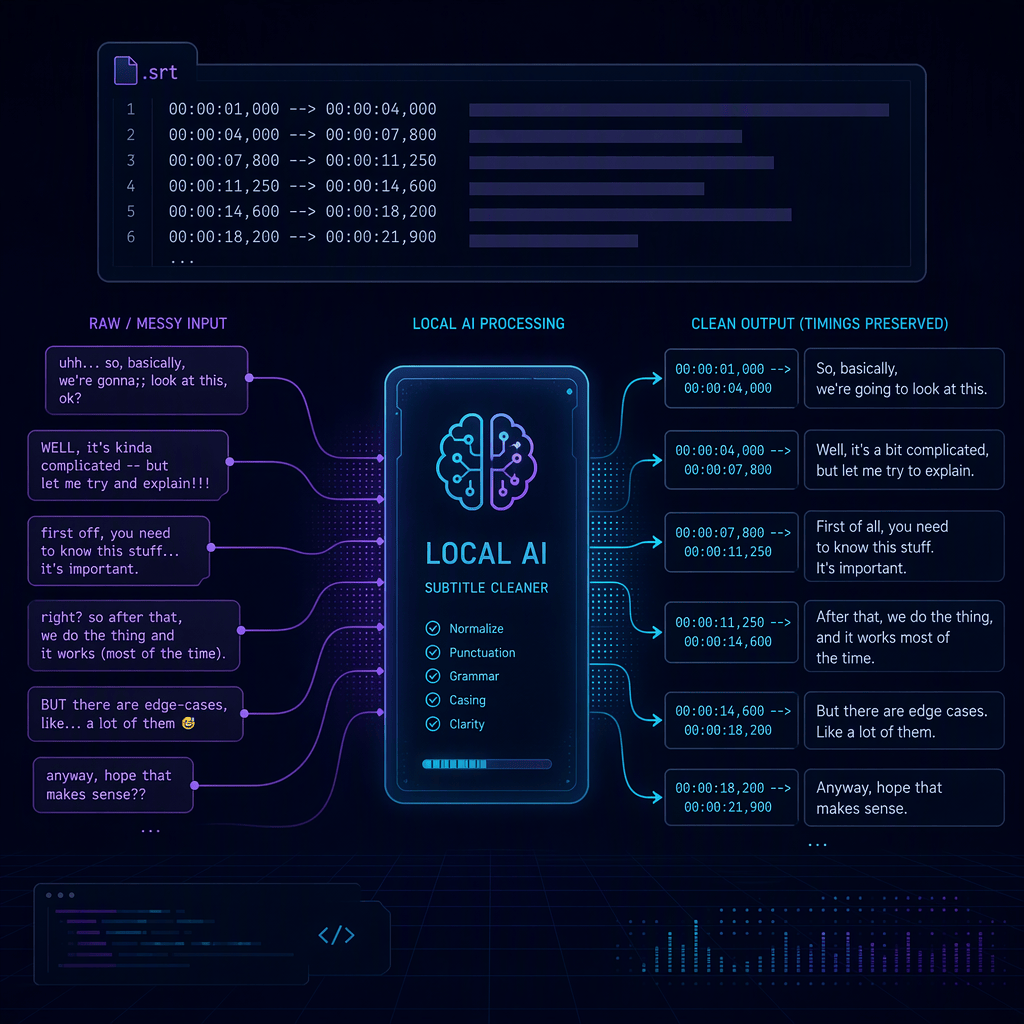
After my first post about s1-mini, a reader asked if the library could take the SRT files he generates for his podcast. Then he noticed the catch: the model only rewrites text, it has no idea what a timestamp is.
That is fine, because the model does not need to know. The real goal is bigger than cleaning an existing SRT: start with an audio recording and end with a subtitle file. That takes two local models, each doing the one thing it is good at:
| Step | Tool | Job |
|---|---|---|
| 1 | ElBruno.Whisper | Speech to text, with segment timestamps |
| 2 | ElBruno.S1Mini | Clean each segment’s text (fillers, stutters, punctuation, numbers) |
| 3 | ElBruno.S1Mini | Write the segments back as SRT or WebVTT, timestamps untouched |
Inference runs on your machine. Model files are downloaded on first use; audio is not uploaded.
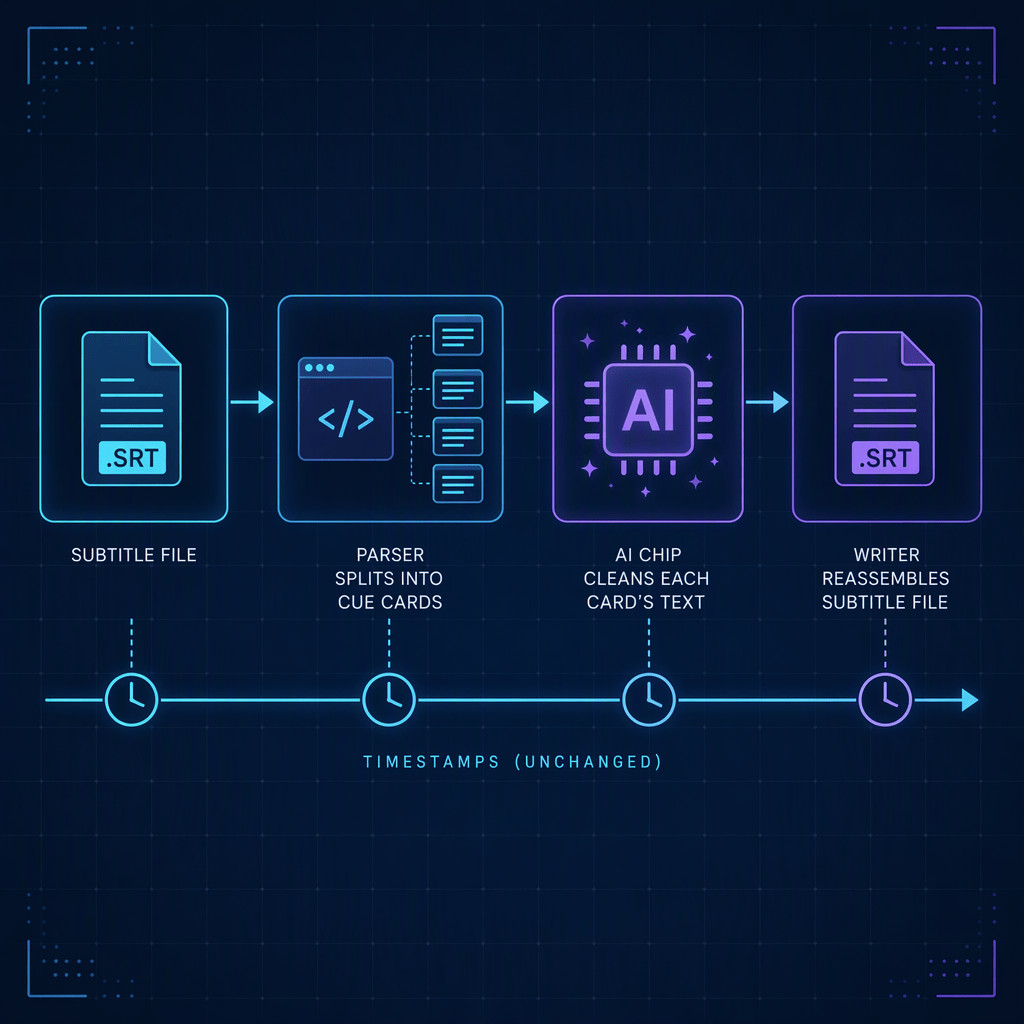
Why not just give audio to s1-mini? s1-mini never hears audio and never sees timestamps. Whisper owns the timing. s1-mini only ever receives short pieces of text. The library keeps the two together.
Setup
dotnet new console -n PodcastToSrtcd PodcastToSrtdotnet add package ElBruno.S1Mini --version 0.2.1dotnet add package ElBruno.Whisper --version 0.9.0
The first run downloads the Whisper model and the s1-mini ONNX model, then caches both.
Step 1: transcribe the audio with timestamps
Timestamps are opt-in in ElBruno.Whisper. If you forget EnableTimestamps, Segments comes back null:
using ElBruno.Whisper;using var whisper = await WhisperClient.CreateAsync(new WhisperOptions{ // Whisper Tiny (English) keeps spoken fillers like "um" and "uh", // which is exactly what s1-mini is designed to clean up. Model = KnownWhisperModels.All[0], EnableTimestamps = true,});var transcription = await whisper.TranscribeAsync("episode.wav");
transcription.Segments is a list of TranscriptionSegment with Start, End (both TimeSpan) and Text.
The snippets below show an illustrative progression for the synthetic clip from the real-run example. They explain the shape of each result; Whisper’s exact transcript and segment boundaries can vary.
[00:00:00.000 - 00:00:11.452]So I'm welcome back to the the show. Today we are talking about, uh, local transcription in dot net. We will meet on Thursday no wait Friday at ten thirty.
Step 2: turn the segments into subtitle cues
SubtitleCue.FromTimes formats the timing line for you (00:00:01,000 for SRT, 00:00:01.000 for WebVTT):
using ElBruno.S1Mini.Normalization;var format = SubtitleFormat.Srt;var rawCues = transcription.Segments! .Select(s => SubtitleCue.FromTimes(s.Start, s.End, s.Text.Trim(), format)) .ToList();var rawSrt = SubtitleParser.Write(rawCues, format);
At this point you already have a valid, timestamped, but still messy subtitle file.
For example, the same segment is now an SRT cue. The text is still uncleaned, but its timing is ready to pass through unchanged:
100:00:00,000 --> 00:00:11,452So I'm welcome back to the the show. Today we are talking about, uh, local transcription in dot net. We will meet on Thursday no wait Friday at ten thirty.
Step 3: clean the text, keep the timing
using var normalizer = await TranscriptNormalizer.CreateAsync();var cleaned = await normalizer.NormalizeSubtitlesAsync(rawSrt, format);await File.WriteAllTextAsync("episode.srt", cleaned);
NormalizeSubtitlesAsync parses the cues, normalizes each cue’s text, and writes the file back. Timing lines are carried through as raw strings, so they cannot drift. Markup tags such as <i> are stripped, multi-line cues are joined into one line, and cues that are pure filler stay in place with empty text (or are removed if you pass dropEmptyCues: true, in which case SRT is renumbered).
After cleanup, the text is easier to read while the cue timing stays the same:
100:00:00,000 --> 00:00:11,452So I'm welcome back to the show. Today we are talking about a local transcription in .NET. We will meet on Friday at 10:30.
The whole thing in one file
This is the PodcastToSrt sample, trimmed:
using ElBruno.S1Mini.Normalization;using ElBruno.Whisper;var input = args[0];var format = args.Contains("--vtt") ? SubtitleFormat.WebVtt : SubtitleFormat.Srt;var output = Path.ChangeExtension(input, format == SubtitleFormat.Srt ? ".srt" : ".vtt");using var whisper = await WhisperClient.CreateAsync(new WhisperOptions{ Model = KnownWhisperModels.All[0], EnableTimestamps = true,});var transcription = await whisper.TranscribeAsync(input);var rawCues = transcription.Segments! .Select(s => SubtitleCue.FromTimes(s.Start, s.End, s.Text.Trim(), format)) .ToList();using var normalizer = await TranscriptNormalizer.CreateAsync();var cleaned = await normalizer.NormalizeSubtitlesAsync( SubtitleParser.Write(rawCues, format), format);await File.WriteAllTextAsync(output, cleaned);
Run it:
dotnet run -- episode.wav # writes episode.srtdotnet run -- episode.wav --vtt # writes episode.vtt
A real run
I tested the end-to-end pipeline with a generated WAV file named pod.wav in the system temporary directory. I created it with Windows System.Speech.Synthesis.SpeechSynthesizer, speaking a short script with deliberate fillers, a stutter and a self-correction. It is a synthetic test clip, not a podcast recording:
“So um welcome back to the the show. Today we are talking about, uh, local transcription in dot net. We will meet on Thursday no wait Friday at ten thirty.”
The output file:
100:00:00,000 --> 00:00:11,452So I'm welcome back to the show. Today we are talking about a local transcription in .NET. We will meet on Friday at 10:30.
The stutter is gone, “dot net” became .NET, the self-correction resolved to Friday, and “ten thirty” became 10:30. Note the So I'm welcome back: that mistake came from Whisper Tiny’s transcription, and s1-mini cleans text, it does not fix words the speech model got wrong. A bigger Whisper model helps there, at the cost of keeping fewer fillers for s1-mini to clean.
This short clip produced a single segment. It did not establish complete-podcast handling or accurate acoustic timing: Whisper 0.9.0 preprocesses at most 30 seconds per call and can return a full-duration fallback segment. The updated repository sample uses explicit windows to process long recordings. The compact one-file example above is only suitable for a short WAV, not a complete podcast.
Real Spanish podcasts need a different path
The updated PodcastToSrt sample includes two complete NTN 459 recordings: voice-only Recording.m4a and edited ntn459.mp3, with music. These replace the synthetic clip as the real-audio evaluation fixtures, not as automated unit-test inputs.
The original sample selected whisper-tiny.en, an English-only model. Spanish needs a multilingual model such as whisper-base or whisper-small, without the .en suffix:
dotnet run --project src\samples\PodcastToSrt -- ` src\samples\PodcastToSrt\assets\ntn459\Recording.m4a ` artifacts\podcast\voice-es.srt --model whisper-base --language esdotnet run --project src\samples\PodcastToSrt -- ` src\samples\PodcastToSrt\assets\ntn459\ntn459.mp3 ` artifacts\podcast\edited-es.vtt --model whisper-small --language es --vtt
s1-mini v1 is English-only too. Spanish is preserved without cleanup by default. This separates two questions: how well Whisper recognizes Spanish, and whether normalization preserves that transcription. Changing the cleanup prompt does not make s1-mini a supported Spanish model.
The sample also offers --language auto, but the pinned Whisper package does not return reliable detected-language metadata. That mode is explicitly labeled unconfirmed and skips cleanup. In the tested excerpt it generated a repeated “Commission” loop rather than a usable transcript. Prefer an explicit --language es for these recordings.
To intentionally produce English subtitles from Spanish audio, add --translate. Whisper translates, then s1-mini cleans the English result. To compare unsupported Spanish cleanup, opt into --cleanup experimental. Both modes retain the pre-cleanup subtitle file for inspection.
For compressed and long recordings, the sample uses FFmpeg and non-overlapping windows of at most 25 seconds, retaining original offsets and silence. JSON reports distinguish possible full-window fallback timings from timestamp spans. A tested, dependency-specific byte-decoding adapter also fixes the Spanish accent encoding omitted by Whisper 0.9.0; it does not improve speech recognition.
The sample README documents the opt-in comparison commands and limitations. Music, technical names, sentence boundaries and late-episode coverage need review; valid SRT syntax alone is not a quality benchmark.
The real-audio evaluation processed the complete voice recording into 59 cues and the edited episode into 61 cues, reaching both decoded ends. All cues were coarse full-window spans, so this proves full-file processing, not accurate speech alignment. Spanish technical names still need review, and no human-scored WER/CER is claimed.
WebVTT works the same way
Pass SubtitleFormat.WebVtt (or --vtt in the sample). The parser keeps WebVTT cue identifiers and cue settings like align:start, and skips NOTE, STYLE and REGION blocks.
Already have an SRT?
Skip steps 1 and 2. Read your file and call NormalizeSubtitlesAsync. The format is auto-detected (content starting with WEBVTT is WebVTT, everything else is SRT):
var srt = await File.ReadAllTextAsync("episode.srt");var cleaned = await normalizer.NormalizeSubtitlesAsync(srt);
Testing without a model
The automated unit tests do not consume an audio file. They use a fake IChatClient to test subtitle parsing, writing, timestamp formatting and normalization. The manual end-to-end run described above used the generated pod.wav file. The TranscriptNormalizer(IChatClient) constructor makes the subtitle logic easy to test offline with a fake chat client:
var fake = new FakeChatClient();fake.EnqueueResponse("So hello there everyone.");fake.EnqueueResponse("");fake.EnqueueResponse("Welcome back.");using var normalizer = new TranscriptNormalizer(fake);var output = await normalizer.NormalizeSubtitlesAsync(srt);Assert.Equal(3, fake.CallCount);
The parser and writer are plain code, so the timestamp guarantees are checked with exact string comparisons.
Known limitations
- Cues are cleaned one at a time. The model is stateless, so it never sees neighboring cues. When a segment ends mid-sentence, punctuation and capitalization are less accurate than on full paragraphs. A future version could merge segments into sentences, clean them, and redistribute the text across the original time ranges.
- Timing needs validation. Cleanup preserves numeric timing values, not independently verified alignment. Whisper may return native spans or full-window fallback timing. Removing words does not create word-level alignment; coarse full-window cues are not production-ready subtitle segmentation.
- Transcription errors stay. s1-mini normalizes text. It does not correct words Whisper misheard.
Links
- NuGet:
ElBruno.S1Mini - GitHub: elbruno/ElBruno.S1Mini
- Model:
superwhisper/s1-mini
Happy coding!
Greetings
El Bruno
More posts in my blog ElBruno.com.
More info in https://beacons.ai/elbruno


Leave a Reply