
⚠️ This blog post was created with the help of AI tools. Yes, I used a bit of magic from language models to organize my thoughts and automate the boring parts, but the geeky fun and the 🤖 in C# are 100% mine.
Hi!
So, I was reading some .NET stuff on the internet, and somehow I went back to my .NET WinForms days — when processes would get blocked all together, and we needed to find a way to isolate them so we didn’t block the main thread. Those days I learned about .ConfigureAwait(), and it’s kind of cool (and funny) to see that even in 2025 it’s still a topic.
👉 Important: if you need to stop reading here and really learn, check Stephen Toub’s post: there is EVERYTHINKG you need to know about this.
A trip to my own repo 🕵️♂️
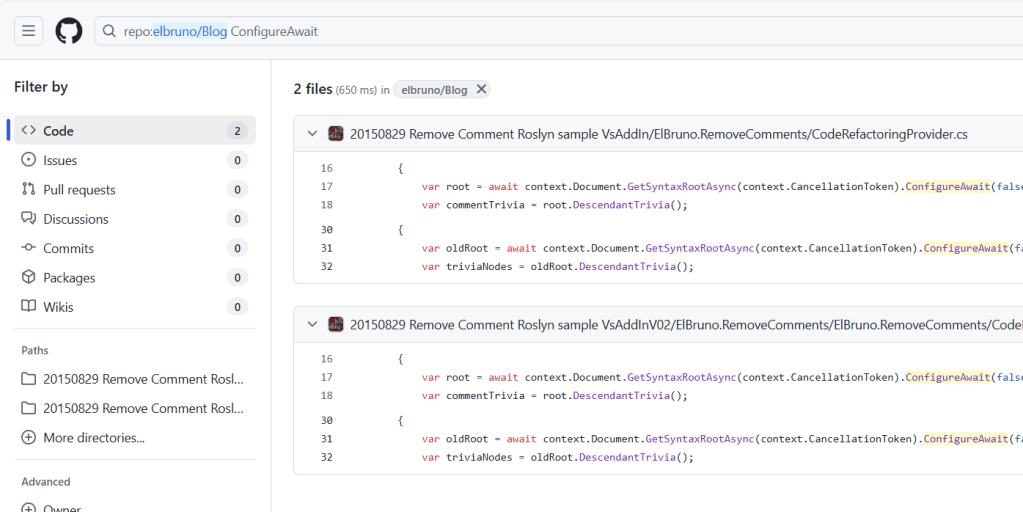
I started this by searching my own blog repo for .ConfigureAwait — and guess what? I found some old posts from 2015, back when I was playing with a Visual Studio Add-In to apply some cool refactoring features.
Of course, I didn’t want the add-in to block my IDE! So yeah, that’s how I ended up sprinkling .ConfigureAwait(false) in my samples. Fast forward to today, and this little keyword is still hanging around in 2025 discussions.
Why it mattered back then
Back in the .NET Framework days, .ConfigureAwait(false) was a lifesaver to avoid deadlocks or weird performance hits, because async calls would try to jump back into the original SynchronizationContext (WinForms/WPF were my choice those days, I know I’m old).
Nowadays (.NET 5, 6, 7, 8, 9, 10 … ), the story changed. ASP.NET Core doesn’t even have a synchronization context, so for most server-side scenarios .ConfigureAwait(false) is just noise.
For the young ones, this is how we used to do this:
private async void Button_Click(object sender, EventArgs e)
{
    // Runs on the UI thread
    var content = await GetContentAsync();

    // Continuation runs on UI thread, safe to update UI
    label1.Text = content;
}

private async Task<string> GetContentAsync()
{
    using var client = new HttpClient();
    return await client.GetStringAsync("https://dot.net")
                       .ConfigureAwait(false);
    // Without this, it would hop back to the UI thread unnecessarily
}
When should you still care?
So, if you are wondering where this still makes sense, Copilot helped me to get the top 3 scenarios
- If you’re building libraries that could run in UI apps (WinForms, WPF, Blazor WebAssembly).
- If you need fine control over continuations (perf tuning, avoiding rare deadlocks).
- If you’re targeting mixed environments where sync contexts still exist.
And hey, this really makes sense! And, if you ever find yourself debugging an old library or building something for UI apps — you’ll be glad this little keyword is still in your toolbox.
Happy coding!
Greetings
El Bruno
More posts in my blog ElBruno.com.
More info in https://beacons.ai/elbruno


 El Bruno
Leave a reply to elbruno Cancel reply