
Hi !
I didn’t expect to have so many good feedback with yesterday’s post about how to short the duration for all your outlook events. So, today goes another tip, this one focused on being kind with your colleagues.
If you work with colleagues in different time zones, or you work outside your working hours, you may want to delay the delivery of an email to fit into the appropriate working hours. In example, if try to send a colleague living in Australia, I’ll get a “Delay Delivery” Inline suggestion.
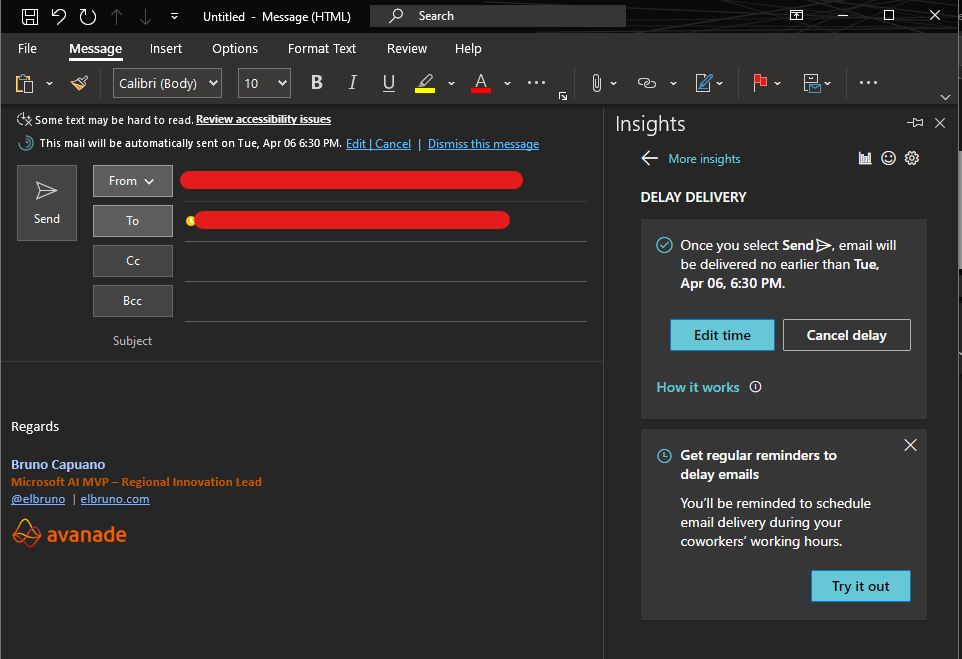
You can even enable this behavior as the default one, in Insight Settings.
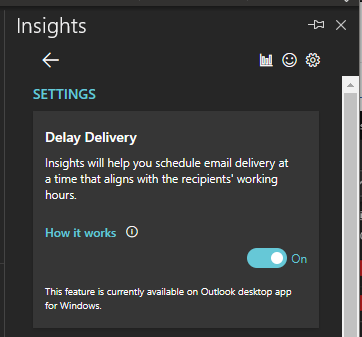
So, a simple check and you may save a colleague to read a new email at night or early morning.
BTW, you may avoid emails at all ! more on that on other posts.
Happy coding!
Greetings
El Bruno
More posts in my blog ElBruno.com.
More info in https://beacons.ai/elbruno


 El Bruno
Leave a reply to elbruno Cancel reply