
Coding4Fun Drone 🚁 posts
- Introduction to DJI Tello
- Analyzing Python samples code from the official SDK
- Drone Hello World ! Takeoff and land
- Tips to connect to Drone WiFi in Windows 10
- Reading data from the Drone, Get battery level
- Sample for real time data read, Get Accelerometer data
- How the drone camera video feed works, using FFMPEG to display the feed
- Open the drone camera video feed using OpenCV
- Performance and OpenCV, measuring FPS
- Detect faces using the drone camera
- Detect a banana and land!
- Flip when a face is detected!
- How to connect to Internet and to the drone at the same time
- Video with real time demo using the drone, Python and Visual Studio Code
- Using custom vision to analyze drone camera images
- Drawing frames for detected objects in real-time in the drone camera feed
- Save detected objects to local files, images and JSON results
- Save the Drone camera feed into a local video file
- Overlay images into the Drone camera feed using OpenCV
- Instance Segmentation from the Drone Camera using OpenCV, TensorFlow and PixelLib
- Create a 3×3 grid on the camera frame to detect objects and calculate positions in the grid
- Create an Azure IoT Central Device Template to work with drone information
- Create a Drone Device for Azure IoT Central
- Send drone information to Azure IoT Central
- Using GPT models to generate code to control the drone. Using ChatGPT
- Generate code to control the 🚁 drone using Azure OpenAI Services or OpenAI APIs, and Semantic Kernel
Hi!
Let’s take some Frames Per Second measurements on the UDP and OpenCV connection. It seems that working with simple movements, the values moves between 30 and 60 FPS.
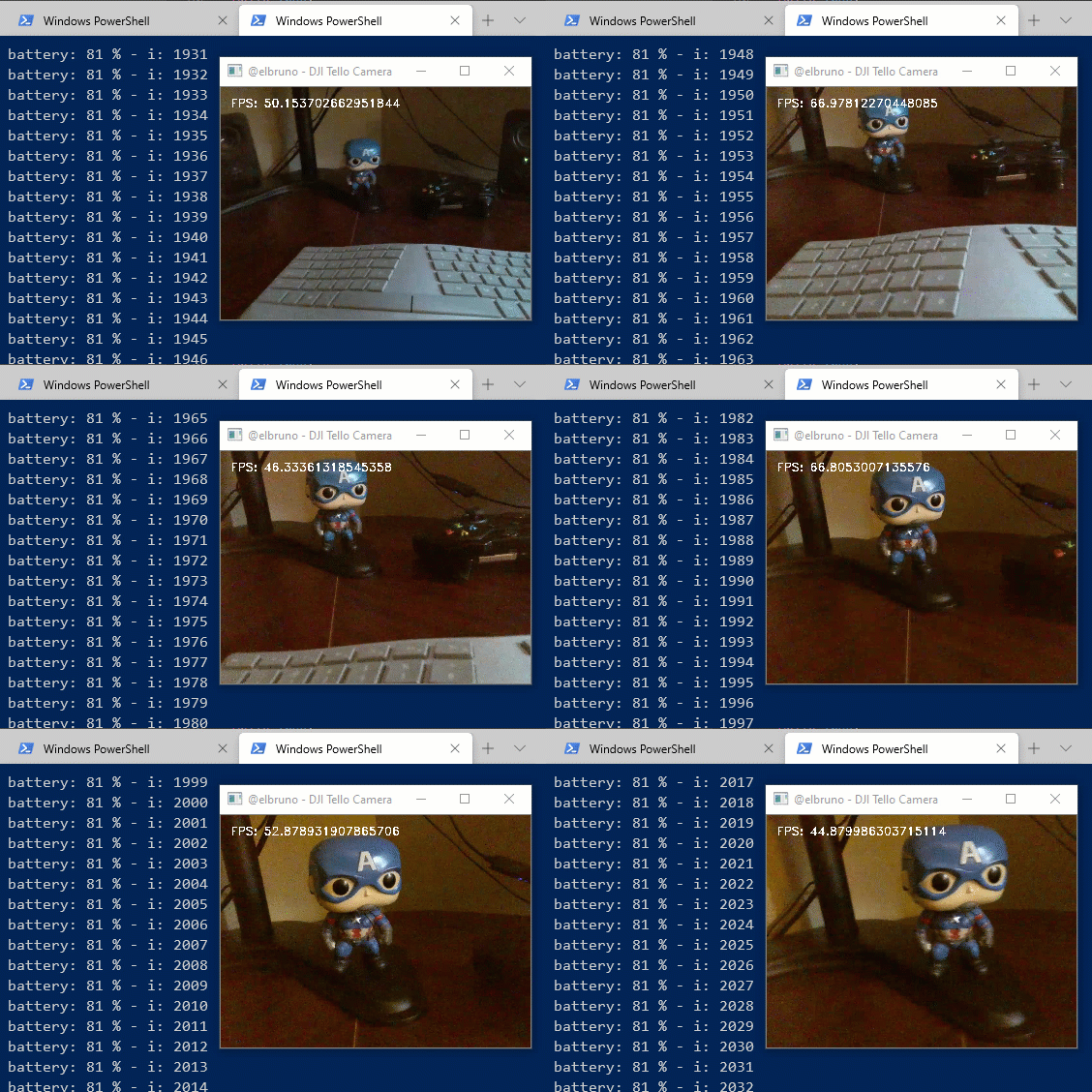
Just added a couple of lines in the main While, to calculate the FPS.
# open
i = 0
while True:
    i = i + 1
    start_time = time.time()

    sendReadCommand('battery?')
    print(f'battery: {battery} % - i: {i}')

    try:
        ret, frame = cap.read()
        img = cv2.resize(frame, (640, 480))

        if (time.time() - start_time ) > 0:
            fpsInfo = "FPS: " + str(1.0 / (time.time() - start_time)) # FPS = 1 / time to process loop
            font = cv2.FONT_HERSHEY_DUPLEX
            cv2.putText(img, fpsInfo, (10, 20), font, 0.4, (255, 255, 255), 1)

        cv2.imshow('@elbruno - DJI Tello Camera', img)
    except Exception as e:
        print(f'exc: {e}')
        pass

    if cv2.waitKey(1) & 0xFF == ord('q'):
        break
As a final note, just need to mention that I make some tests using different camera resolutions and the FPS averages are similar. I tested with 640 * 480 pixels and 1024*768 pixels.
Next posts, let’s do some Face Detection and rock some AI with the drone!
Happy coding!
Greetings
El Bruno
More posts in my blog ElBruno.com.
More info in https://beacons.ai/elbruno
References
My Posts
 El Bruno
Leave a comment