2018 May Update: Thanks to the comments I realized that it seems that with the latest W10 and iOS updates this procedure is no longer valid. If I find a way to perform this again, I’ll update the post.
Hi!
The weekly plan for today included a new AI post, however I’ll do a Brain Backup post because I always forgot how to do this, and I spend too much time in something which usually must be 5 minutes. (Brain Backup, remembering the great David Salgado).
Let me share some context, I listen podcasts from iVoox using my iPhone. I mostly spend time in the greatest technology podcast in Spanish: “No Tiene Nombre”. And I also spend some time on other programs. I became a big fan of PR17 (@pr17comic) and his reviews on La Viñeta. If you like his particular sense of humor, you need to listen any of his movies or comics reviews, tons of fun. There other classics like La Orbita de Endor, Nadie Sabe Nada or Scott Hanselman (@shanselman) HanselMinutes.
So, here goes the problem: iVoox ecosystem is “very castaña”, kind of crappy in english. I mean, you have apps for the major mobile platforms, and you can even listen to podcast from the web. However, even if you have a unique profile for iVoox, there are no synchronization between all this platforms.
I mean, when I’m listening at minutes 25 of a specific episode in my iPhone, if I want to switch to my desktop I need to open iVoox on the web, search for the episode, advance to minute 25 and continue listening from there. The Desktop to iPhone process is the same on backwards mode. At the end is not user friendly at all, and sometime ago I decided to listen different episodes in each platform.
Note: I’m not going to start with the W10 app, there are no words to describe the app.
And the main problem is that I become more and more connected. I’m used to have smooth transitions between environments in an easy way. When I’m training I use my iPhone and my Jabra headset to run, then I jump into my car and it automatically switch to the car audio system. When I’m using the train, I choose to connect to my Bose with noise cancellation, to have a relaxed trip. Bluetooth rules!
That’s why I started to think that maybe I can use any Windows 10 device as a bluetooth speaker, I mean we are in 2017.
So, I been using this system for a while and I always forget one of the steps, so I’ll share them here for my near future. I start connecting my iPhone with my PC via Bluetooth. Nothing new here, Settings, BlueTooth, Add a device …
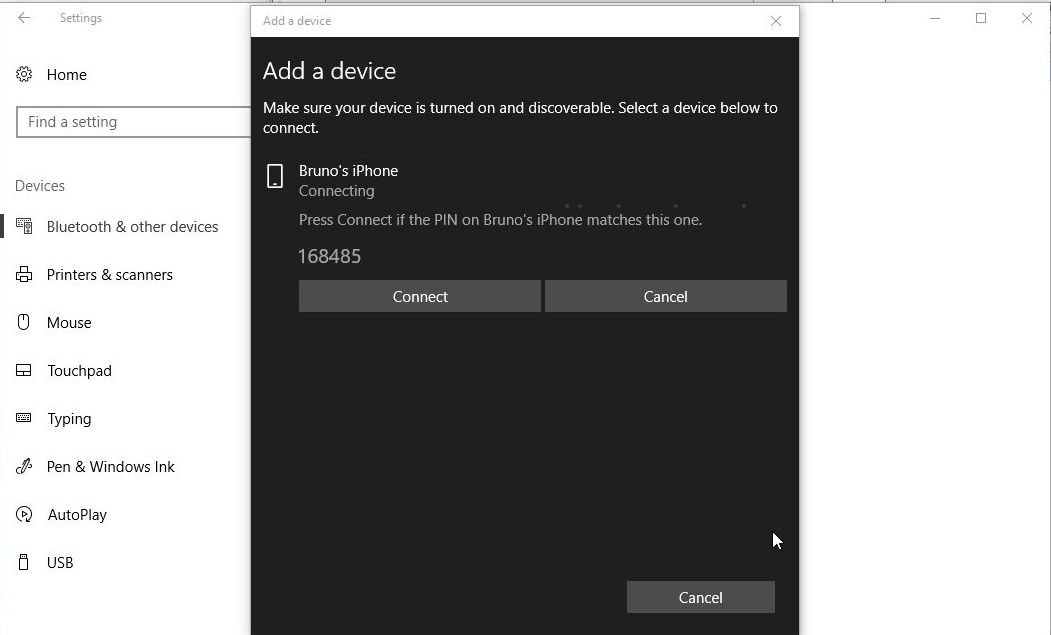
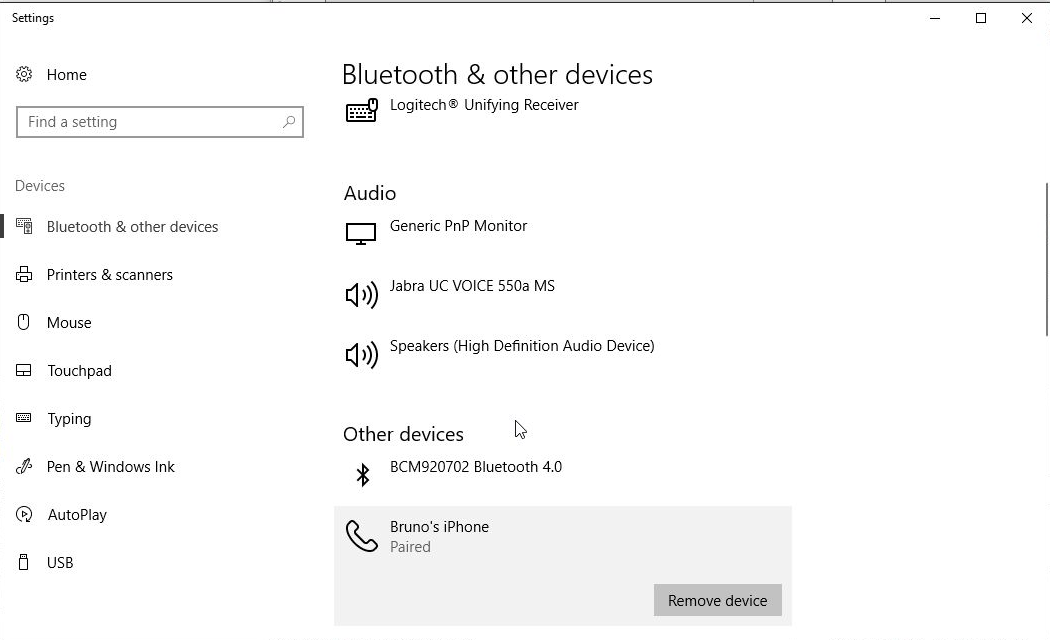
Once the devices are connected, we are going to see the iPhone in our list of connected devices.
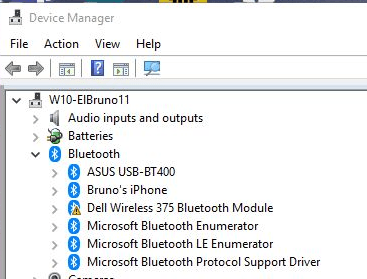
We can double check the Device Manager to see if the drivers were installed correctly. There should be a new entry with the phone name under the BlueTooth node.
The device windows in Windows 10 will allow us to launch a specific connection window for each device, and on Windows and iPhone we will see a couple of available operations. Music and Audio will be my friend 😀
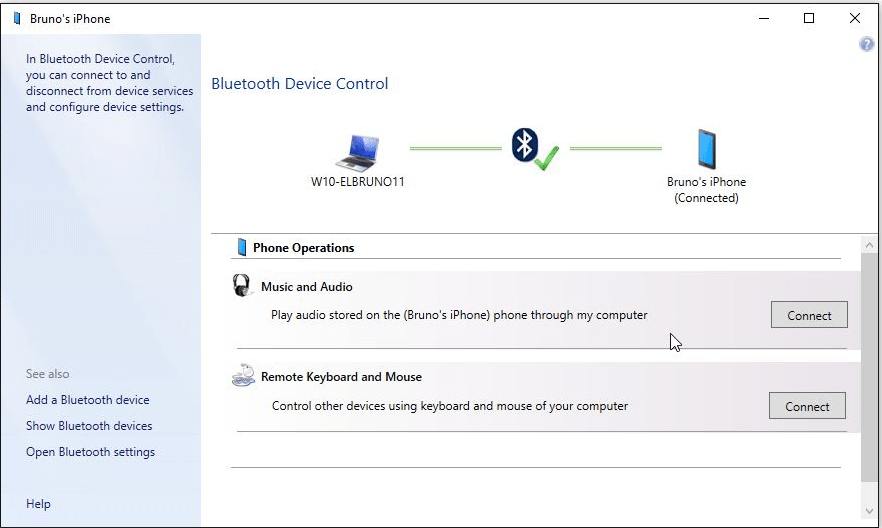
Once we have connected the “Music and Audio” service, we will see a new output device on our iPhone and we will be able to use this new device to broadcast our favourite podcast!.
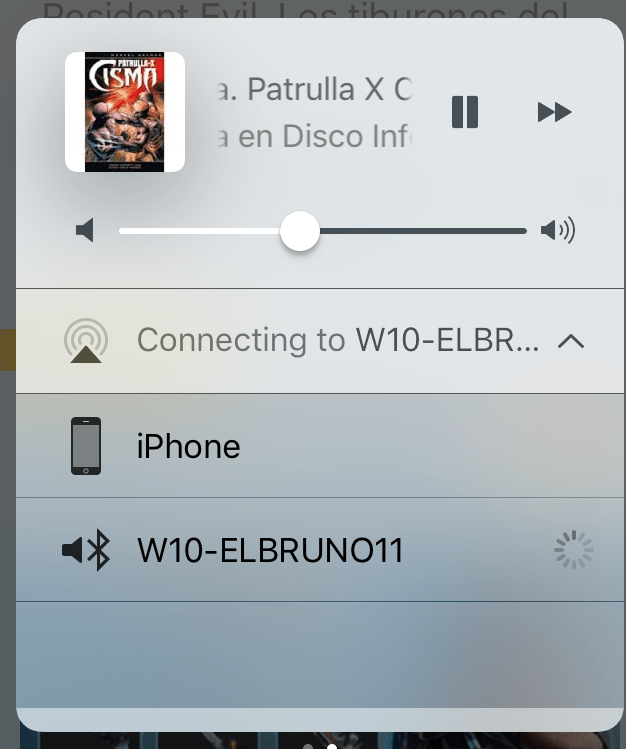
Simple and crappy post, Happy podcasting!
Greetings @ Burlington
El Bruno
References
- Podcast, No Tiene Nombre
- Podcast, La Viñeta
- Podcast, Hanselminutes


 El Bruno
Leave a reply to elbruno Cancel reply