Hello!
I will write this down here since I always forget something and at the end I started to work with inconsistent versions of environments and apps. It’s been a while since Microsoft began allowing users to be part of “XYZ Insider programs”.
Insiders programs are focused to Early Adopters and offered the opportunity to test development versions of complete suites of products, apps and operating systems.
As you can expect, the versions that you can try are not 100% stable and they maybe have some serious errors inside. And since I speak of stability, an interesting detail of these programs is that they usually tend to have 2 types of updates
- Fast Insider Ring. Where can we find the more frequents builds and with little or no “testing” at all on them.
- Slow Insider Ring. This ring of deployment are published “more stable” although less frequently.
We can see an example of this in Windows 10 settings. When we are part of the Insider program you can select the Insider level.

Alternatively, you can manually select the build that you want to install, as for example in the case of Office. Depending on the type of installation, we will have updates in Fast or Slow mode.
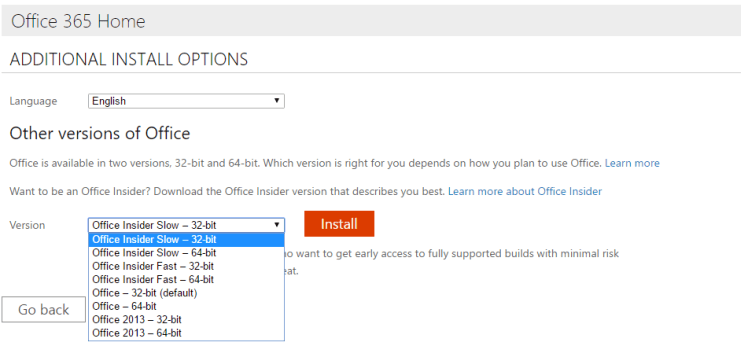
As well, and before that you forget me, here is the list of programs Microsoft Insiders that I know. About what I know and use will leave 2 lines, others only are that there are:
- Windows Insider, Windows 10 in different formats: PC, SmartPhones, IoT, Hololens.
- Office Insider. Office 2016 for Desktop and also specific versions for Android and IOs.
- Skype Insider, was the place where to try the 1st releases WinRT, versions of translator and several features more.
- Visual Studio Code Insider, I should not miss a daily build one of the most famous Microsoft Source Code Editors.
- XBox Insider
- Bing Insider
Greetings @ Toronto
El Bruno
 El Bruno
Leave a comment