Hi !
Myo series
- Getting started, #Windows10 configuration
- Starting as a developer with some C++ basic code
- MyoSharp a C# SDK implementation for the Myo armband
- Working with the Orientation and Gyroscope in C# and a 3D Cube
- Working with the #Emg data in C# (electromyography sensors)
Today I’ll write on how to interact with the Myo armband with a Universal Windows Platform App. Based on the previous posts contents, on this one I will create an example and I’ll show you the basic options of connection, capturing poses, and more in a UWP App.
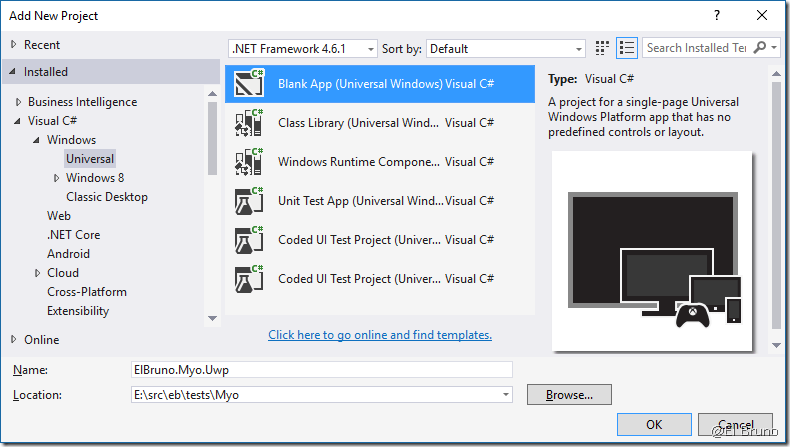
The first thing to do is to create a UWP with .net Framework 4.6.1
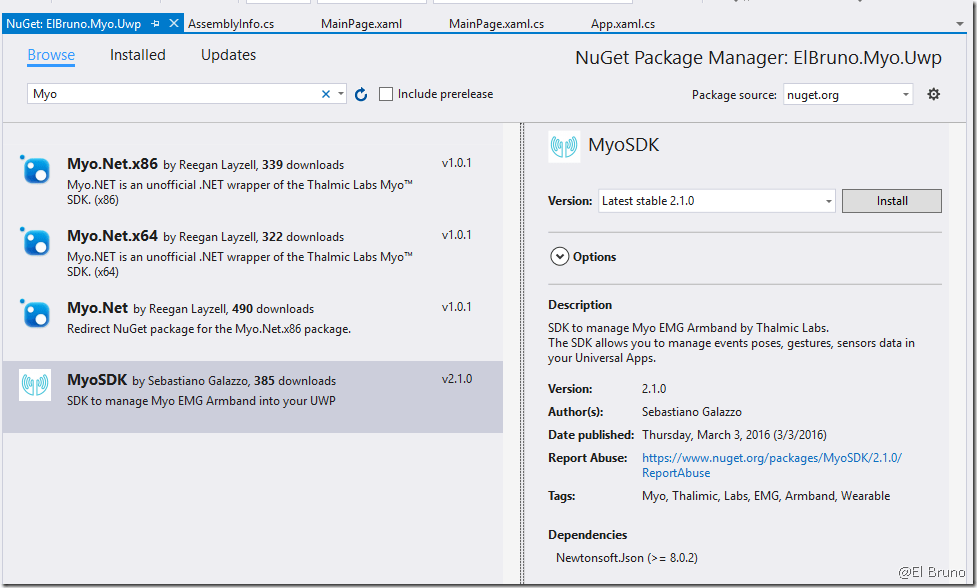
So, at this point, we have to find a SDK for Myo which support UWP. MyoSharp, the one I used before in my posts, is not is designed for Universal Apps. Lucky for us, our MVP MVP Sebastiano Galazzo (@galazzoseba), has created and published on NuGet a package for Myo which we can use in UWP.
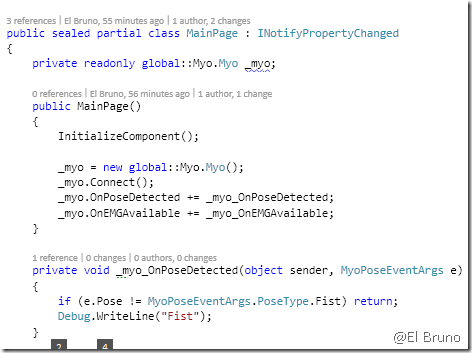
Once we have added the package, we need to initialize the device. In this case, I do this in the constructor of a view and also subscribe me to the fist pose detection event. When it detects the pose of a fist, a vibration notification is sent to the cuff and displays a message in the Visual Studio Output pane.
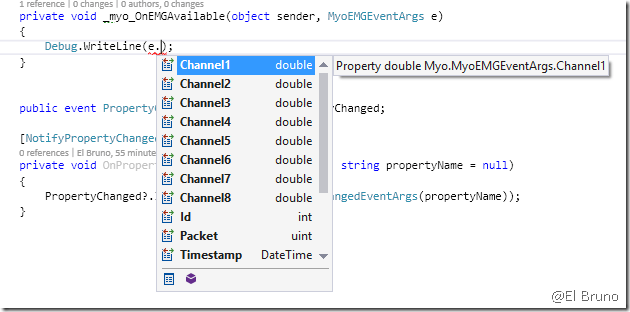
If for example, we want to work with EMG information, we will see that in the event of EMG data capture, available 8 electrical sensors the device values.
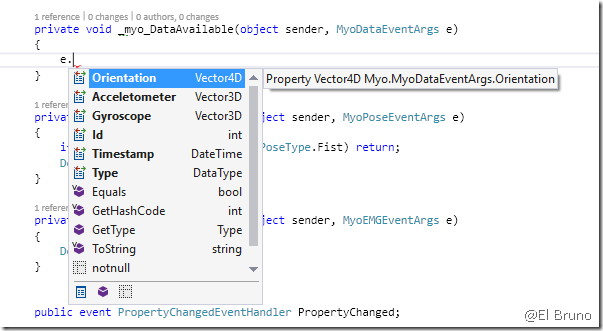
Finally, if we want to work with the values of the accelerometer, gyroscope and orientation, the DataAvailable() event provides us this information.
So we have the opportunity to create Universal Windows Apps that can also interact with the Myo armband!
Greetings @ Toronto
El Bruno
References
- Sebastiano Galazzo, @galazzoseba
- NuGet , Myo EMG Armband SDK 2.1.0
 El Bruno
Leave a comment