Hi !
I’m a big fan of Microsoft PowerToys. The new Text Extractor feature, is one of the most useful features ever ! 😀
Let’s take a simple look about how this works. Just capture of a region of the screen, and the text extractor will extract the text from the image and copy the content to the clipboard.
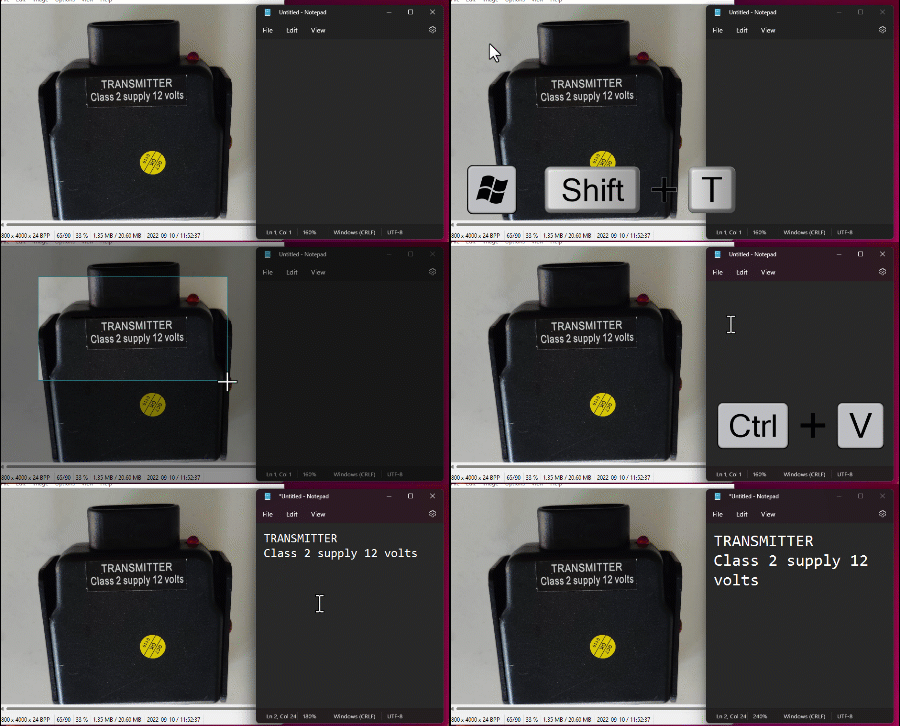
Super cool ! The main shortcut is [ WIN + SHIFT + T ], however in the PowerToys settings you can change this, and also, enable or disable this feature!

I’m saying goodbye to the old days, when I paste the image on OneNote to get the text from there!
Happy coding!
Greetings
El Bruno
More posts in my blog ElBruno.com.
More info in https://beacons.ai/elbruno
 El Bruno
Leave a comment