Hi !
Let’s start with some posts using reTerminal with a very simple scenario:
Install TensorFlow and Code on reTerminal to run an object recognition app.
The desired output is something similar to this one.
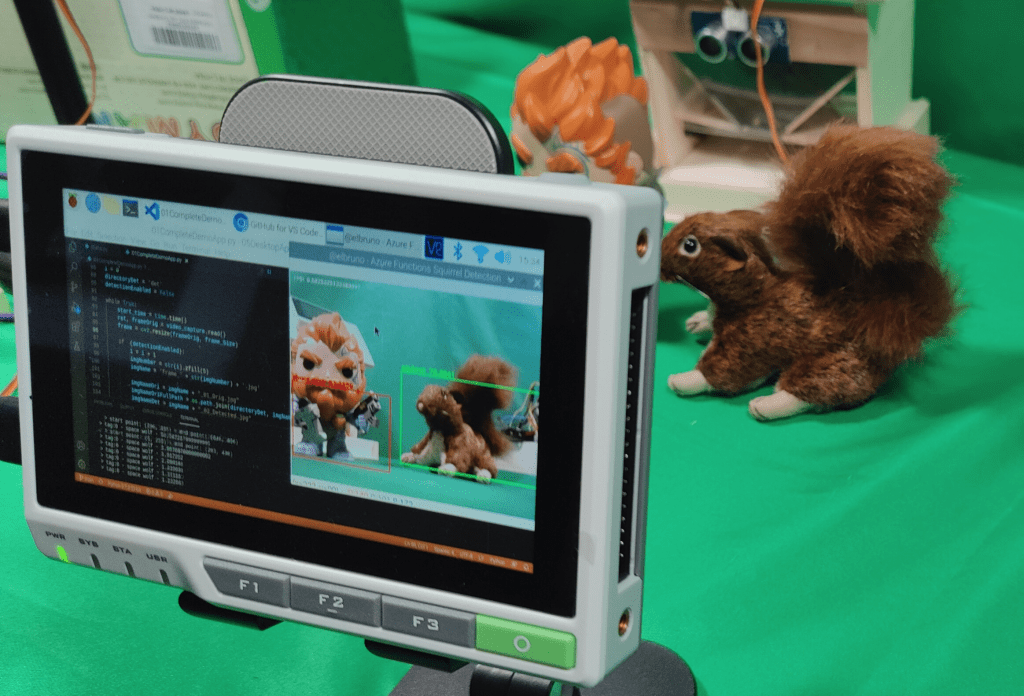
Live demo in a tweet !
And let´s start with the base commands to install Visual Studio Code. Oficial VSCode documentation suggests 2 commands:
sudo apt update
sudo apt install code
A couple of seconds later, we can start to work with Code! Here is Visual Studio Code running on the reTerminal and I’m following the steps to configure and use Python.

Now, let’s go for tensorflow. Again, a simple command
pip3 install tensorflow --user
Time to check TensorFlow with these simple python lines.
# check tensorflow, and display tensorflow version
import tensorflow as tf
tf.__version__

And, an important note. If you fin the following error, while running the tensorflow test with Python.
ValueError: numpy.ndarray size changed, may indicate binary incompatibility. Expected 44 from C header, got 40 from PyObject
It’s time to upgrade numpy.
pip3 install --upgrade numpy
And now we can run the 🐿️ squirrel recognition app.

In future posts, I’ll explain more details about how to configure and use these tools in reTerminal.
Happy coding!
Greetings
El Bruno
More posts in my blog ElBruno.com.
More info in https://beacons.ai/elbruno
 El Bruno
Leave a comment