Hi !
Let’s start with some posts using reTerminal with a very simple scenario:
Connect a Camera to the device and show the camera feed in reTerminal display
The output is something similar to this one.
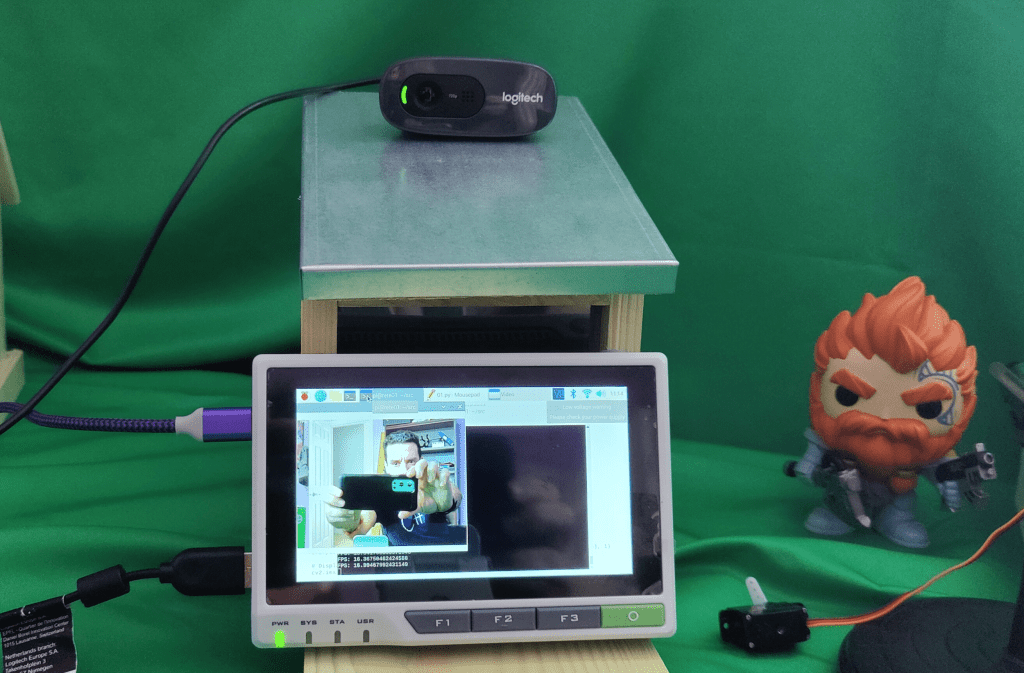
And let´s start with the base code to run this, based on my previous posts on OpenCV (see references)
The main prerequisite to run this code is to have OpenCV installed. And this is a tricky process in a Raspberry Pi. I used to install all the necessary libraries and apps, and then build OpenCV in my device (see references).
Today I follow these steps to make this happens.
1st I install Virtual Environments to I can work in isolated modes for my tests. Run these scripts
sudo pip3 install virtualenv
virtualenv -p python3 camLabs
source camLabs/bin/activate
Last line will activate my virtual environment.
Once I’m in the virtual environment, I can install OpenCV with the following command
sudo pip install opencv-contrib-python==4.1.0.25
And run the quick test to validate the installation.
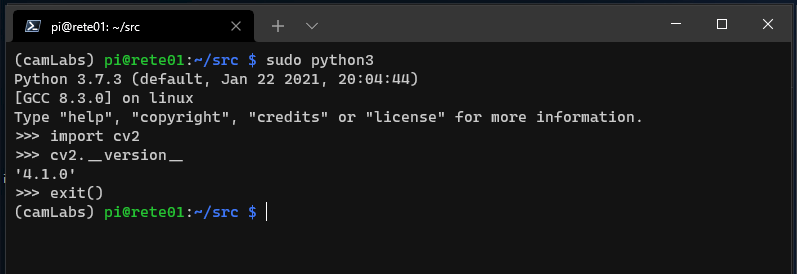
In the process I learned a couple of lessons about installation with amazing errors like these ones


At the end, the simple command to install OpenCV makes the magic!
Happy coding!
Greetings
El Bruno
More posts in my blog ElBruno.com.
More info in https://beacons.ai/elbruno
 El Bruno
Leave a comment