Hi !
2nd post, to achive a simple goal:
Use Wio Terminal microphone to recognize wake up words and open or close the Azure IoT Door 🚪

So, let’s start.
Edge Impulse
As I mentioned, I’ll use Edge Impuse, to to train the voice recognition module. Based on my previous posts, I recorded 30 audio data samples, 3 seconds each, for my 3 labels
- background
- closedoor
- opendoor

Each Edge Impulse project is very easy to follow. For this one, I’m not going to share all the steps, I’ll mostly focus on the C++ code. However, here are some tips.
Project type: Audio.

We can import our files here:

These are small files, so the process is a fast one.
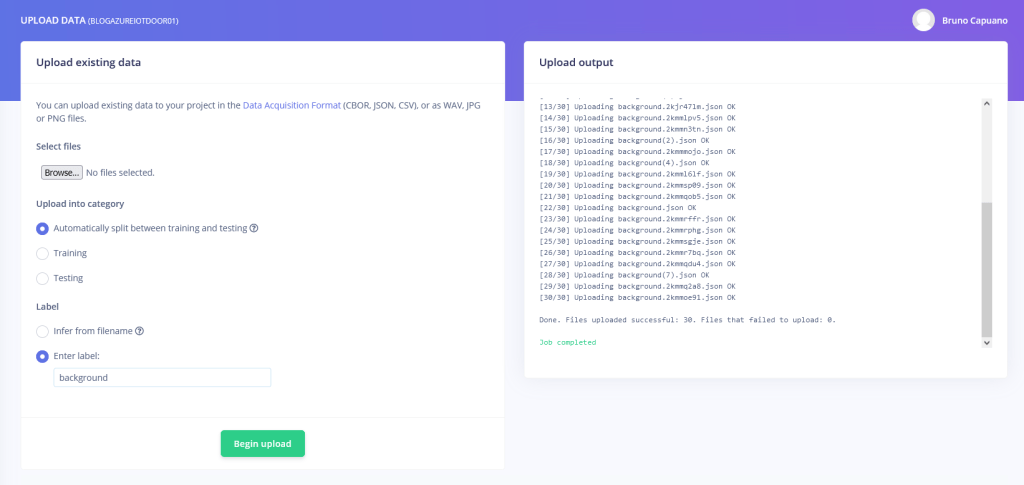
I repeat the upload process for the 3 labels. And, I let Edge Impulse to perform the split between train and test data.
On the Edge Impulse definition, I change the window size to 3 seconds. Note: More details on this later.
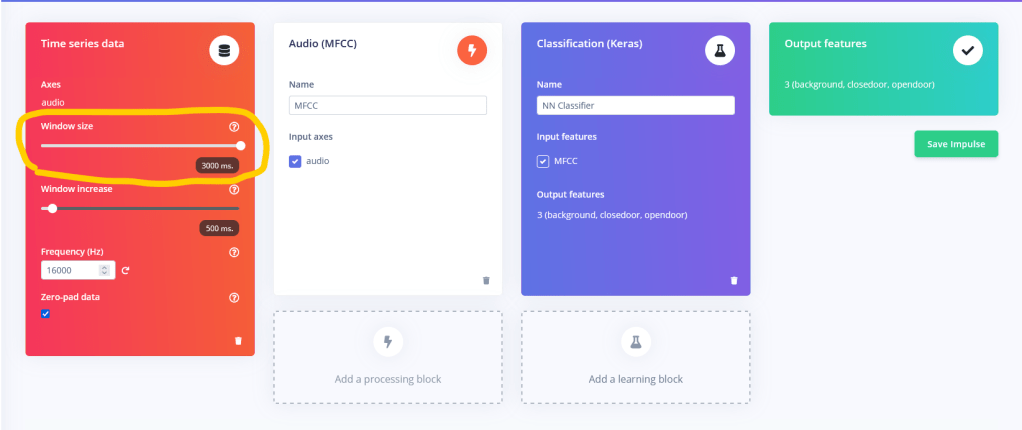
Next steps, MFCC, NN Classifier are straight forward. The last steps is where we train the DNN, and this is a good time for a coffee.
With my default values, I got a very low accuracy. So, I made some changes to my Edge Impulse
- Increase the Audio Window to 4000 (4 seconds)
- Increase the number of training cycles to 200
- Keep the learning rate at 0.005
- Enable the Data Augmentation
With these changes, my model was almost at 80% of accuracy. Good enough for my tests.

Next steps is to configure the model generation for our specific processor and device. In the Eon tuner section, I choose Wio Terminal.

Important: this process takes a lot of time. So this is another coffee or walk away moment.
Once the EON Tuner step is complete, we need to retrain the model with the specific parameters from the EON Tuner step.
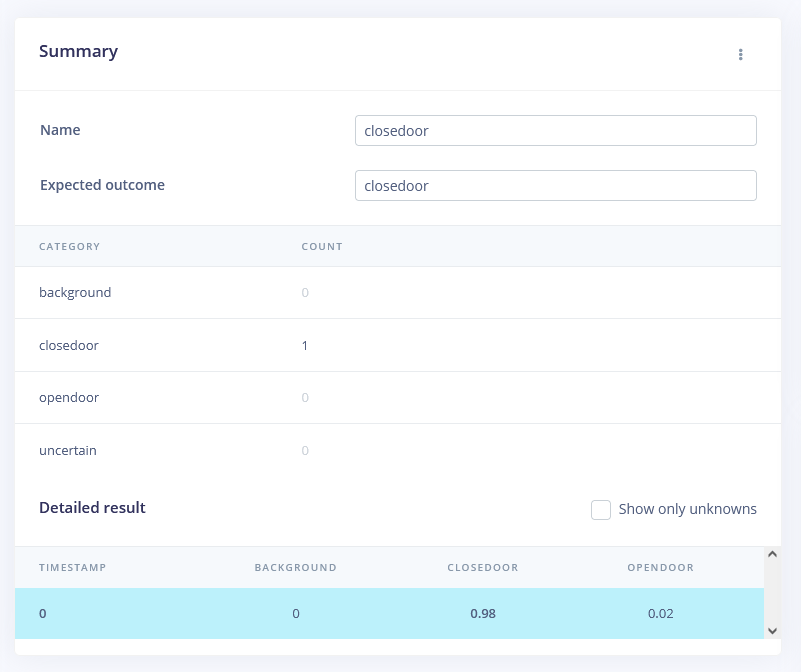
Once the model is trained, we can start the test activities.
1st one worked great for me, 98% if accuracy on a CLOSE DOOR audio sample.
And we are ready to export our model to the specific platform for Wio Terminal: Arduino.

And we can also check the EON Tuner optimizations values.

This post is long enough to include the changes to make it work for the Wio Terminal. I’ll draft and post these activities in the next post.
Happy coding!
Greetings
El Bruno
More posts in my blog ElBruno.com.
More info in https://beacons.ai/elbruno
References
- Download Arduino IDE
- Wiki Seeed – Historgram
- Wiki Seeed – loading Images
- Wiki Seeed – Installing the File System Library
- Wiki Seed – Wifi Connectivity
- GitHub – Arduino_JSON
- Wikipedia – X BitMap
- Edge Impulse
- CodeCraft
WioTerminal – Posts to interact with a Digital Twin Door 🚪 with Azure IoT ☁️ and Azure Functions
- Convert and use images on the device
- 1st steps 👣, developer steps
- Buttons and Charts time 📊📉📊
- Connecting to Wifi 📶, display local IP and get ready for Azure ☁️ scenarios
- Getting JSON data from an Azure ☁️ Function
- Parsing JSON data from an Azure ☁️ Function
- Display a Digital Twin Door 🚪 state using XBitmap with Azure IoT ☁️
- Display a countdown progress bar 🚥 for the next Azure IoT ☁️ refresh data call
- Open and close the Digital Twin Door 🚪 using the Wio Terminal Buttons
- Training an 🗣️ audio recognition module. Record 🎙️ audio samples for training
- Training an 🗣️ audio recognition module. Edge Impulse for Arduino step-by-step and optimizations
- Training an 🗣️ audio recognition module. Running the model on the device
- Playing sound on the open and close events from the Digital Twin Door 🚪 (coming soon)
 El Bruno
Leave a comment