
Hi !
Today I’ll share another cool sample using moviepy, and I’ll also use scikit-image to add some extra effects.
This one is again based on the cat videos, and perform this steps:
- Using the cat video, open 3 video objects with different segments: 1-2 seconds, 2-4 seconds, 4-6 seconds
- Resize each video to be smaller
- Apply a blur effect to the 2nd video
- Concatenate the 3 videos
- Export the output to Gif
The code is super simple:
Super, easy. It and the output is a 2MB gif file.
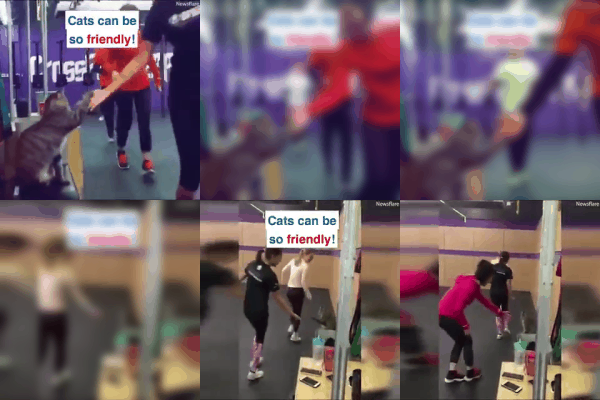
Source video, the full version is here.
Happy coding!
Greetings
El Bruno
More posts in my blog ElBruno.com.
More info in https://beacons.ai/elbruno

¿Con ganas de ponerte al día?
En Lemoncode te ofrecemos formación online impartida por profesionales que se baten el cobre en consultoría:
- Si tienes ganas de ponerte al día con Front End (ES6, Typescript, React, Angular, Vuejs…) te recomendamos nuestros Máster Front End: https://lemoncode.net/master-frontend#inicio-banner
- Si te quieres poner al día en Backend (stacks .net y nodejs), te aconsejamos nuestro Bootcamp Backend: https://lemoncode.net/bootcamp-backend#bootcamp-backend/banner
- Y si tienes ganas de meterte con Docker, Kubernetes, CI/CD…, tenemos nuestro Bootcamp Devops: https://lemoncode.net/bootcamp-devops#bootcamp-devops/inicio

 El Bruno
Leave a reply to Evan Mann Cancel reply