
Hi !
It’s been a while since I wrote about Power Flow Automate, and this is a good memory reminder for myself, I always spend +30 minutes figuring out how to
Test a Power Automate Flow, triggered when a HTTP request is received using Postman.
So, simple scenario with a Flow triggered when a HTTP request is received. Important detail here, expand advanced options and choose POST as HTTP Method.
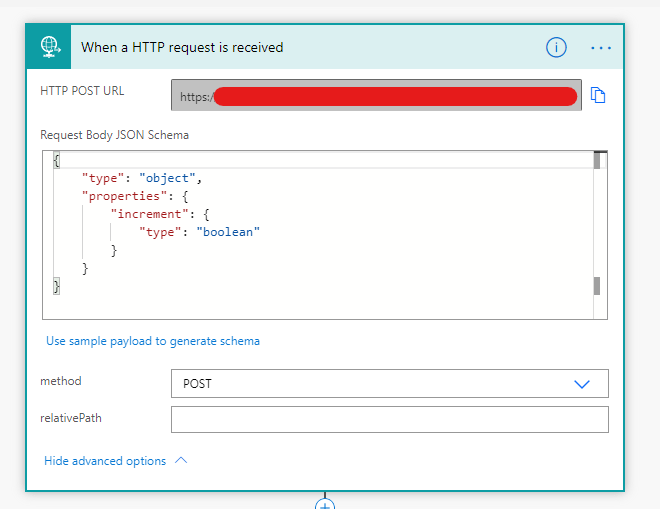
For this post, I also use a very simple JSON schema with a boolean variable. Half of the work is done.
Now, let’s go to Postman and create a new session. I’ll assume that you have a basic Postman usage knowledge, if not, check the references.
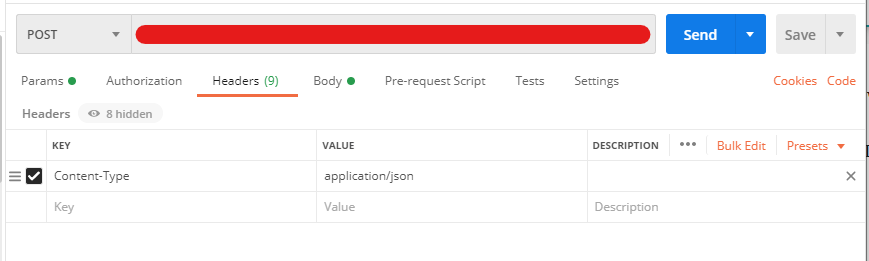
Complete the URL, and add the Content-Type as application/json value in the Headers section.
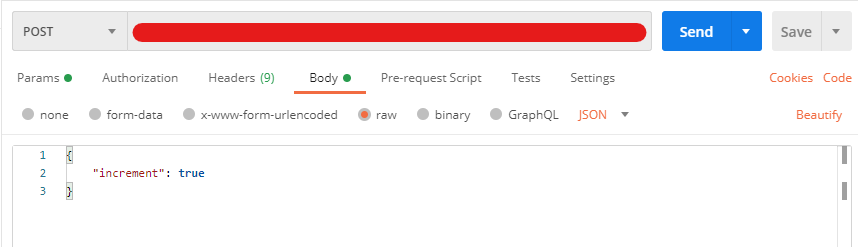
In the body section, we can define and test using the Json data. (remember my simple Json schema?)
And that’s it ! As a final step, we can check in the Flow Run history, each one of the flow calls.

Happy coding!
Greetings
El Bruno
More posts in my blog ElBruno.com.
More info in https://beacons.ai/elbruno
 El Bruno
Leave a comment