
Hi !
I’m a big fan of Portanier. I usually will go for a graphical interface on top of a command line option, and to manage my docker labs, Portainer is my best choice for this.
Portainer is a lightweight management UI which allows you to easily manage your different Docker environments (Docker hosts or Swarm clusters). Portainer is meant to be as simple to deploy as it is to use. It consists of a single container that can run on any Docker engine (can be deployed as Linux container or a Windows native container, supports other platforms too). Portainer allows you to manage all your Docker resources (containers, images, volumes, networks and more) ! It is compatible with the standalone Docker engine and with Docker Swarm mode.
Portainer (see references)
From time to time, we have updates for Portainer and I always make a mess doing this manually. So here is my personal cheat sheet for the next one
- stop Portainer container
- remove Portainer container
- get latest Portainer image
- run Portainer
And the docker commands are
docker stop Portainer
docker rm Portainer
docker pull portainer/portainer
docker run -d -p 8000:8000 -p 9000:9000 --name="Portainer" -v /var/run/docker.sock:/var/run/docker.sock -v portainer_data:/data portainer/portainer
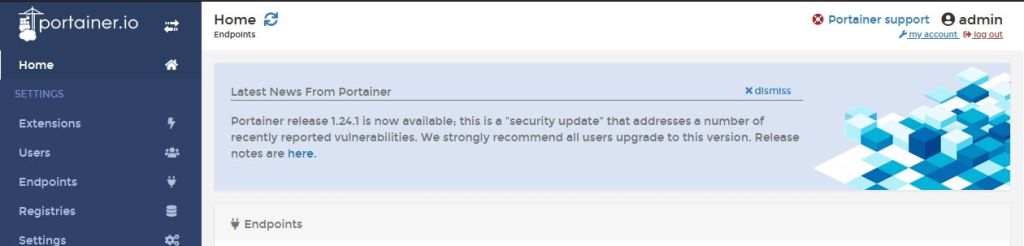
Portainer is updated and now I got just news in the home page !
Happy coding!
Greetings
El Bruno
More posts in my blog ElBruno.com.
More info in https://beacons.ai/elbruno
Resources
- Github, portainer


 El Bruno
Leave a reply to #docker – Updating docker containers automatically with Watchtower. Bonus: let’s learn Go ! – El Bruno Cancel reply