
Hi !
I keep on my Power Platform learning path, and today I’ve implemented one very cool feature:
Send notifications to launch Power App using Power Automate
The full concept is to
- Capture specific events using Power Automate
- Perform some back-end logic updating information using Power Automate
- Send a notification to specific users, to open a Power App with the updated information
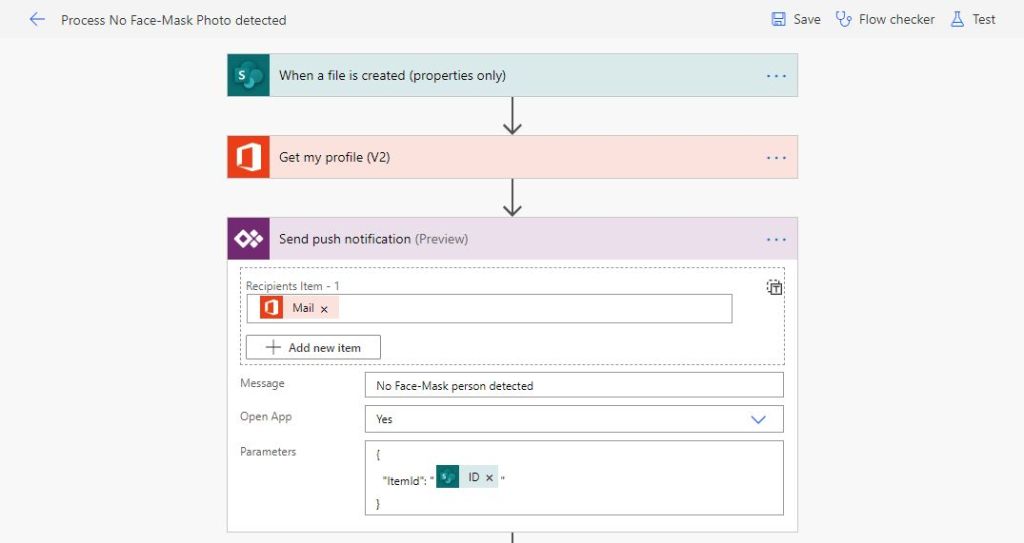
The following sample flow, make some process into an item from a SharePoint List, and then send a notification to a specific Power App, with some amazing context
- Recipients: you may decide to send the notification to all the Power App users, or to a specific subset of users
- Open App: when the user clicks the notification, the app will be launched
- Parameters: this is the cool one. Using Json, we can send a key-value dictionary, with specific information from our flow. In this scenario, the SharePoint ItemID is sent in the parameters.
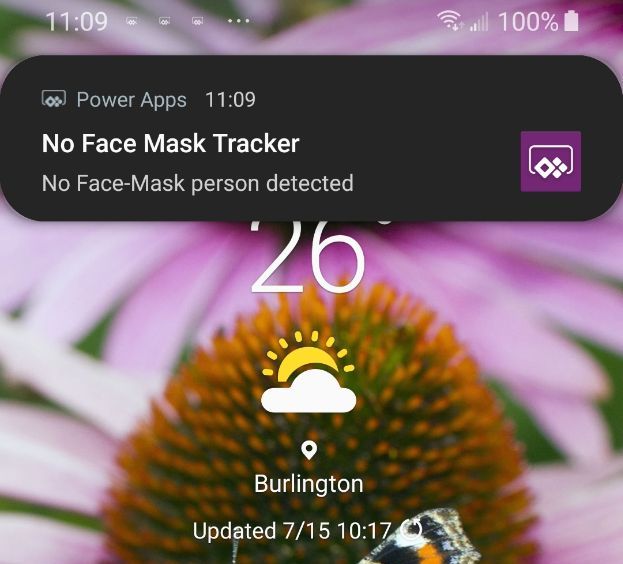
And, then the final user will get a notification similar to this one, and can start the interaction with the specific item in the Power App.
Important: when you create the connection in Microsoft Flow to the Power App, use the ID shown under app details tab. The url option is somehow broken. This took me sometime to fix it .
Happy coding!
Greetings
El Bruno
More posts in my blog ElBruno.com.
More info in https://beacons.ai/elbruno
 El Bruno
Leave a comment