Hi!
Today’s post is a permanent note on how to add a Windows Store App into Windows 10 start up. It’s an easy task, but I always forgot how to do this.
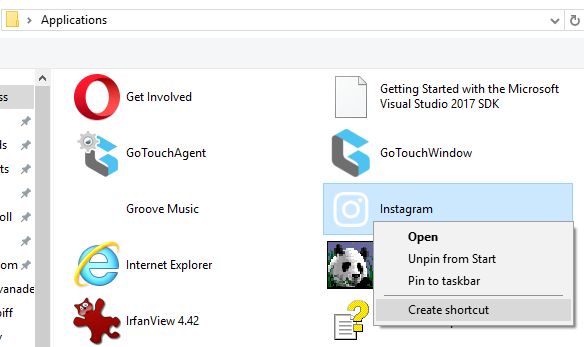
1st step is to access to the Apps Folder (classic and Windows Store Apps) using a shell command [Shell:AppsFolder]

For this sample, I’ll add Instagram to my Windows 10 startup (not the best idea, I know). So, once we find the App, we need to display the context menu on the App and select the [Create shortcut menu] The shortcut will be created on the Desktop
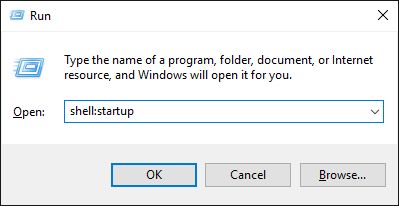
No the easy part, access to the start up folder in Windows using the command [shell:startup]
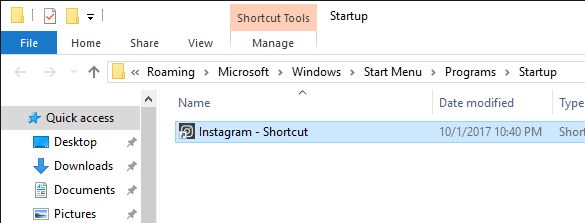
And, let’s move / copy the shortcut to the StartUp folder
Happy Coding!
Greetings @ Toronto
El Bruno
 El Bruno
Leave a comment