Hello!
After a couple of months participating in events about Microsoft Hololens, today I found a new bug for me. Before going into details, let me share one of the most important Hololens features.
When one power on the device, the device begins to create a spatial mapping of the environment where it is used. This mapping is called “Space” and stored in the device HD. These definitions of space, are used when the device is activated again doing “a fast loading” of space and store only the changes that have occurred in the same.
Today, on my desktop of my house I happened to my Hololens does not recognize my space. This is pretty weird, since it is the place where I most use them. The problem is that, without spatial mapping, the device cannot be used.
After researching a bit what is happening, I realised the local process of loading and comparison of Spaces, was consuming all the resources of my device. The solution is very simple: Delete them all!
And here is the way to delete the collection of spaces. First, we see that when the device can not load a Space, the settings window will always open with a status bar that “invites us to load a definition of a Space”. Making click the status bar will navigate to the Spaces settings view.
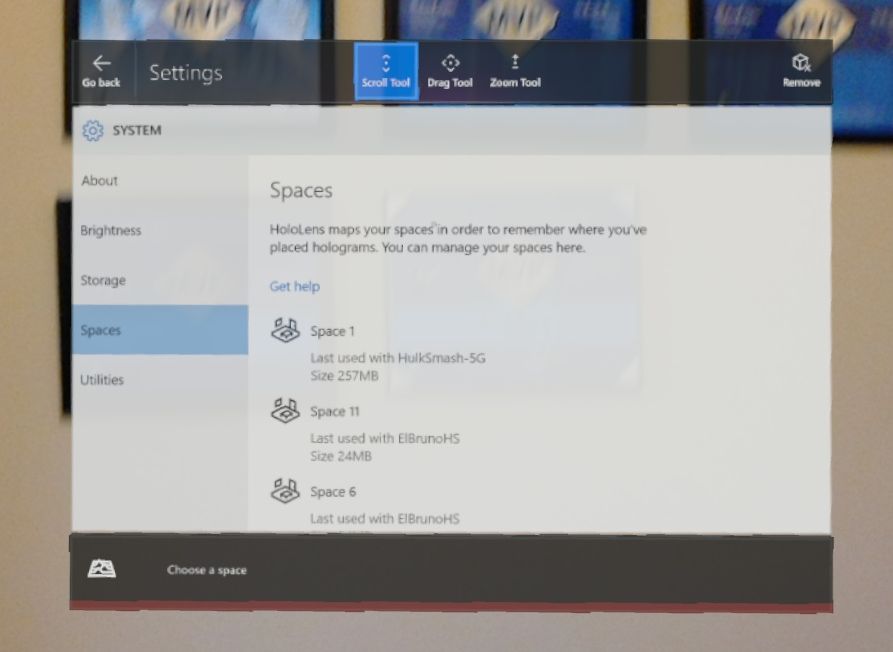
Here we can see the Spaces collection. Based on how much time we used the device and how big is the environment, we can find different sizes. In my case, the smallest was about 20 MB and the largest nearly 500 MBs.
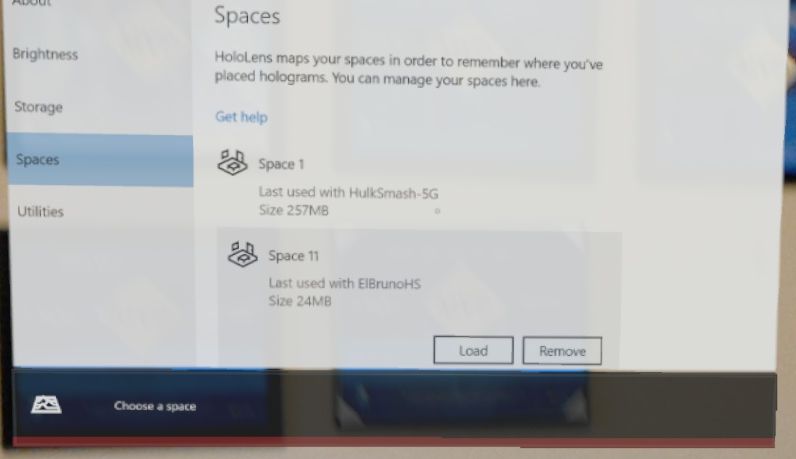
The next thing is to delete ONE BY ONE all the spaces. This is a great moment to suggest a “Delete All” button.
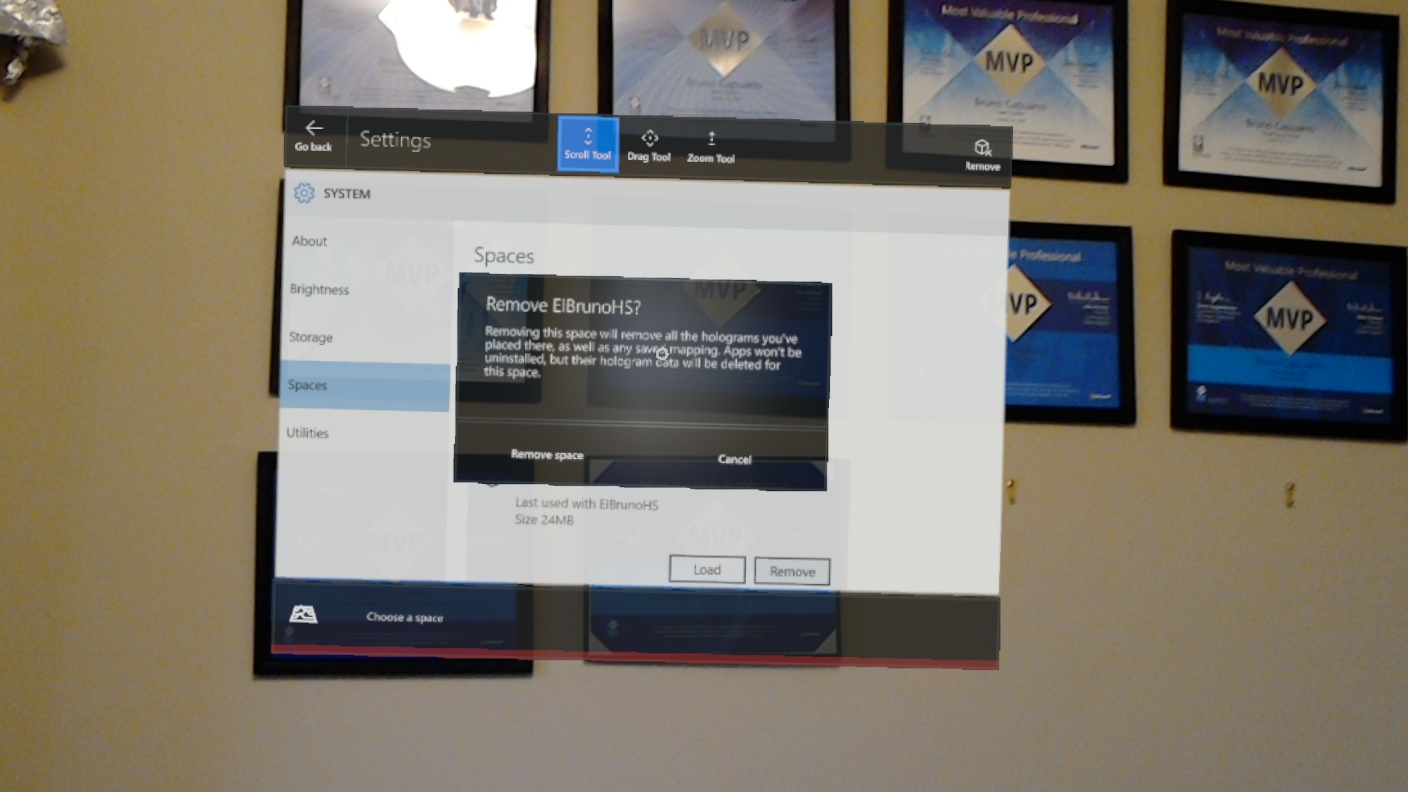
While logic suggests that when there is only a Space definition, the device should be able to function again, this did not happen. I had to erase all the spaces and restart the device to be able to return to work.
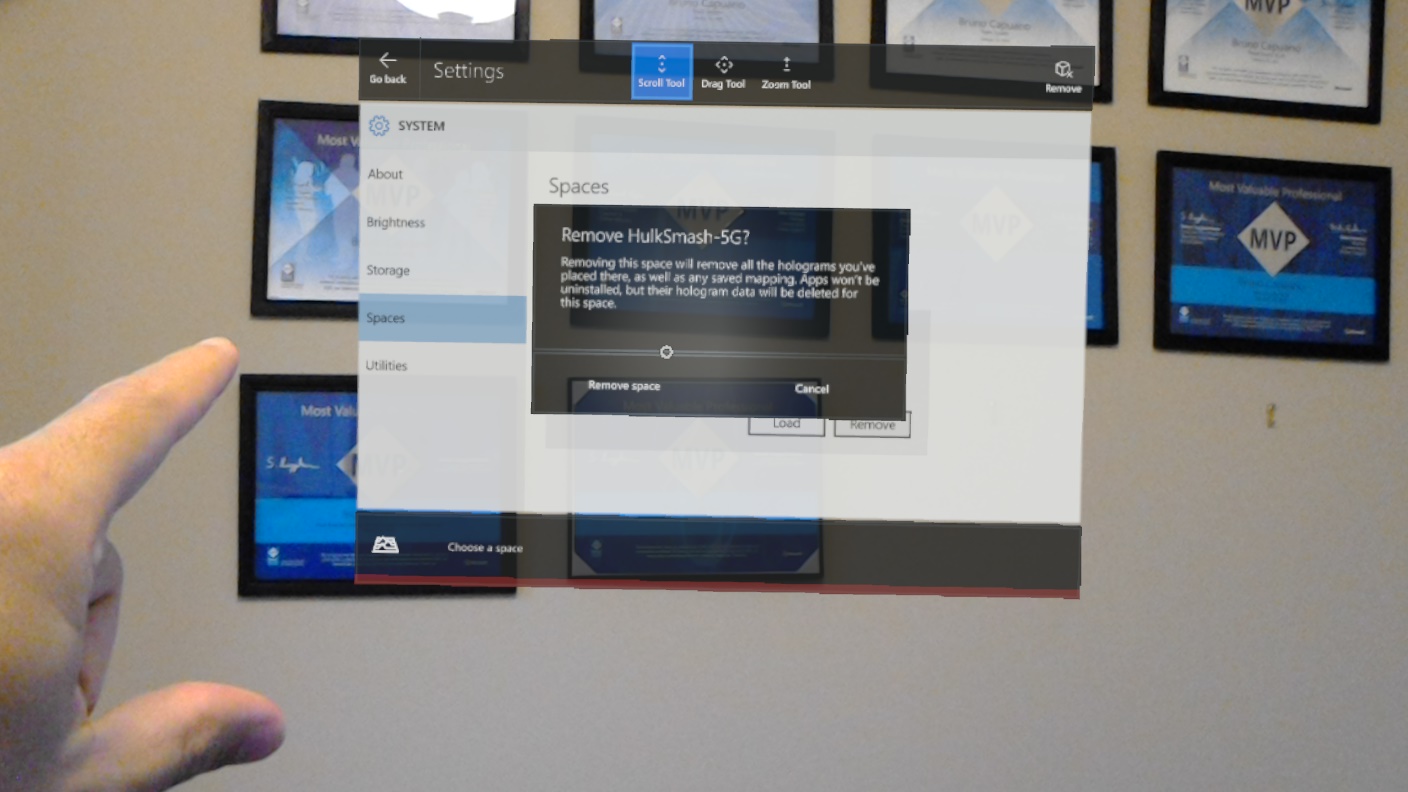
After this, already I could go back and use my Hololens again.
Important: How cool is my Wifi name?
Greetings @ Toronto
El Bruno
 El Bruno
Leave a comment