Hi !
Quick post on Friday with a very cool Visual Studio 2015 extension: Learn the shortcut. I’m a keyboard user, and you know, I try to learn all the shortcuts I can to make my life easier.
And now, Mad Kristensen creates an amazing extension which help me to learn new shortcuts. The ways it works is very easy: every time you perform an action inside the IDE, the shortcut for this action will appear for a couple of seconds on the IDE status bar.

You can also add some configuration to get the information also in the Output panel.
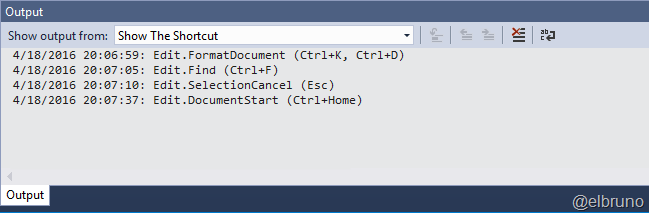
And that’s it. In the product home page there are more details about it, description on the available settings and much more !!!
Kudos for Mad!
Greetings @ Toronto
-El Bruno
References
- Visual Studio Gallery, Learn the shortcut
- Visual Studio Gallery, Mad Kristensen profile
 El Bruno
Leave a comment