Hi !
Today’s post is a quick one for Friday. My main goal in the past days was to complete all the necesarry stuff I’ll need to live in Toronto, and in the meantime I’ll continue to play around with the ConnectIQ Garmin SDK.
As you can see in the next video, I get to a point where
- The app can read information from different sensors: position and heart rate
- Based on a SDK sample the app can draw a chart for the HR data
- The app creates a dinamyc layout with different (and ugly!) colors when the device is using sensors data or not
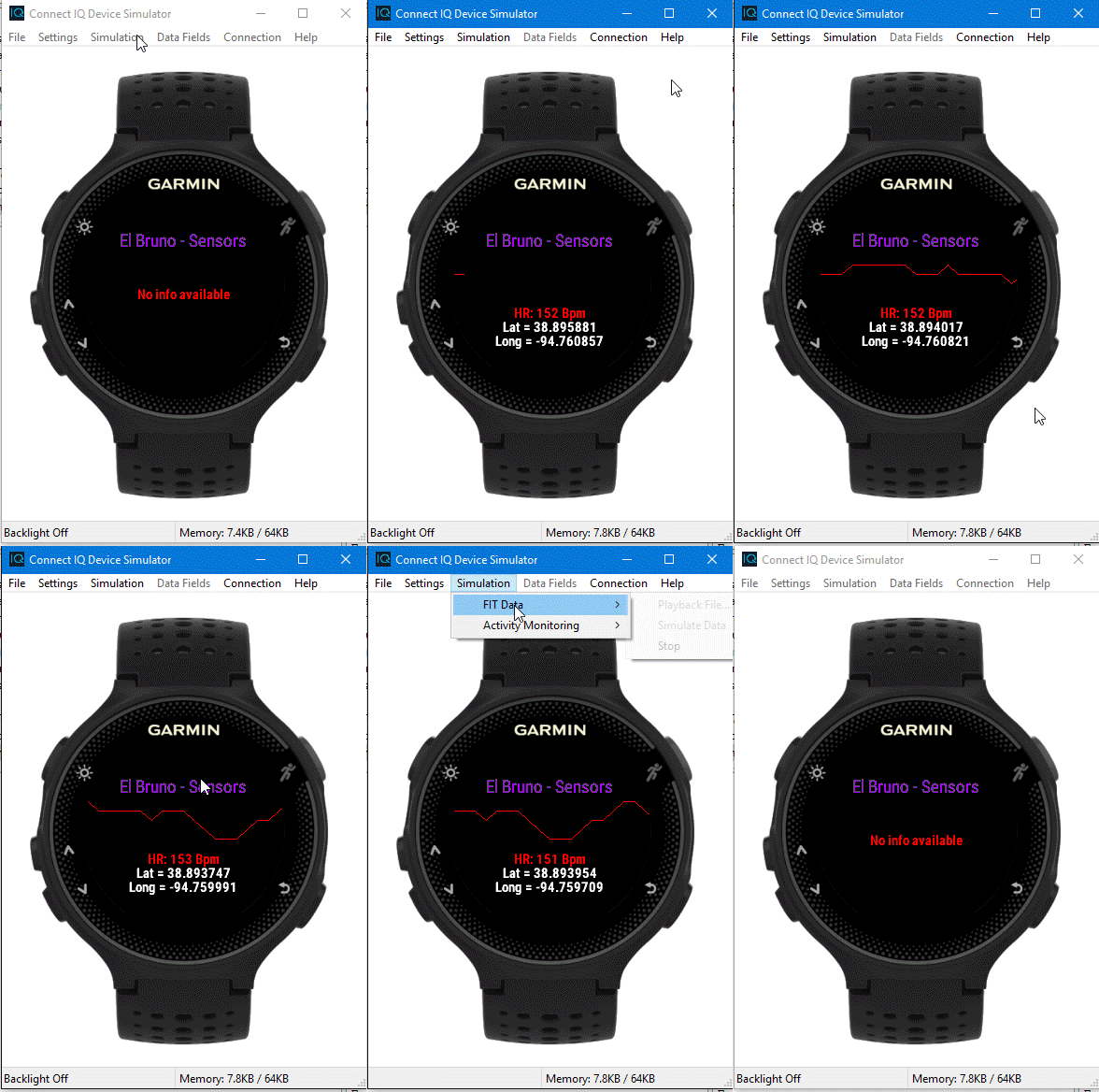
So, the important stuff for this demo is
- The app must be configured to use Sensors and Position information, in the app properties
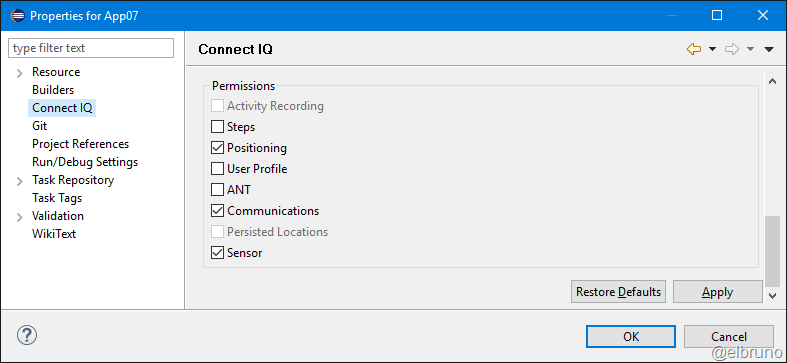
- The App class will initialize the sensors and positions. On each “get data” event, it will invoke the View class to display this data
- The View class has some code to dinamically work in the layout to create texts and charts for the View

- The chart used for the Heart Rate data is a Graph.mc file from the SDK samples
And that’s it ! the app is kind of smart enought to display real time information of positions and sensors in a very simple way!
GitHub Source Code: https://github.com/elbruno/Blog/tree/master/Garmin
Greetings @ Toronto
-El Bruno
References
- ConnectIQ Programmers Guide Resource Compiler
- ConnectIQ Programmers Guide User Interface

 El Bruno
Leave a reply to Cyril Preiss Cancel reply