Hello!
Visual Studio 2013 file comparison tool can be considered “first citizen tool”. Before I used to use WinMerge, or another tool to compare.
What is still missing in the IDE is a small menu that allows us to select 2 files and compare them. From command line, you can do it with
devenv.exe /diff Compares two files. Takes four parameters:
SourceFile, TargetFile, SourceDisplayName(optional),
TargetDisplayName(optional)
And after launching a command like
devenv.exe /diff “e:\source.txt” “e:\target.txt” “SOURCE” “TARGET”
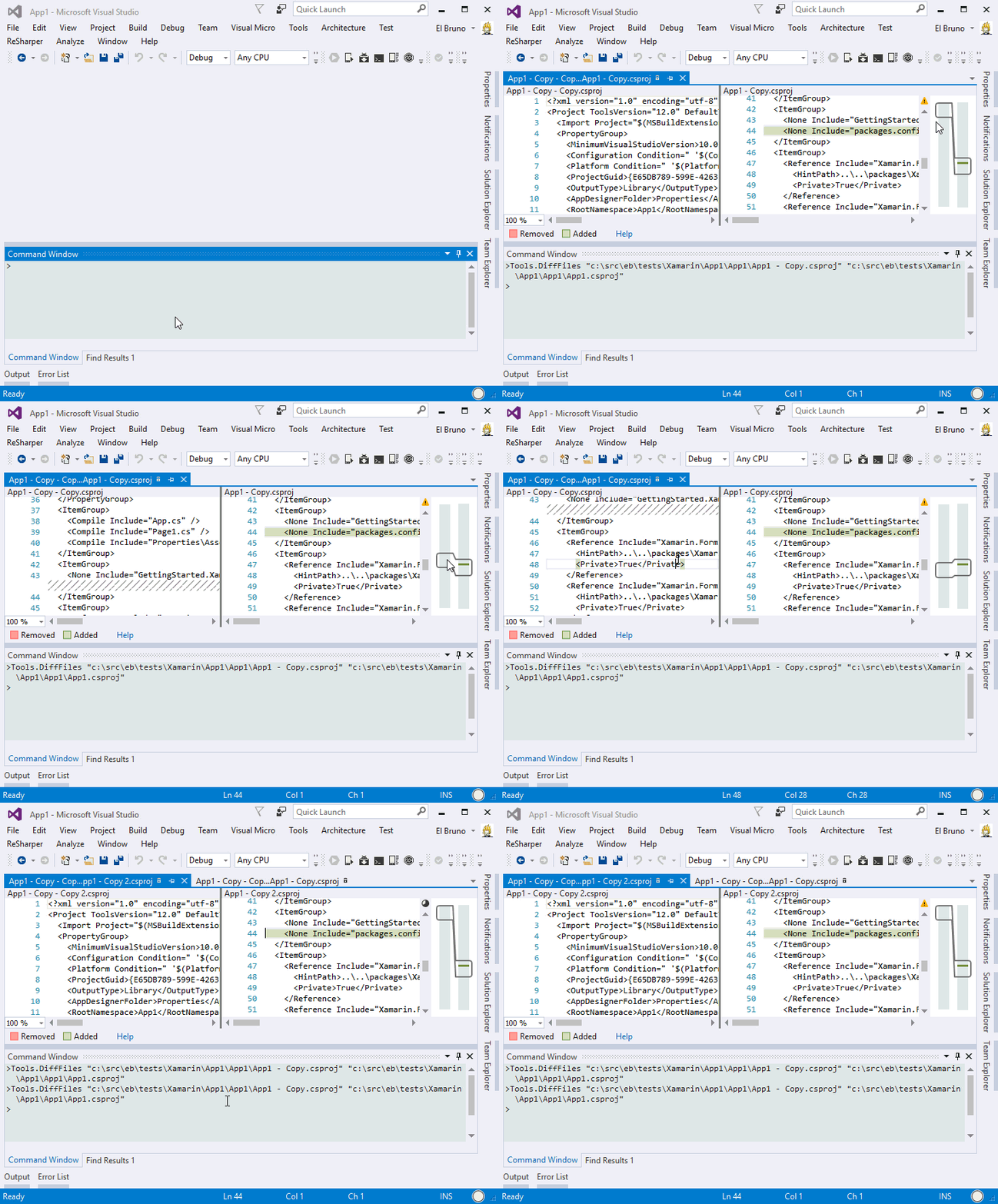
But within the IDE, things change a little. Instead of launching the command from the Command Prompt, we can do it from the command window with a syntax of style
> Tools.DiffFiles SourceFile, TargetFile
Live sample
Greetings @ Madrid
-Bruno
-El Bruno
References


 El Bruno
Leave a reply to [vs.net] Diff Tool for local files | PipisCrew Official Homepage Cancel reply