Hola!
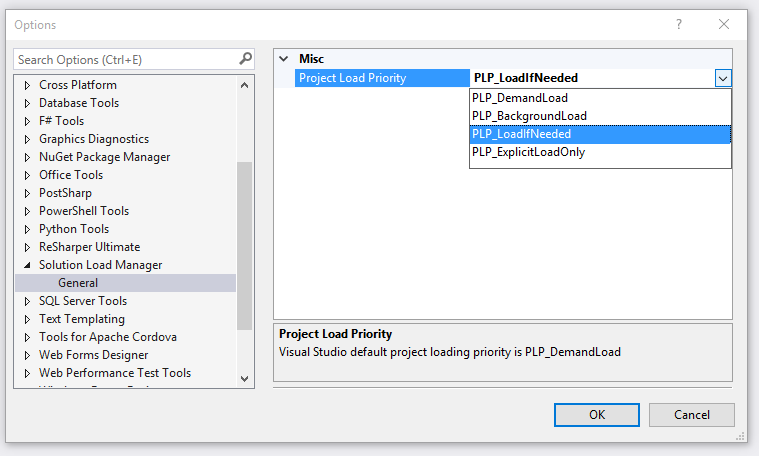
Again Extension Friday. If you work with Solutions with plenty of Projects, you will find this one very useful. Most of the times, you don’t need to have all the projects loaded, so this extension allows you to define the behavior used by Visual Studio 2015 to load the projects. In [Tools // Options] you can choose between 4 options for this behavior. Default option is “DemandLoad”, I’ll go for “LoadIfNeeded”, and I’ll go later on more details about each option.
Let’s go to a sample for better understanding. WE can work with a solution with 6 projects with the following relationships between them.
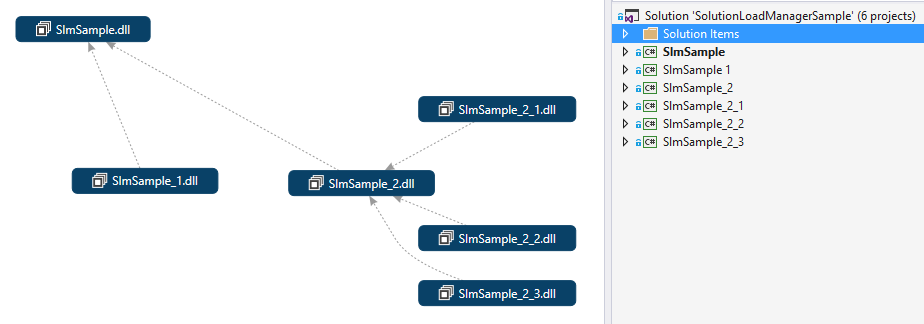
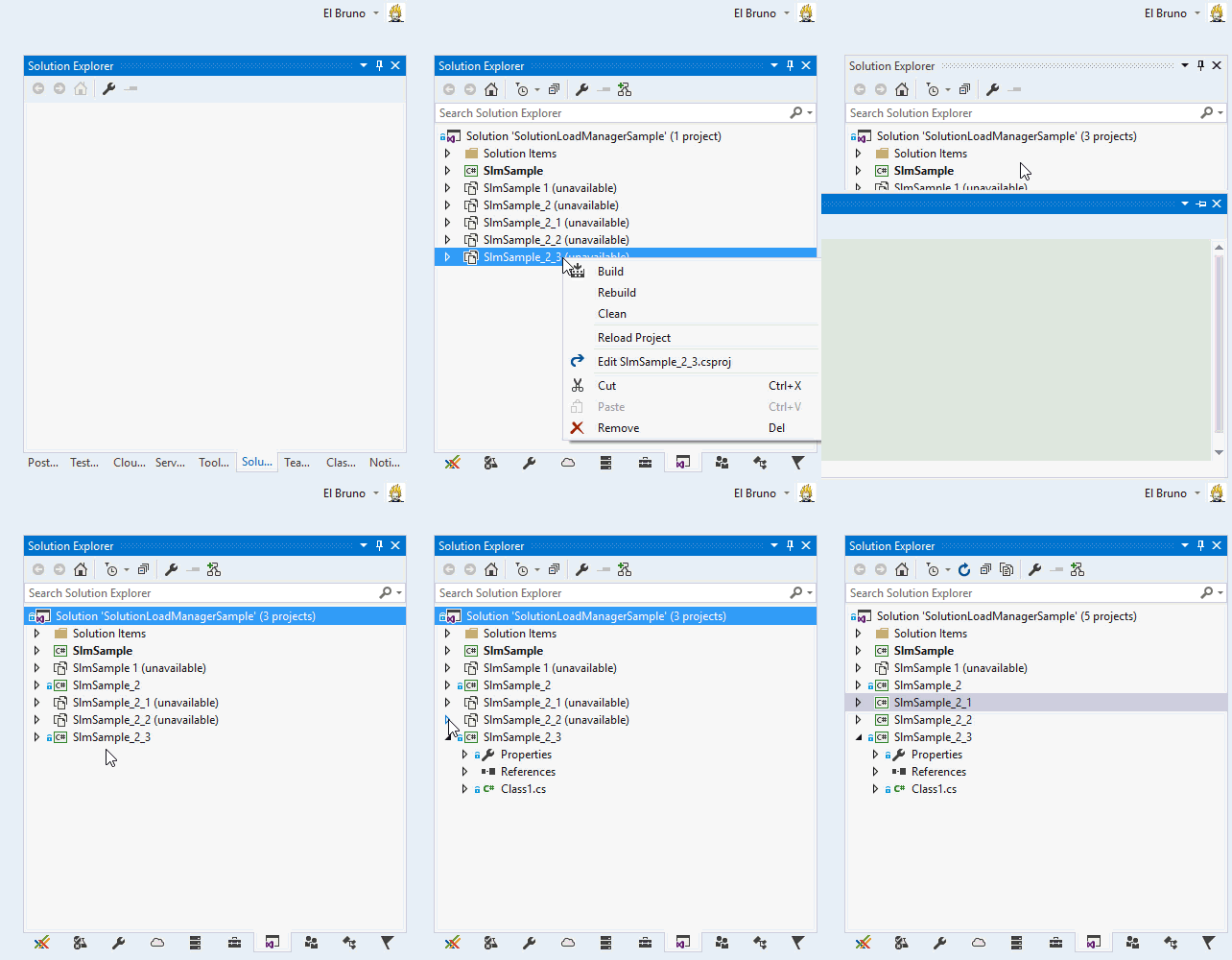
If we need to work in [SlnSample_1] Project, we only need 2 projects, we don’t need all of them. If we enable the option “LoadIfNeeded” we will this in the Solution Explorer after loading the solution.
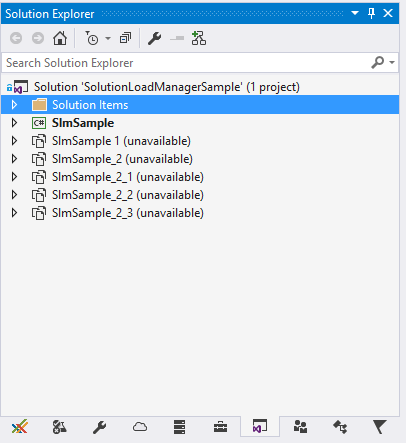
We only have active the Default Project, and if we build [SlnSample_1], other Projects won’t be loaded.
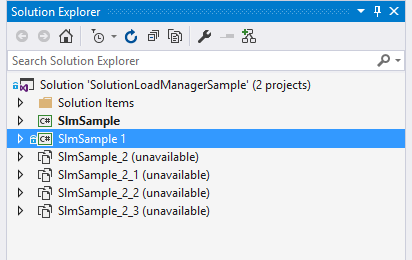
In the following video, I choose another Project which also load only the References Projects.
This is all based on the extensibility Options for a Solution, defined in MSDN (link):
· PLP_DemandLoad (the default): when a solution is opened, projects are loaded asynchronously. If this priority is set on an unloaded project after the solution is already open, the project will be loaded at the next idle point.
· PLP_BackgroundLoad : when a solution is opened, projects are loaded in the background, allowing the user to access the projects as they are loaded without having to wait until all the projects are loaded.
· PLP_LoadIfNeeded : projects are loaded when they are accessed. A project is accessed when the user expands the project node in the Solution Explorer, when a file belonging to the project is opened when the solution opens because it is in the open document list (persisted in the solution’s user options file), or when another project that is being loaded has a dependency on the project. This type of project is not automatically loaded before starting a build process; the Solution Load Manager is responsible for ensuring that all the necessary projects are loaded. These projects should also be loaded before starting a Find/Replace in Files across the entire solution.
· PLP_ExplicitLoadOnly : projects are not to be loaded unless the user explicitly requests it. This is the case when projects are explicitly unloaded.
Enjoy your weekend!
Saludos @ Madrid
/El Bruno
References
– Solution Load Manager https://visualstudiogallery.msdn.microsoft.com/fdf5d407-62f9-4588-961a-f7445cbbf0e0/view/Reviews
– MSDN Manage Project Loading in a Solution https://msdn.microsoft.com/en-us/library/ee462384.aspx?f=255&MSPPError=-2147217396
 El Bruno
Leave a reply to #VS2017 – – El Bruno Cancel reply