
Hola!
As you probably know, I’m not a big fan of code Comments. I mean, sometimes 2 lines of text are very useful to give some context, however I try to avoid them as much as I can. The next comments is mostly boring and doesn’t add any value to my code
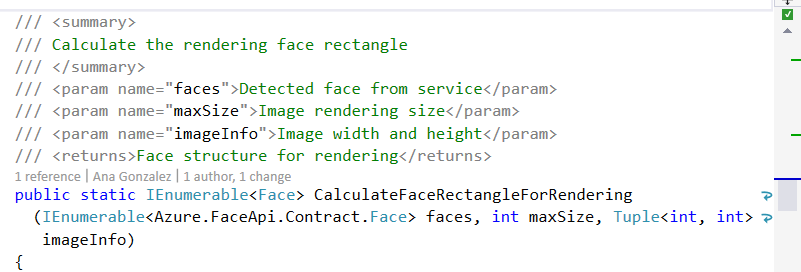
IMHO I don’t like them because they use “Reading Space” in the source code editor. My good friend Victor, sometime ago suggest me to use the keyboard combination CTRL+M, CTRL+O to collapse the Comments section and that’s a cool one. In member comments it will work similar to the next image

However, you may still find some very unusual Comments inside the code. To avoid this one, I found an extension today which automatically remove this lines in single line mode and multiple line mode. And is also very cool, because uses the new features in VS2015 IDE and you can preview the changes

So, I get an smile thank to this one today .. at the end I find myself and the code and that’s great .
Important: If you are working under a some strange rule where member Comments are a #musthave, tools like GhostDoc can help you a lot., More than 8 years from since I wrote this post.
References
– El Bruno, Visual Studio AddIns: GhostDoc http://geeks.ms/blogs/elbruno/archive/2007/03/07/visual-studio-addins-ghostdoc.aspx
– Visual Studio Gallery, Comments Remover https://visualstudiogallery.msdn.microsoft.com/77e5af13-e4b3-4cb9-8c44-e7cd645a0c33
Saludos @ Madrid
/El Bruno
 El Bruno
Leave a reply to Visual Studio – Developer Top Ten for August 3rd, 2015 – Dmitry Lyalin Cancel reply