
Hola!
If you use ReSharper, you probably note the suggestion you get to convert your ForEach() sentences into LINQ ones. I’m not going to get into details about performance into this options, the focus of this post is on the “clean code”. I mean, how easy is to read this code. Most of the time, LINQ sentences are a very good idea, and they are very straight forward to read and understand, however there are some evil in this world, and some people creates LINQ sentences who are as complicated as a complicated Regular Expression.
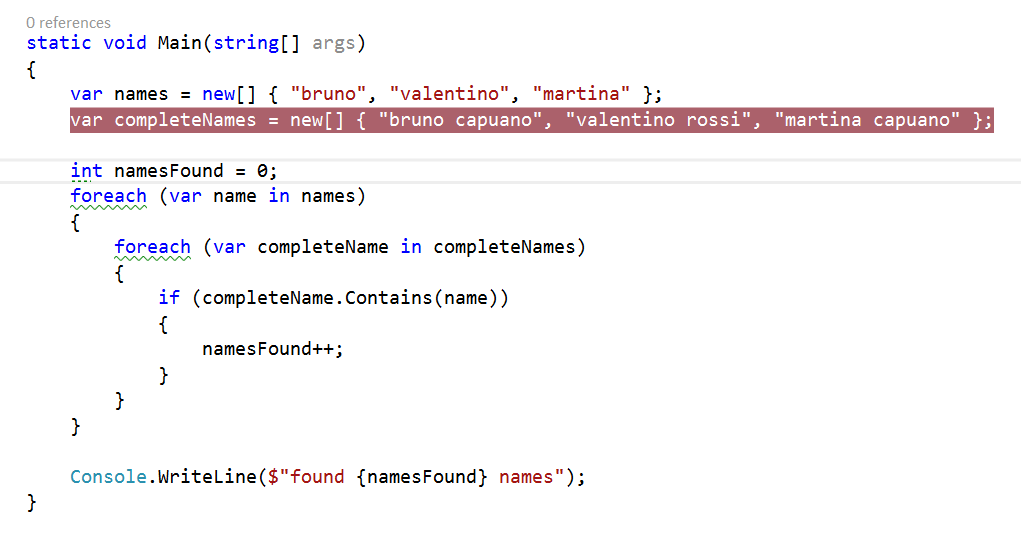
So let’s start with a simple simple, (with a very ugly piece of code)
When we translate this ForEach into LINQ, we can get something similar to this one
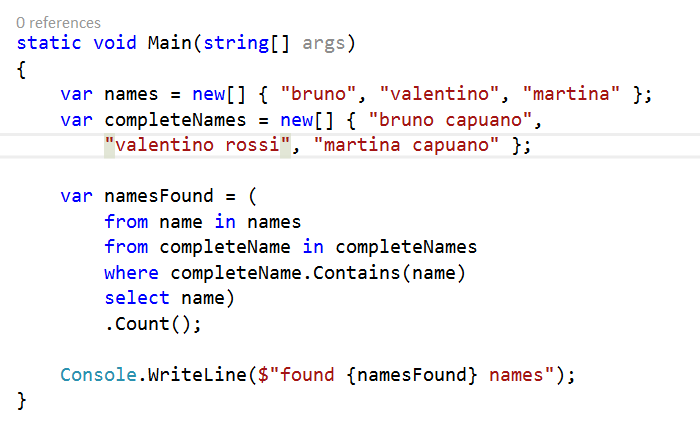
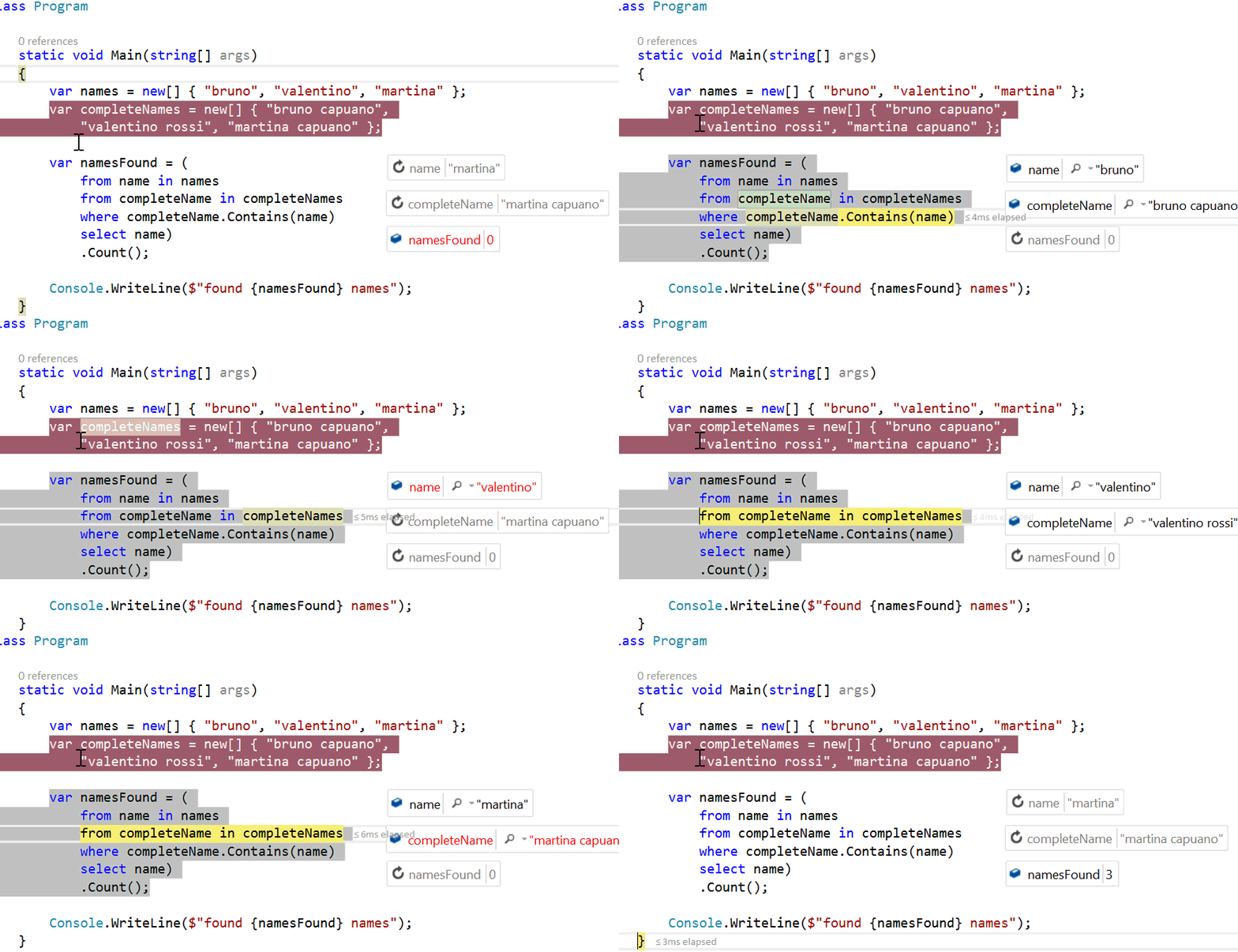
And, this are very simple lines to understand. But when you get to a point where you don’t understand a developer LINQ sentence, you can debug the LINQ sentence. This feature is available in Visual Studio 2015 (and in VS2013 also), and you can see line by line the execution of the LINQ sentence. In the following sample, we can see the step by step debugging and also the inline values of the debugged sentences in each step.
CAUTION: if you get to a point where you need to debug some code for sure YOU NEED MORE AUTOMATED TESTS in this code.
References
– MSDN for each, https://msdn.microsoft.com/es-es/library/ttw7t8t6.aspx?f=255&MSPPError=-2147217396
– MSDN LINQ, https://msdn.microsoft.com/es-es/library/bb397926.aspx
Saludos @ AVE to Málaga
/El Bruno
 El Bruno

Leave a reply to #VS2015 – DebugStudio, depurando en modo dios en Visual Studio | El Bruno Cancel reply