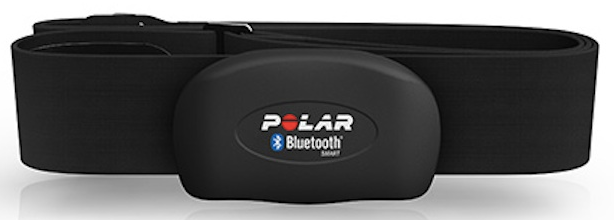
Hola!
Series
1. Pair Heart Rate Band using Bluetooth LE to be used in a Windows Universal App
2. Create a Windows Universal App and access to Heart Rate Band information
In my previous post I wrote on how to connect the heart rate band using Bluetooth and Windows 10. In today’s post I’ll how to quicly create an app to display the heart rate values
1. Let’s create an Windows Universal App
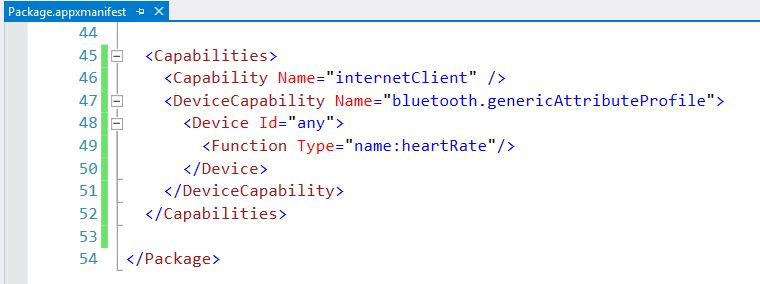
2. Edit package manifest
Add the Bluetooth generic attribute profile [<DeviceCapability Name=“bluetooth.genericAttributeProfile“>]
Add [<Device Id=“any“>] to connect with any device
Add the heart rate service[<Function Type=“name:heartRate“/>]
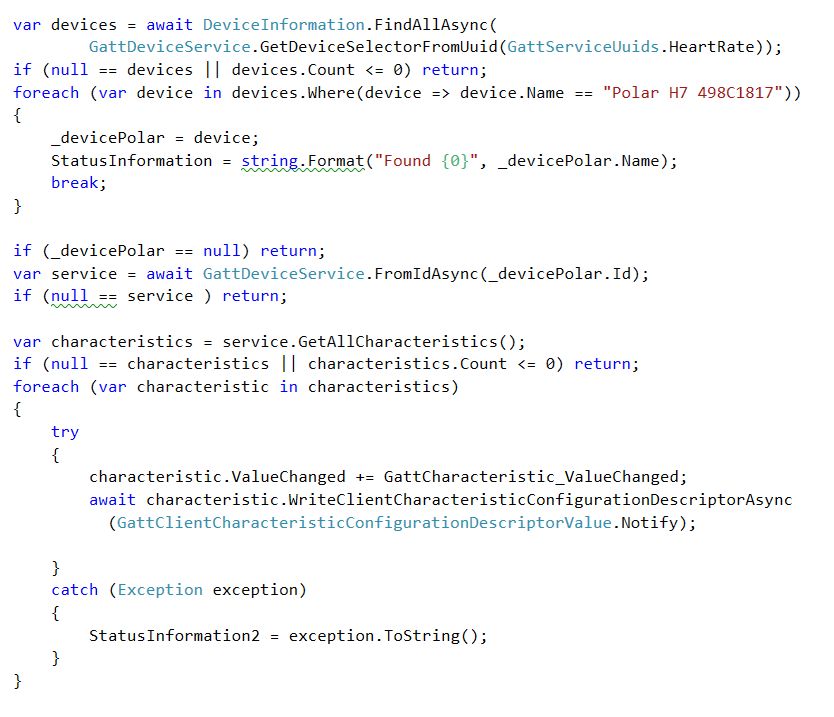
3. Nos let’s write some source code. In the Windows Load event, we will analyze the loca Devices collection and search for the name of our device “Polar H7 498C1817”
4. Once we found the device, is time to get the device service. This BLE Service is the entry point for the characteristics of the device. This device is simple enough, and based on our settings it only publish Heart Rate information. So let-s subscribe to the ValueChanged event and enable the Notify mode.
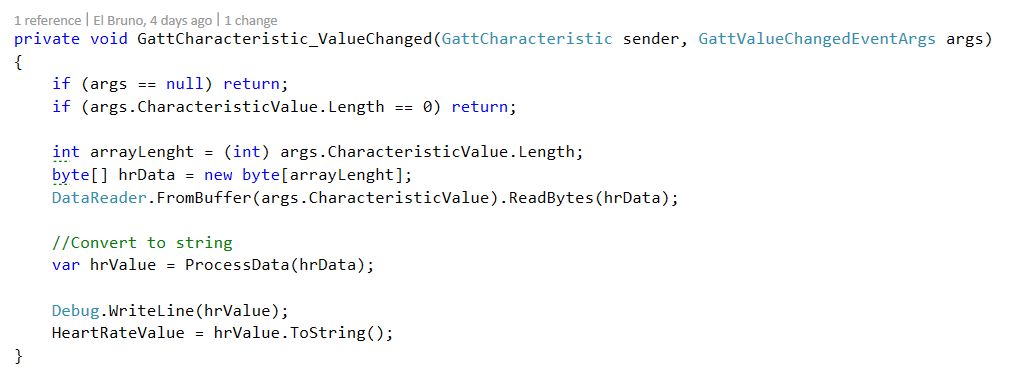
5. Now let’s process the sensor information. We get a byte array wand the 2nd byte is the current HR value
Next one, a full app interacting with the polar device.
Saludos @ Madrid
/El Bruno
References
– Polar Heart Rate Sensor H7, http://www.polar.com/us-en/products/accessories/H7_heart_rate_sensor


 El Bruno
Leave a reply to Ray Cancel reply