Hello!
Just today the development environment in her cloud of Pebble, CloudPebble has changed to support the 2.1 SDK.So the example today comes without video until you arrive to Madrid and to “put everything in order”.
First of all what we will do is to create an app in “minimal” mode, in PebbleCloud (because explained it here)…We have something similar to the following:
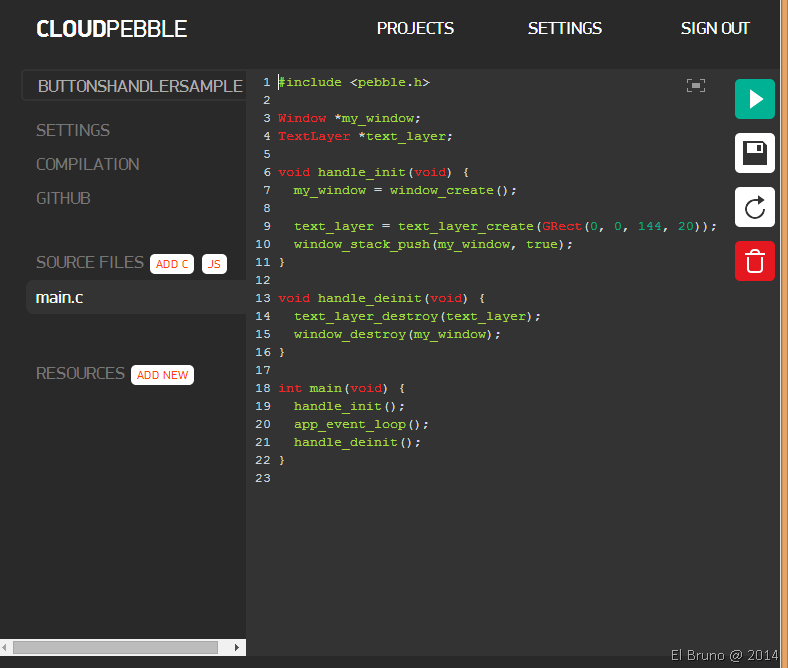
After selecting the file holds, we will begin to work on it. First add a general driver to capture the 3 buttons on the right side of Pebble click: Select, Up and Down Button. This controller is on line 15 and we recorded it in the general Init() of the application on line 8.
Finally we have the different functions that will be executed on every click associates in lines 21, 22 and 23. For now the app does nothing, in the next post we will make interact with the buttons.
I’m going to the Airport now!
Saludos @ Home
El Bruno
 |
 |
 |
 El Bruno
Leave a reply to [#PEBBLE] Working with buttons (II) and a bit of #debug mode using #CloudPebble | El Bruno Cancel reply