Hello!
Between trip and trip I will take some time to write a little bit about how to manage to develop apps for the Pebble SmartWatch in Windows. The first thing we have to know is that there is no official SDK for Windows; after asking this question in the forums you’ll find out that the only supported environments are iOS and Android. Whit that said the single SDK is available for MacOS and Linux, I don’t know if nobody not told pebble people that also there are developers who create apps for these platforms under windows, as always > no problem.
The option to develop in Windows (or other platform) is possible thanks to CloudPebble. In this website you can find an IDE online that lets you create apps for Pebble and then deploy them to the watch. As any web IDE capabilities offered by us are basic, however are enough to create apps. Let us remember that we create apps in C, so proper management that we make our resources than an IDE with many options is most important.
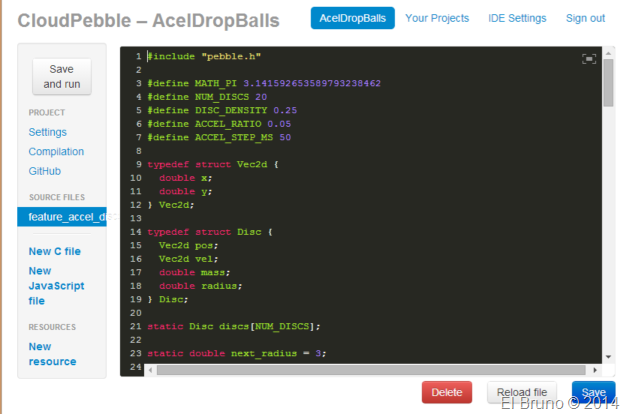
The following image shows the development of CloudPebble environment and in it we can see the editor of code to our right, and some basic options to the left to add files, resources, etc.
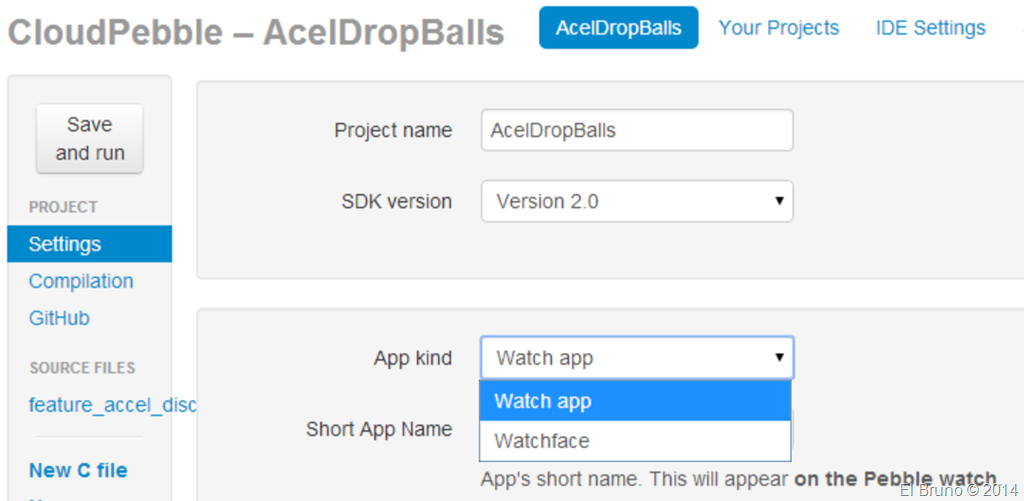
From this menu we can modify the options of the project, such as for example your name and if you are a WatchApp or WatchFace (promise a post regarding this)
From the Build menu, we can compile the project “online” and likewise deploy it to our Pebble Smartwatch.
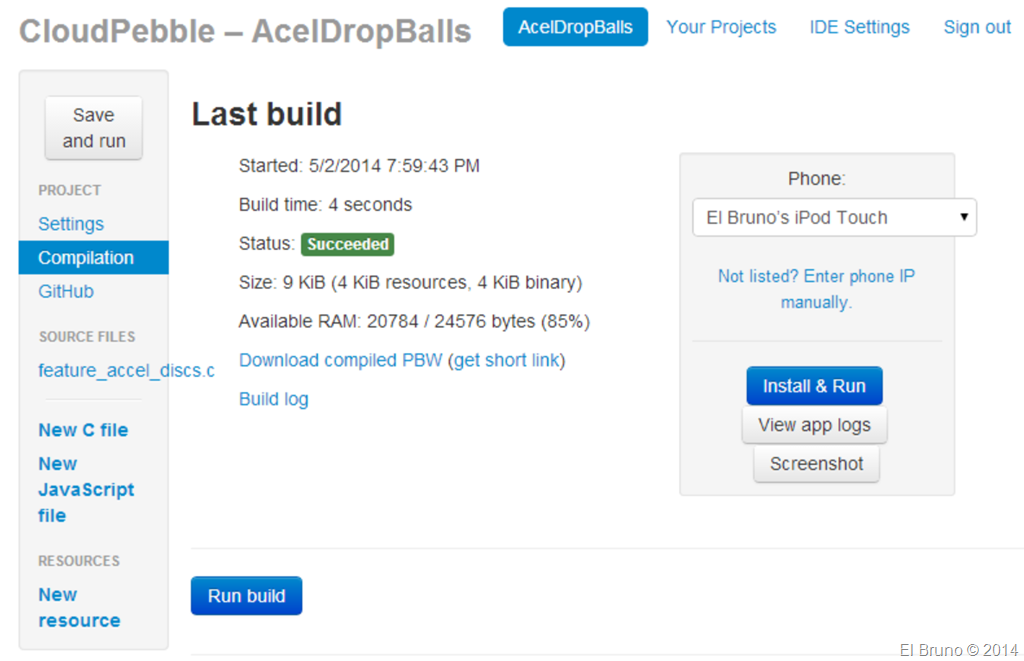
The deployment is interesting, and now we see why. First of all must keep in mind that you need a device with the official app installed Pebble; This is a smartphone Android or an iPhone. You must also work in CloudPebble from Chrome, and Chrome computer and the Android or iPhone must be under the same Wifi network. Once placed the devices in the same network, you must enable the mode on the iPhone or Android developer and from Chrome, we deploy the app through this smartphone to the smartwatch.
In my case as I have neither Android nor iPhone, because I used my old iPod Touch. In developer mode, Chrome detects it and displays it in the registered devices, if this option is not working also can put the IP of the device directly.
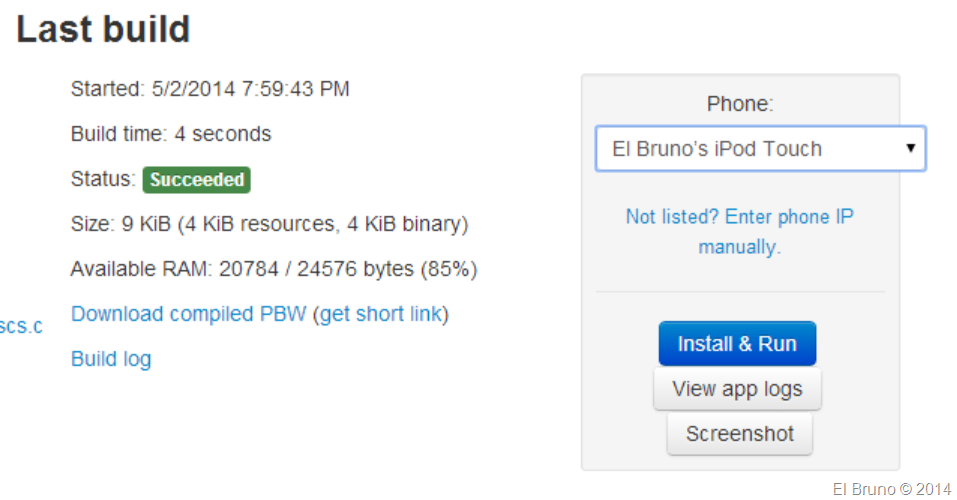
As well, once configured the environment already you can deploy apps with just a click. Step by step would be similar to the following workflow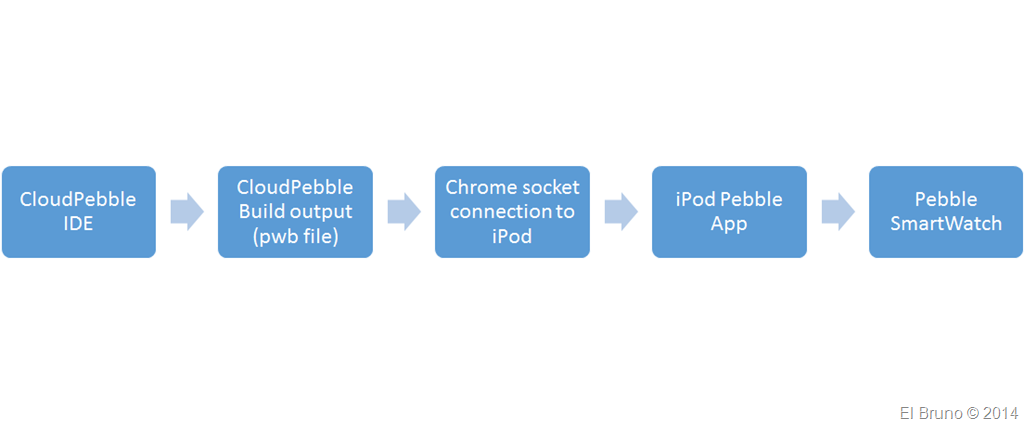
Another interesting option is to download the compiled files (PBW) from CloudPebble, and… because I have to see them through bluetooth to the Pebble and register them, that later.
And to close a VIDEO step by step showing full
HomePage: https://cloudpebble.net/
Greetings @ Berlin
The Bruno


 El Bruno
Leave a reply to How to Pebble with Windows and Visual Studio | Dot Net RSS Cancel reply