⚠️ This blog post was created with the help of AI tools. Yes, I used a bit of magic from language models to organize my thoughts and automate the boring parts, but the geeky fun and the 🤖 in C# are 100% mine.
Hi!
You know that feeling when you’re building an AI pipeline or a RAG workflow and you realize: “Wait… I need to turn all these PDFs, Word docs, HTML pages, and random files into something my LLM can actually eat”? 😅
Yeah, me too. That’s exactly why I built:
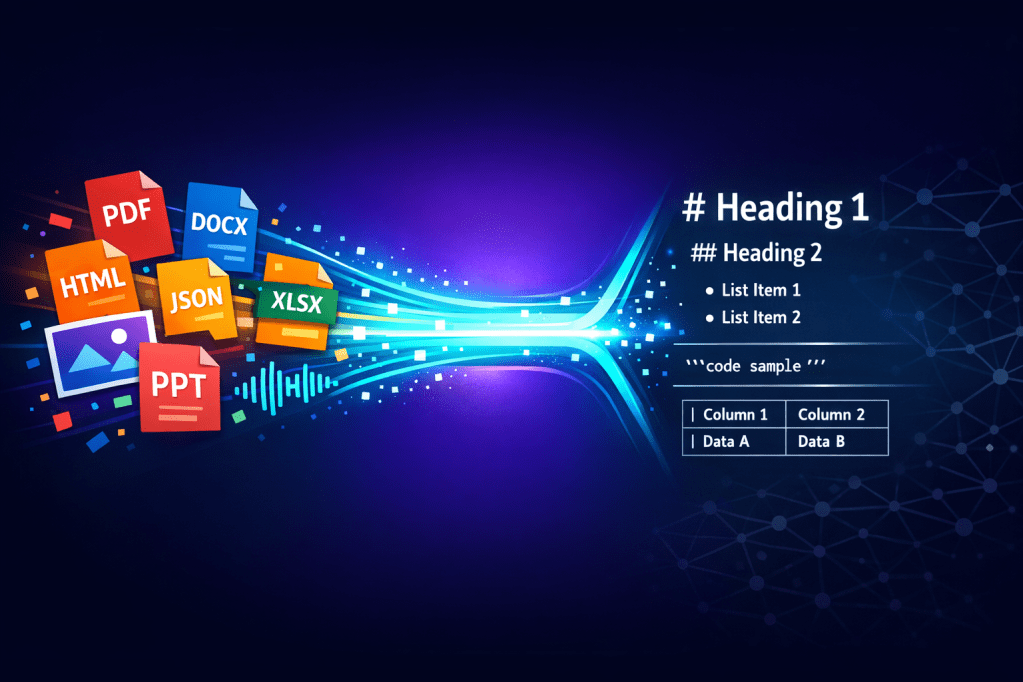
A .NET library that converts files to clean Markdown. Think of it as the .NET version of Python’s markitdown — this one with dependency injection, streaming support, and a plugin architecture. Because we’re C# developers and we like our things in this way. 😎
⚡ Getting Started
Install the NuGet package:
dotnet add package ElBruno.MarkItDotNet
And then… this is all you need:
using ElBruno.MarkItDotNet;

var converter = new MarkdownConverter();
var markdown = converter.ConvertToMarkdown("document.pdf");
Console.WriteLine(markdown);
That’s it. PDF → Markdown. Done. ✅
📂 What Can It Convert?
Here’s where it gets fun. The core package supports 12 file formats out of the box:
- 📄 Plain text (
.txt,.log,.md) - 📋 JSON — pretty-printed and fenced
- 🌐 HTML / HTM — strips tags, keeps content
- 🔗 URLs — fetches and converts web pages
- 📝 Word DOCX — headings, tables, links, images, footnotes
- 📕 PDF — word-level extraction with heading detection
- 📊 CSV / TSV — clean Markdown tables
- 📦 XML — structured fenced blocks
- ⚙️ YAML / YML — fenced code blocks
- 📰 RTF — rich text to Markdown
- 📚 EPUB — ebooks to Markdown
- 🖼️ Images —
.jpg,.png,.gif,.bmp,.webp,.svg
And with the satellite packages, you get even more:
| Package | What it does |
|---|---|
ElBruno.MarkItDotNet.Excel | .xlsx spreadsheets → Markdown tables |
ElBruno.MarkItDotNet.PowerPoint | .pptx slides → Markdown with notes |
ElBruno.MarkItDotNet.AI | AI-powered OCR, image captioning, audio transcription |
ElBruno.MarkItDotNet.Whisper | Local audio transcription with Whisper (no API key!) |
🧠 Stream It — Because Large Files Are Real
One of the things I find that someone were requested was >> streaming API. When you’re processing a 500-page PDF, you don’t want to wait for the entire thing to load in memory. So:
using var stream = File.OpenRead("huge-document.pdf");

await foreach (var chunk in converter.ConvertStreamingAsync(stream, ".pdf"))
{
    Console.Write(chunk); // chunks arrive as they're processed
}
This uses IAsyncEnumerable<string> — so it plays nicely with your async pipelines, web APIs, and real-time UIs.
To be honest, I never faced this scenario before, but it really makes sense.
💉 Dependency Injection? Of Course
If you’re building a real app (not just a console demo), you’ll want the DI registration:
// Program.cs or Startup
services.AddMarkItDotNet();          // core converters
services.AddMarkItDotNetExcel();     // Excel support
services.AddMarkItDotNetPowerPoint(); // PowerPoint support
services.AddMarkItDotNetWhisper();   // local audio transcription
Then inject IMarkdownService wherever you need it:
public class MyDocProcessor
{
    private readonly IMarkdownService _markdownService;

    public MyDocProcessor(IMarkdownService markdownService)
    {
        _markdownService = markdownService;
    }

    public async Task<string> ProcessAsync(Stream fileStream, string extension)
    {
        var result = await _markdownService.ConvertAsync(fileStream, extension);
        return result.Markdown;
    }
}
🤖 AI-Powered Conversions
This is where things get really interesting. And thanks Copilot CLI for suggesting this 👇
The ElBruno.MarkItDotNet.AI package uses Microsoft.Extensions.AI and an IChatClient to power:
- 🖼️ Image OCR & captioning — describe what’s in an image
- 📕 Scanned PDF enhancement — detects low-text pages and uses AI to extract content
- 🎙️ Audio transcription — turn audio files into Markdown
services.AddMarkItDotNetAI(options =>
{
    options.ImagePrompt = "Describe this image in detail";
    options.AudioPrompt = "Transcribe this audio";
});
Works with OpenAI, Azure OpenAI, or any IChatClient implementation. Your choice.
And if you want local audio transcription with zero cloud dependency? There’s ElBruno.MarkItDotNet.Whisper for that.
🔗 URL to Markdown
One more thing my friend Hector suggested >> converting web pages:
var service = new MarkdownService(registry);
var result = await service.ConvertUrlAsync("https://example.com");
Console.WriteLine(result.Markdown);
Super handy for web scraping, research pipelines, or just saving articles as Markdown.
🔌 Build Your Own Converters
Don’t see your format? No problem. Implement IMarkdownConverter and plug it in:
public class MyCustomConverter : IMarkdownConverter
{
    public string[] SupportedExtensions => [".custom"];

    public Task<ConversionResult> ConvertAsync(Stream stream, string extension)
    {
        // your conversion logic here
    }
}
Or bundle multiple converters into a plugin with IConverterPlugin. The architecture is designed to be extended.
🎮 18 Sample Apps
Yes, 18 samples. I went a bit overboard 😅 (not me, Copilot, you know what I mean):
- BasicConversion — text, JSON, HTML
- PdfConversion — PDF + streaming
- DocxConversion — Word documents
- ExcelConversion — spreadsheets
- PowerPointConversion — slides
- AiImageDescription — AI image analysis
- WhisperTranscription — local audio
- MarkItDotNet.WebApi — minimal API with uploads + SSE
- BatchProcessor — folder batch conversion
- RagPipeline — RAG ingestion pipeline
- …and more!
💡 Final Thoughts
This project started because I needed a clean, extensible way to convert files to Markdown in .NET — especially for AI workflows. Python had markitdown, but .NET didn’t have a good equivalent. So I built some pet projects and they were on my personal toolbox for a while.
Then someone ask a question, and put a Squad to package everything.
Currently supports 15+ file formats, has streaming APIs, plays nice with dependency injection, and can even use AI for OCR and transcription. Plus, it’s open source and ready for your PRs. 🚀
👉 NuGet: ElBruno.MarkItDotNet
👉 Repo: https://github.com/elbruno/ElBruno.MarkItDotNet
If you try it, let me know what you build! 🙌
Happy coding!
Greetings
El Bruno
More posts in my blog ElBruno.com.
More info in https://beacons.ai/elbruno
 El Bruno
Leave a comment