
⚠️ This blog post was created with the help of AI tools. Yes, I used a bit of magic from language models to organize my thoughts and automate the boring parts, but the geeky fun and the 🤖 in C# are 100% mine.
Hi 👋
These days Microsoft announced FLUX.2 Flex on Microsoft Foundry, I immediately thought: “I need to wrap this for .NET developers.”
So I setup a SQUAD team and I did it. And then I thought: “Wait — I have a couple of Test-to-Image local pet projects, what if my SQUAD also help to polish and publish this? Same interface, and of course let’s make it Microsoft Extensions for AI compatible”
So I did that too. 😄
The result is ElBruno.Text2Image — a .NET library that generates images from text prompts using either FLUX.2 Pro via Microsoft Foundry (cloud) or Stable Diffusion via ONNX Runtime (local). Same clean API surface. Your choice of backend.
Let me show you how it works.
☁️ Microsoft Foundry — FLUX.2 Pro (Flux.2 plex coming soon!)
FLUX.2 Pro from Black Forest Labs delivers photorealistic, cinematic-quality image generation. It runs on Microsoft Foundry infrastructure — no local GPU needed, no model downloads, just an API key and go.
Here’s all you need:
using ElBruno.Text2Image;
using ElBruno.Text2Image.Foundry;

using var generator = new Flux2Generator(
    endpoint: "https://your-resource.services.ai.azure.com",
    apiKey: "your-api-key",
    modelId: "FLUX.2-pro");

var result = await generator.GenerateAsync(
    "a simple flat icon of a paintbrush and a sparkle, purple and blue gradient, white background");

await result.SaveAsync("flux2-output.png");
Console.WriteLine($"Generated in {result.InferenceTimeMs}ms");
That logo for the NuGet packages? Generated with FLUX.2 Pro using this exact library. Eating our own dog food here. 🐶
Setting up credentials
The library reads from User Secrets, environment variables, or appsettings.json. For local development:
cd src/samples/scenario-03-flux2-cloud
dotnet user-secrets set FLUX2_ENDPOINT "https://your-resource.services.ai.azure.com"
dotnet user-secrets set FLUX2_API_KEY "your-api-key-here"
dotnet user-secrets set FLUX2_MODEL_NAME "FLUX.2-pro"
dotnet user-secrets set FLUX2_MODEL_ID "FLUX.2-pro"
💡 Fun fact: FLUX.2 models use the BFL (Black Forest Labs) Native API, not the OpenAI-compatible endpoint. The library handles this automatically — just provide your
.services.ai.azure.combase URL and it builds the correct API path.
🖥️ The Local Side — Stable Diffusion with ONNX Runtime
If you have a GPU, or even a powerful CPU, you may want to experiment locally.
The library supports four local Stable Diffusion variants — all running via ONNX Runtime:
| Model | Package | Best for |
|---|---|---|
| Stable Diffusion 1.5 | ElBruno.Text2Image.Cpu | General-purpose, works everywhere |
| LCM Dreamshaper v7 | ElBruno.Text2Image.Cpu | Fast generation (fewer steps needed) |
| SDXL Turbo | ElBruno.Text2Image.Cpu | Quick drafts in 1–4 steps |
| Stable Diffusion 2.1 | ElBruno.Text2Image.Cpu | Higher resolution (768×768) |
Models are automatically downloaded from HuggingFace on first use (because I know that downloading and setup local models is a tricky one).
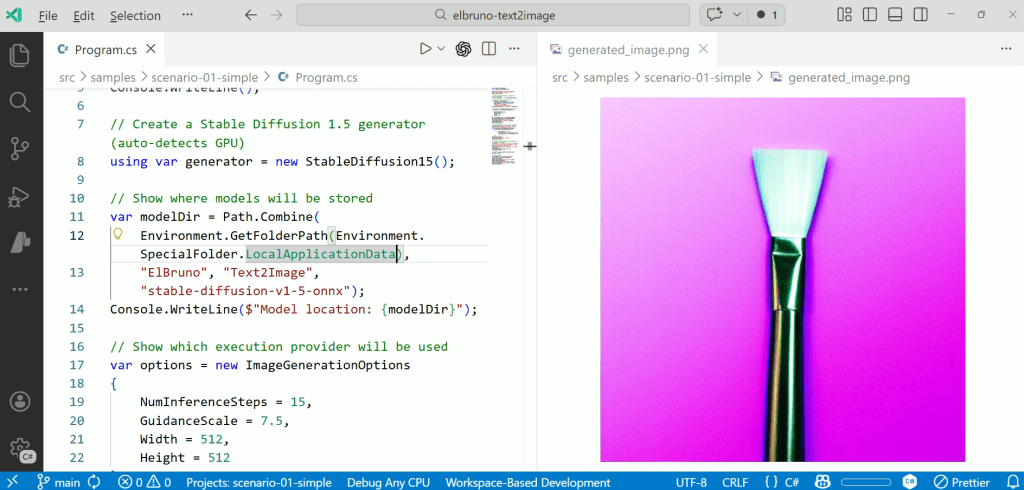
using ElBruno.Text2Image;
using ElBruno.Text2Image.Models;

using var generator = new StableDiffusion15();

// Model downloads automatically on first run
await generator.EnsureModelAvailableAsync();

var result = await generator.GenerateAsync(
    "a simple flat icon of a paintbrush and a sparkle, purple and blue gradient, white background",
    new ImageGenerationOptions
    {
        NumInferenceSteps = 15,
        Width = 512,
        Height = 512
    });

await result.SaveAsync("local-output.png");
GPU acceleration
The library auto-detects your hardware and picks the best execution provider:
# CPU (default — works everywhere)
dotnet add package ElBruno.Text2Image.Cpu

# NVIDIA GPU (CUDA — significantly faster)
dotnet add package ElBruno.Text2Image.Cuda

# DirectML (AMD/Intel/NVIDIA on Windows)
dotnet add package ElBruno.Text2Image.DirectML
🔌 MEAI – One Interface, Multiple Backends
Every generator — cloud or local — implements the same IImageGenerator interface and Microsoft.Extensions.AI.IImageGenerator. This means you can swap backends without changing your application logic:
// Cloud
IImageGenerator generator = new Flux2Generator(endpoint, apiKey, modelId: "FLUX.2-pro");

// Local
IImageGenerator generator = new StableDiffusion15();

// Same API for both
var result = await generator.GenerateAsync("a futuristic cityscape at sunset");
await result.SaveAsync("output.png");
If you’re building with Dependency Injection, the library has extension methods for that too ( I did my best here, I think there is room for improvement ).
📦 NuGet Packages
Five packages, pick what you need:
| Package | Description |
|---|---|
| ElBruno.Text2Image | Core library (managed ONNX, no native runtime) |
| ElBruno.Text2Image.Foundry | FLUX.2 cloud via Microsoft Foundry |
| ElBruno.Text2Image.Cpu | Local models with CPU execution |
| ElBruno.Text2Image.Cuda | Local models with NVIDIA GPU (CUDA) |
| ElBruno.Text2Image.DirectML | Local models with DirectML (AMD/Intel/NVIDIA on Windows) |
All packages target .NET 8.0 and .NET 10.0.
🤗 ONNX Models on HuggingFace
I exported and published the ONNX models to HuggingFace so the library can auto-download them:
The export process is documented in the repo if you want to convert your own models.
Why I Built This
My goal has always been simple:
Make AI easy and natural for .NET developers.
We’ve made great progress with local embeddings, local TTS, and agent frameworks. But when it came to image generation, the story was a little tricky for us.
IMHO, generating images from text should be as simple as:
- Adding a NuGet package
- Writing a few lines of C#
- Running your app
That’s it. Whether you’re calling FLUX.2 Pro in the cloud or running Stable Diffusion locally — same experience, same simplicity.
🔗 Links
- Repository: github.com/elbruno/ElBruno.Text2Image
- NuGet: nuget.org/packages/ElBruno.Text2Image
- FLUX.2 Flex Announcement: Meet FLUX.2 Flex on Microsoft Foundry
- Setup Guide: FLUX.2 Setup Guide
Happy coding!
Greetings
El Bruno
More posts in my blog ElBruno.com.
More info in https://beacons.ai/elbruno
 El Bruno
Leave a comment