⚠️ This blog post was created with the help of AI tools. Yes, I used a bit of magic from language models to organize my thoughts and automate the boring parts, but the geeky fun and the 🤖 in C# are 100% mine.
Hi!
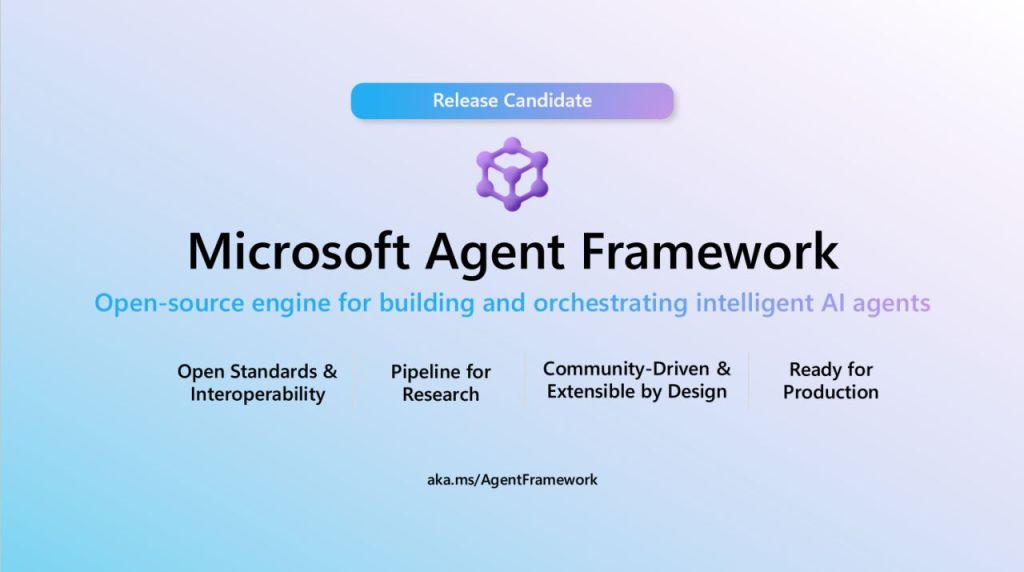
Big milestone these days: The Microsoft Agent Framework (MAF) just reached Release Candidate status 🎉
Official announcement here:
👉 https://devblogs.microsoft.com/foundry/microsoft-agent-framework-reaches-release-candidate/
As someone who has been building apps, samples, demos, orchestration experiments and livestream content around MAF for months… this one feels GOOD.
Let’s talk about this.
🤖 What is Microsoft Agent Framework?
The Microsoft Agent Framework is a .NET-first (and Python) framework to:
- Build AI Agents
- Orchestrate multi-agent systems
- Connect tools, memory, skills
- Integrate with Azure AI and local models
- Control execution, planning, routing
Think:
Structured AI orchestration for real-world production systems.
Not “just chat”. Not “just prompts”. Not “just LLM calls”.
This is agent architecture in C#. And that’s why I like it a lot 😎
Built by Microsoft. Designed for real applications. Native .NET developer experience.
🧠 A Minimal C# Agent Example
Let’s start simple.
A minimal agent setup:
using System;
using Azure.AI.OpenAI;
using Azure.Identity;
using Microsoft.Agents.AI;

AIAgent agent = new AzureOpenAIClient(
        new Uri(Environment.GetEnvironmentVariable("AZURE_OPENAI_ENDPOINT")!),
        new AzureCliCredential())
    .GetChatClient("gpt-5")
    .AsAIAgent(instructions: "You are a friendly assistant. Keep your answers brief.");

Console.WriteLine(await agent.RunAsync("What is the largest city in France?"));
That’s it:
- Create the agent app
- Register an agent
- Provide instructions
- Execute
Super easy.
🔧 Adding a Tool (Because Agents Need Superpowers)
Let’s give our agent a tool.
using System;
using Azure.AI.OpenAI;
using Azure.Identity;
using Microsoft.Agents.AI;
using Microsoft.Extensions.AI;

var endpoint = Environment.GetEnvironmentVariable("AZURE_OPENAI_ENDPOINT")
    ?? throw new InvalidOperationException("Set AZURE_OPENAI_ENDPOINT");
var deploymentName = Environment.GetEnvironmentVariable("AZURE_OPENAI_DEPLOYMENT_NAME") ?? "gpt-5";

AIAgent agent = new AzureOpenAIClient(new Uri(endpoint), new AzureCliCredential())
    .GetChatClient(deploymentName)
    .AsAIAgent(instructions: "You are a helpful assistant.", tools: [AIFunctionFactory.Create(GetWeather)]);
Example tool:
using System.ComponentModel;

[Description("Get the weather for a given location.")]
static string GetWeather([Description("The location to get the weather for.")] string location)
    => $"The weather in {location} is cloudy with a high of 15°C.";
Now your agent:
- Decides when to call tools
- Uses structured tool invocation
- Returns enriched results
This is controlled autonomy.
🧩 Multi-Agent Orchestration
Now we move from “chatbot” to architecture.
using System;
using Azure.AI.OpenAI;
using Azure.Identity;
using Microsoft.Agents.AI;

var client = new AzureOpenAIClient(
        new Uri(Environment.GetEnvironmentVariable("AZURE_OPENAI_ENDPOINT")!),
        new AzureCliCredential())
    .GetChatClient("gpt-5");

var planner = client.AsAIAgent(
    instructions: "Break down the task into steps."
);

var executor = client.AsAIAgent(
    instructions: "Execute each step carefully."
);

Workflow workflow = AgentWorkflowBuilder.BuildSequential(planner, executor);
Then orchestrate:
var result = await workflow.RunAsync(
    "Create a blog post about AI agents."
);

Console.WriteLine(result);
Now you’re orchestrating.
🧱 Where MAF Fits in the Stack
MAF works beautifully with:
- Azure AI
- Local models
- Tool calling
- Structured execution
- Observability
- Enterprise-grade patterns
It’s not a demo framework. It’s a foundation.
🎥 All My Microsoft Agent Framework Content
Over the last months I’ve built a LOT around MAF.
Here’s a curated list of my content:
📝 Blog Posts
- Deep dives into agent orchestration
- Tool integration patterns
- Multi-agent execution samples
- Performance comparisons
- Real C# implementation breakdowns
👉 You can find all posts tagged with Agent Framework on my blog: https://elbruno.com
🎬 YouTube Videos
On my YouTube channel I’ve covered:
- Intro to Microsoft Agent Framework
- Multi-agent demos in C#
- Agent orchestration patterns
- Live coding sessions
- Performance experiments
- Comparison with other orchestration approaches
Channel: https://youtube.com/elbruno
🔴 Livestreams
I’ve done:
- .NET Channels
- Microsoft Reactor sessions
- Community livestream demos
- GitHub repo walkthroughs
- Live coding of multi-agent apps
All focused on:
Real .NET developer experience.
📦 My GitHub Samples
Some of the repos I built around MAF include:
- Multi-agent orchestration samples
- Performance comparison experiments
- Tool-based execution demos
- Local AI integration experiments
- Hybrid Azure + local agent setups
Check them here: https://github.com/elbruno
🚀 Why the Release Candidate Matters
Release Candidate means:
- API stability
- Production readiness direction
- Ecosystem alignment
- Documentation maturity
- Clear forward path
This is no longer experimental territory. This is “start building real stuff”. And as a .NET developer? This is AMAZING!
🧠 Final Thoughts
I’ve been saying this for a while. AI apps are not just about LLM calls. They’re about:
- Control
- Orchestration
- Tools
- Deterministic flow
- Observability
Microsoft Agent Framework gives us that 😀
If you’ve been experimenting with MAF too, tell me what you’re building 👇
And if you haven’t started yet…
Now is the perfect time 🔥
Happy coding!
Greetings
El Bruno
More posts in my blog ElBruno.com.
More info in https://beacons.ai/elbruno
 El Bruno
Leave a comment