⚠️ This blog post was created with the help of AI tools. Yes, I used a bit of magic from language models to organize my thoughts and automate the boring parts, but the geeky fun and the 🤖 in C# are 100% mine.
Hi!
How a Missing Workflow Name Breaks DevUI (and How to Fix It)
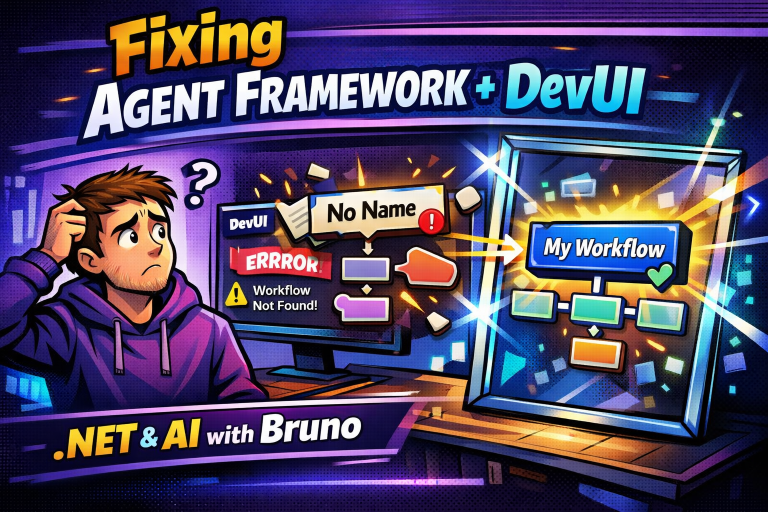
When working with Microsoft Agent Framework and DevUI, I ran into a subtle but very frustrating issue: everything compiled, but DevUI failed at runtime.
No workflows visible.
No clear hint in the UI.
And a runtime exception that didn’t immediately point to the real problem.
Let’s break it down or catch the video where I explain everything in 8 minutes.
The Problem: DevUI Requires a Workflow Name
DevUI relies on workflow metadata to visualize and execute workflows.
One of those required pieces of metadata is the workflow name.
The problem?
Some workflow builders—like Handoff workflows—don’t expose a way to explicitly set the name.
So you end up with a workflow that exists, but has an empty name.
The Runtime Error
Here’s the exception DevUI throws when this happens:
System.InvalidOperationException
Message=The workflow factory returned workflow with name '', but the expected name is 'HandOffWorkflow'.
Source=Microsoft.Agents.AI.Hosting
This happens during DevUI startup, when it tries to map and register workflows.

The Code That Triggers the Error
This workflow registration looks perfectly fine:
builder.AddWorkflow("HandOffWorkflow", (sp, key) =>
{
    var chatClient = sp.GetRequiredService<IChatClient>();
    var searchFunctions = sp.GetRequiredService<SearchFunctions>();
    var researchAgent = sp.GetRequiredKeyedService<AIAgent>("ResearchAgent");
    var writerAgent = sp.GetRequiredKeyedService<AIAgent>("WriterAgent");

    var technicalAgent = chatClient.CreateAIAgent(
        name: "TechnicalAgent",
        instructions: @"You are a technical specialist...",
        tools: [AIFunctionFactory.Create(searchFunctions.SearchAsync)]);

    var businessAgent = chatClient.CreateAIAgent(
        name: "BusinessAgent",
        instructions: @"You are a business specialist...",
        tools: [AIFunctionFactory.Create(searchFunctions.SearchAsync)]);

    var creativeAgent = chatClient.CreateAIAgent(
        name: "CreativeAgent",
        instructions: @"You are a creative specialist...",
        tools: [AIFunctionFactory.Create(searchFunctions.SearchAsync)]);

    var routerAgent = chatClient.CreateAIAgent(
        name: "RouterAgent",
        instructions: @"You are a routing coordinator...");

    var workflow = AgentWorkflowBuilder.CreateHandoffBuilderWith(routerAgent)
        .WithHandoff(routerAgent, technicalAgent)
        .WithHandoff(routerAgent, businessAgent)
        .WithHandoff(routerAgent, creativeAgent)
        .WithHandoff(routerAgent, researchAgent)
        .WithHandoff(routerAgent, writerAgent)
        .Build();

    return workflow;
});
But the workflow returned by Build() has no name, even though the registration expects "HandOffWorkflow".
Why This Breaks DevUI
AddWorkflow("HandOffWorkflow", …)expects the workflow to report the same name- DevUI queries registered workflows and validates names
- An empty name causes:
- Workflow mapping failure
- DevUI startup exception
- No workflows visible in the UI
The Fix: Assign the Name After Build
The simplest fix is to set the workflow name manually after building it.
var workflow = AgentWorkflowBuilder.CreateHandoffBuilderWith(routerAgent)
    .WithHandoff(routerAgent, technicalAgent)
    .WithHandoff(routerAgent, businessAgent)
    .WithHandoff(routerAgent, creativeAgent)
    .WithHandoff(routerAgent, researchAgent)
    .WithHandoff(routerAgent, writerAgent)
    .Build();

workflow.SetName("HandOffWorkflow");

return workflow;
This makes the workflow compatible with DevUI immediately.
The Trick: Setting a Readonly Property via Reflection
Since the Name property is readonly, we need a small extension that uses reflection.
Here’s the full extension class (about ~20 lines of real logic):
using Microsoft.Agents.AI.Workflows;
using System.Reflection;

namespace ChatApp20.Web.Extensions;

public static class WorkflowExtensions
{
    public static T SetName<T>(this T workflow, string name) where T : class
    {
        InvokeSetWorkflowName(workflow, name);
        return workflow;
    }

    private static void InvokeSetWorkflowName<T>(T workflow, string name) where T : class
    {
        var type = workflow.GetType();

        var nameProperty = type.GetProperty("Name", BindingFlags.Public | BindingFlags.Instance);

        if (nameProperty != null)
        {
            var backingField = type.GetField("<Name>k__BackingField",
                BindingFlags.NonPublic | BindingFlags.Instance);

            if (backingField != null)
            {
                backingField.SetValue(workflow, name);
            }
            else if (nameProperty.CanWrite)
            {
                nameProperty.SetValue(workflow, name);
            }
        }
    }
}
Result
✅ DevUI loads correctly
✅ Workflow appears in DevUI
✅ Runtime error gone
✅ No changes needed in Agent Framework itself
Final Thoughts
This is one of those “everything compiles but nothing works” problems.
If you’re using:
- Microsoft Agent Framework
- DevUI
- Handoff or generated workflows
👉 Always make sure your workflows have a name.
If you have a cleaner solution—or if the framework adds native support for this later—let me know. I’d love to know more!
Happy coding!
Greetings
El Bruno
More posts in my blog ElBruno.com.
More info in https://beacons.ai/elbruno

 El Bruno
Leave a comment