
Hi !
I hate back to back meetings, and somehow we live on a remote work scenario where we need to work extra on our Calendar to have a healthy life.
So, when someone ask me what they can do, I always suggest them to enable the [Shorted duration for all events] options in the Office Settings. This is located in [Settings // Calendar // Events and invitations]
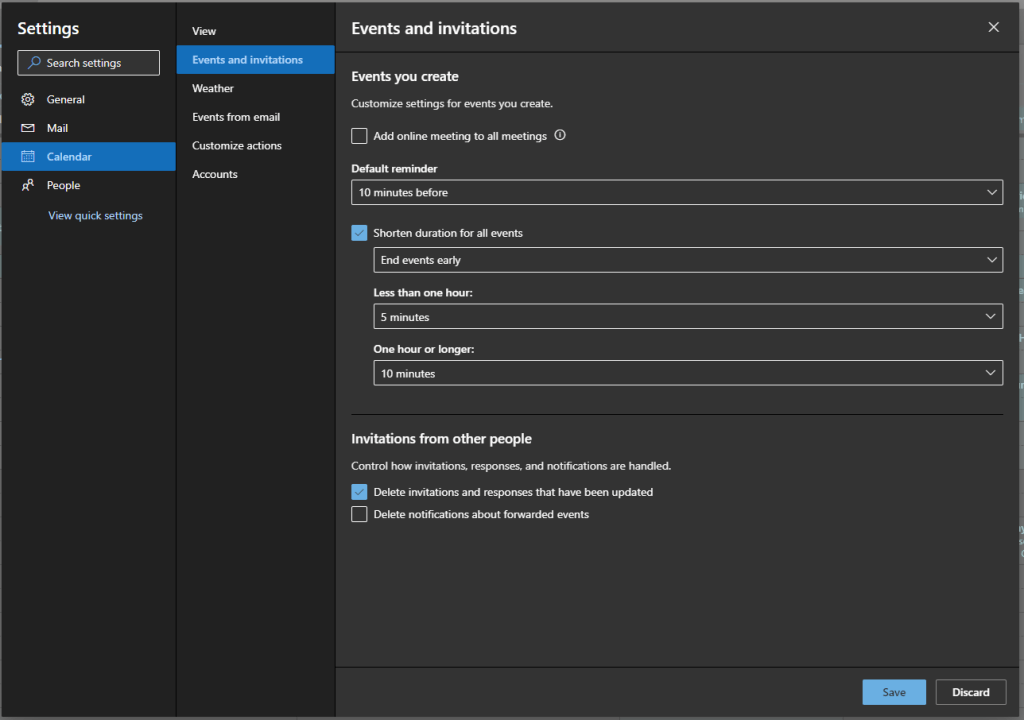
You don’t need a deep explanation about how this works:
- Need an 1 hr min, the default time will be 50 min.
- Need a 30 min, it will be 25 min meeting.
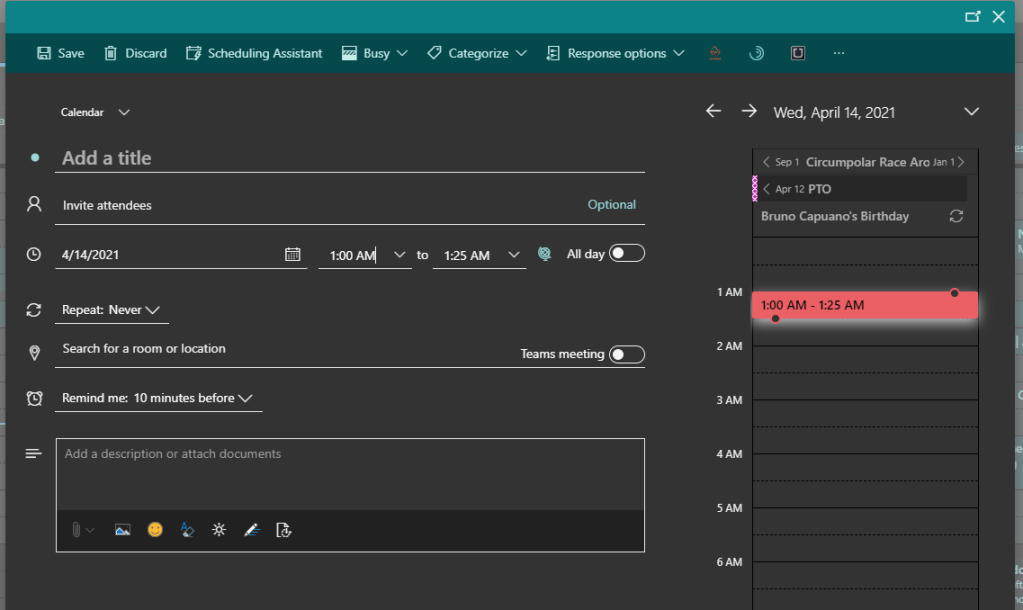
If you also work with time hackers that will fill your calendars with weird meetings starting at 11:25; you may want to avoid them … avoid them !!!
This is a cool feature. It’s just 5 minutes, however, for me, it was the beginning to start to think about how I can avoid burning. I’m still work in progress for that!
Happy coding!
Greetings
El Bruno
More posts in my blog ElBruno.com.
More info in https://beacons.ai/elbruno
 El Bruno
Leave a comment