
Hi !
We have a new Raspberry Pi OS release – December 2020 (see references) and it adds tons of new features. The latest version upgrades Chromium, to a version that allow us to to: join teams calls !
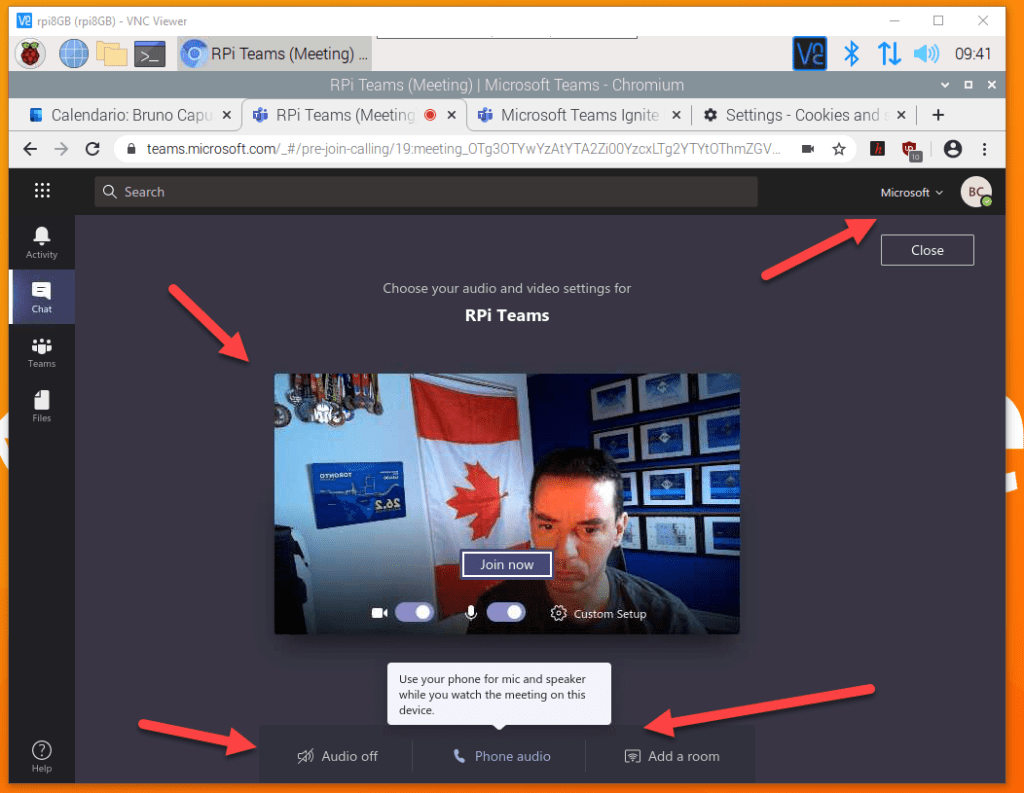
I’m starting to think on have a custom Teams Kiosk just to join meetings, without using my computer. I’ll write more about this later.
Back to the new features, one of them is super interesting: Power LED
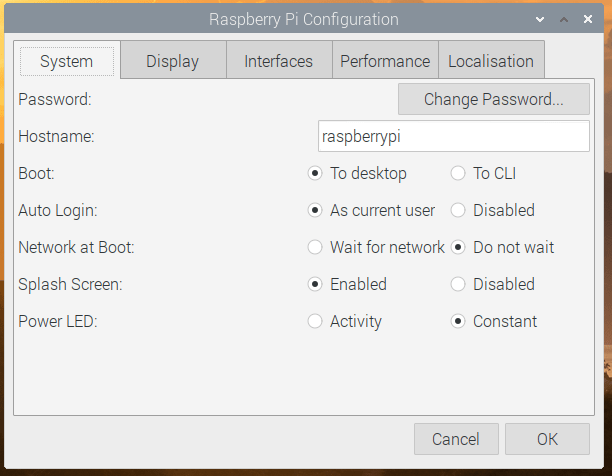
Quoting the original post
On the System tab, if you are running on Raspberry Pi with a single status LED (i.e. a Raspberry Pi Zero or the new Raspberry Pi 400), there is now an option to select whether the LED just shows that the power is on, or if it flickers off to show drive activity.
LED control in Raspberry Pi Configuration
This is great ! Somehow, have the led blinking means that the device is working, and in some scenarios, for is great to look at my +10 devices and visually knows if they are all working fine.
Disclaimer: I know I need to get an extra RPi and create a dashboard with the status of the +10 devices. That’s the cool tech solution. However, stacked devices and led are simple and amazing.
Important: as of today, some of the new changes are not available in the x64 OS versions. They are adding new features to the x64 OS image, so it will include these changes later.
Happy coding!
Greetings
El Bruno
More posts in my blog ElBruno.com.
More info in https://beacons.ai/elbruno
 El Bruno
Leave a comment