
In this 2nd configuration profile, I will walk through the resulting configuration of AKS and its effect on the Load Balancer, Virtual Network, VM network interface card, deploy and test a web application into the Azure Kubernetes Service (AKS) cluster. The configuration profile is mainly around the Azure CNI network model.

Please read the Part 1 intro of this blog series if you haven’t already. This will explain the background and what each configuration setting means. Here is the previous blog post for Part 2 Kubenet.
Configuration Profile 2
- Network Model/Type: Advanced (Azure CNI)
- Http application routing: Disabled
- Virtual Machine Scale Set: Enabled
2 VM instances in the scale set
AKS Networking settings

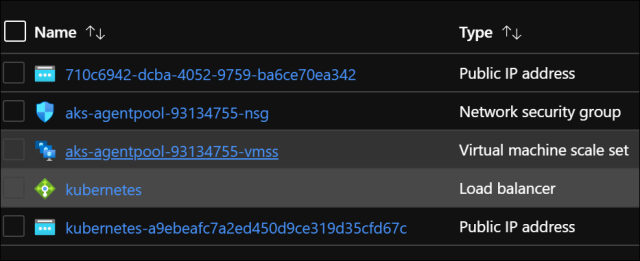
Resources in the AKS Infrastructure Resource Group
Virtual Machine Scale Set (VMSS)
In this screenshot, I just happened to stop one VM instance in the scale set. This is just arbitrary and has no purposes for…
View original post 287 more words

 El Bruno
Leave a comment