Hello!
Today I found another new cool feature in Visual Studio 2017. This one is related to the load time in “big solutions”. I had read about this, but it had not checked this out it and just today, when I saw the following message, had the interest to read about this feature.

Load <Solution Name> faster next time by trying out lightweight Solution Load. Some IDE features and extensions may not be available.
As well explained in this Visual Studio post (link), it is possible to change the default behavior for solution inside Visual Studio options

Or, on overwriting the global settings of the IDE, since the properties of the solution
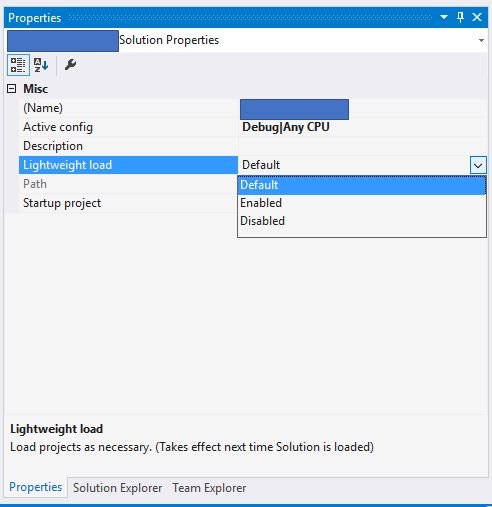
When we enable this “LightWeight Load” mode, Visual Studio will disable some features until we need them for 1st time, and thus the solution will load faster.
For example:
- The projects are loaded as they are needed.
- NuGet packages restore is not activated during the build.
- There is no background solution prebuilt, so the design of XAML view are not available.
The 1st option is related to property already handling Visual Studio from making several versions: “LoadIfNeeded”. On this subject, I already wrote a post a while ago, and in it he reviewed a very useful extension for these scenarios.
Greetings @ Toronto
El Bruno
References
- Visual Studio Blog, Visual Studio 2017 Release Candidate
- Visual Studio Blog, Optimize Visual Studio StartUp Time
- El Bruno, Visual Studio 2017
- El Bruno, Solution Load Manager extension, if you are dealing with tons of projects, this will help you
 El Bruno
Leave a comment