Hi !
When we create an app for a Garmin device, working with a resources is a #MustHave. We need to take take of simple stuff like change the culture of an app, In the following video, the main label of the app will change every time I change the culture of the smartwatch.
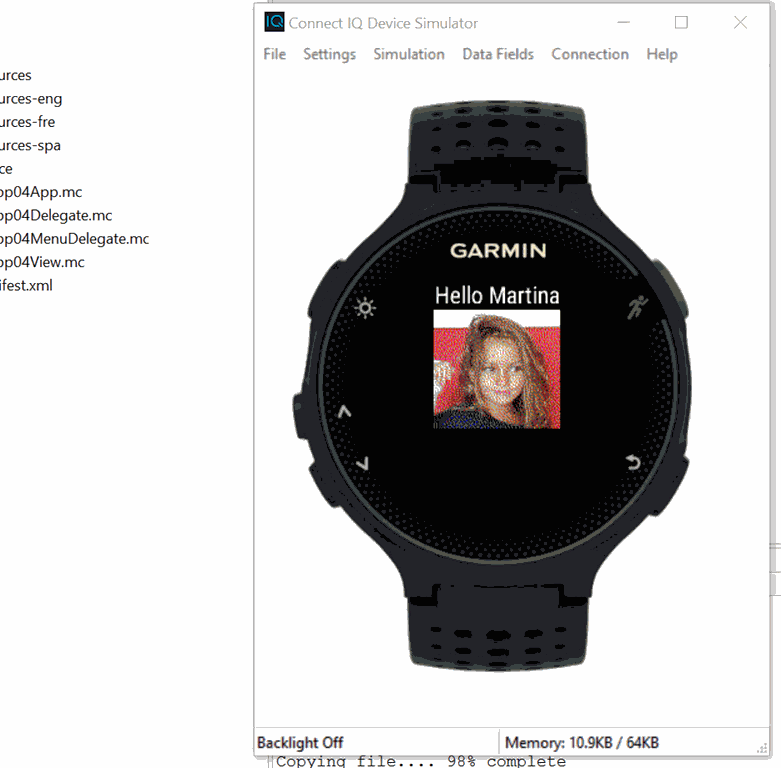
About Resources and Cultures
The ConnectIQ apps have a standard resource structure where we can define strings, store images and also define UI layouts or menus for our apps. We can find all of this elements in the main root folder of our project.

The root content folder for this is “resources”. For each different culture, we can add our owns folders and add only the different elements we need for each culture. In example, the main resource has this content in the “resources\strings\strings.xml” file
<strings>
<string id=”AppName”>App04</string>
<string id=”prompt”>Hello Martina</string>
<string id=”menu_label_1″>Item 1</string>
<string id=”menu_label_2″>Item 2</string>
</strings>
The same content for the Spanish culture will be located in “resources-spa\strings\strings.xml” and includes this content
<strings>
<string id=”AppName”>App04</string>
<string id=”prompt”>Hola Martina</string>
<string id=”menu_label_1″>Item 1</string>
<string id=”menu_label_2″>Item 2</string>
</strings>
There is also another important element in the app: the layouts (clearly explained in the programmers guide). I created a custom layout stored in a file named “resources\layouts\layoutcustom.xml”, which includes the following content
<layout id=”CustomLayout”>
<label x=”center” y=”5″ text=”@Strings.prompt” color=”Gfx.COLOR_WHITE” justification=”Gfx.TEXT_JUSTIFY_CENTER” />
<bitmap id=”id_martina” x=”center” y=”30″ filename=”../drawables/martina.png” />
</layout>
There are several elements which can be used in a layout file, like texts, images, shapes, etc. Again the programmers guide explains all the necessary information for this.
Resource Compiler
Finally we have the resource compiler. Every time we built our app, the resource compiler creates a set of classes which will allow us to work with this elements. If we have any issue or bad defined file, we’ll get some guidance in the Console log for Connect IQ.

Once we have a successful build in our app, we can access to this elements via code using the Rez module. This is an autogenerated module with a structure similar to this one
module Rez
{
    module Drawables
    {
        var bitmap_id = 123;
    }
    module Strings
    {
       var hello_id = 456;
    }
    module Fonts
    {
       var font_id = 789;
    }
}
In our sample, in order to access and use the Custom Layout, the way to do this is

In the same way we can access strings, fonts, bitmaps, etc.
In the next post more stuff and maybe some Azure connected sample.
GitHub Source Code: https://github.com/elbruno/Blog/tree/master/Garmin
Greetings @ Toronto
-El Bruno
References
- ConnectIQ Programmers Guide Resource Compiler
- ConnectIQ Programmers Guide User Interface
 El Bruno
Leave a comment