
Hola!
Visual Studio 2015 extension’s Friday. While I finish preparing the logistics to travel with ,my family to London watch a rugby match, I’ll rescue this quick post from the drafts folder.
In this one, the content is not an IDE extension for Visual Studio. This entry is for a control which adds, with just 2 lines of code, a toolbar associated to an InkCanvas to get a better experience when we “draw” on it.
The steps to be used are the following
- Add a reference to “InkToolbar Control”

- Defines an element of type [InkToolbar] in XAML and bind the elemento to an InkCanvas.
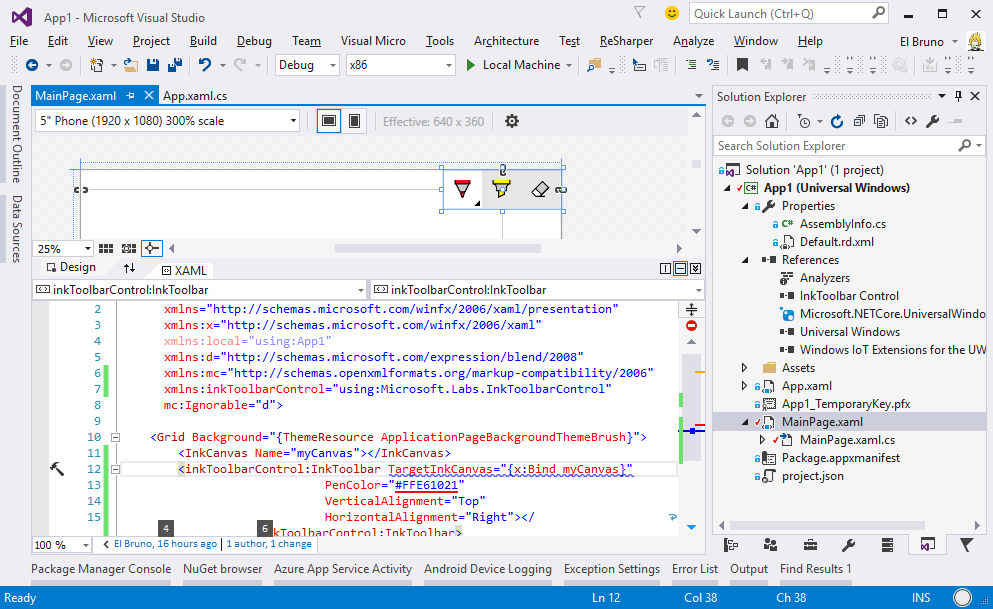
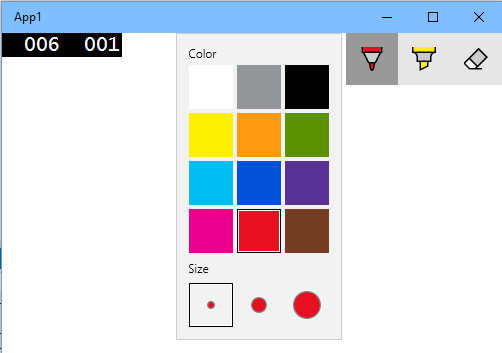
- Done! Now we can run the application and play with some Ink capabilities.
Enjoy your weekend!
Saludos @ Madrid
/El Bruno
References
– Visual Studio Gallery Ink Toolbar control for Universal Windows apps
– MSDN InkCanvas Class
– Header image, Wikipedia
 El Bruno
.jpg)
Leave a comment